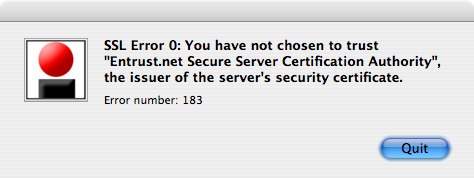
Hey Citrix, just quite changing your product names, willya? How are we supposed to find your ^(*(&&*^(&$# plugin if it’s called something different this week from last. At the one place I’ve worked, it was initially called “ICA Client”, then the mysterious “Xen”, and now it’s called bloody “Receiver“. Good word choice there. Not like “receiver” has ever been used for anything else before. Gah!
Anyway, now I’m a bit calm, if you are trying to connect to a Citrix server from OS X Lion, this worked for me: Citrix Receiver for Mac 11.4. Yes, you’ll need to register to download it, which is a royal pain in the bum. And for all of Citrix’s “o we are TEH SEKYOOR and care deeply about ur securitee“, they send your password in plain text, by e-mail. Gits. They should be forced to watch the eye-painting guy video (tnx regretsy) five times for this crime.
I guess my ancient post  When you really haven’t chosen not to trust: Citrix, Mac OS X, and Entrust certificates can get retired now, though it still gets a ton of hits. The vast number of semi-irrelevant links in this post is in no way an attempt to make up for that. Oh no.