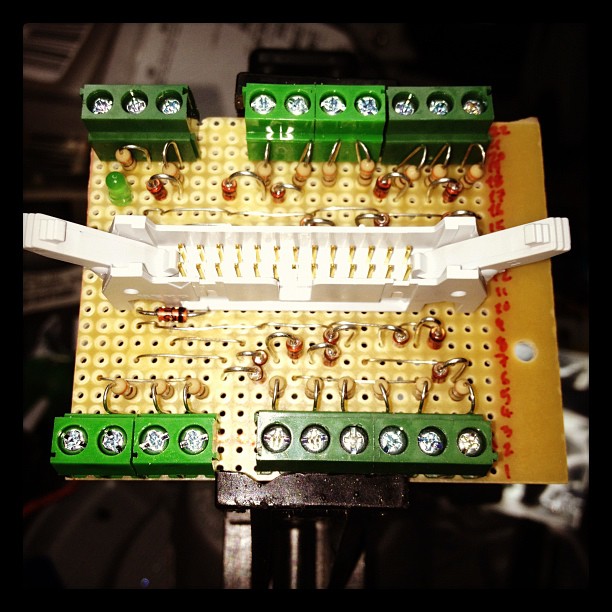
 Mike Cook’s Raspberry Pi Breakout Board. My first stripboard build. No, I’m not showing you the solder side …
Category: computers suck
-
Ahh, the smell of charring FR-2 …
-
Raspbian ftw!
Raspbian is good. If you haven’t upgraded your Raspberry Pi to run it — or any other hard float distro — then you should. It makes the little board seem positively zippy.
The processor on the Pi is an odd beast. It’s an ARMv6, somewhere between the ARMv5 that the original Debian distro supported, and the ARMv7, which has to have hardware floating point support. The Pi’s processor has floating point in hardware, but it wasn’t supported in the first distribution. Raspbian fixes this, and also has a nice hardware setup wizard (which I wish I’d known about before I spent a while preconfiguring the SD card on another Linux box, grr).
My highly unscientific benchmark of how fast a computer is is encoding an audio file with ‘lame -V2′. If it comes out faster than real time, it’s fast enough. My first trial in late June came out at a dismal 27% real time — so that would mean that a 4 minute song would take 14′ 49″ to encode. Very poor. Trying it again with Raspbian today gave me 209% real time — so that same song would be done in 1′ 55″. Much better.
While I was fossicking about with the Pi, I switched its power adapter over to a battery-backed outlet on my UPS. With summer storms, our power has been a bit glitchy, and the tiny USB power supply wasn’t able to ride through any of them. This, I hope, will allow me to have an uptime better than the time between storms …
I also made this last week:
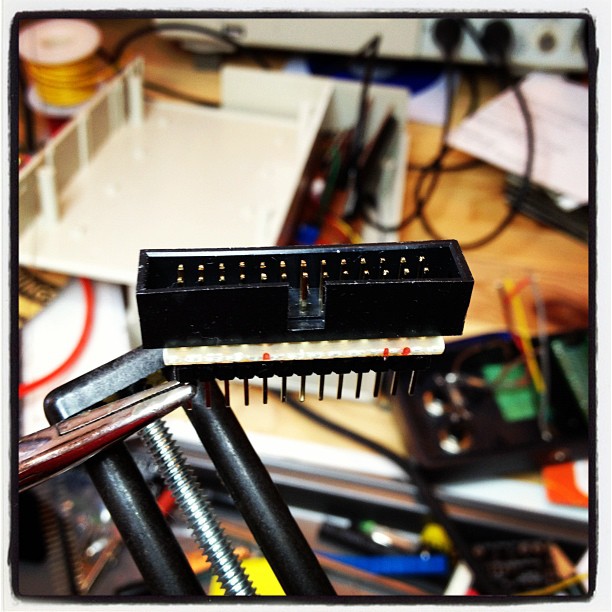
It’s a GPIO breakout, a sort of home made Adafruit Pi Cobbler. It’s on a tiny 13×4 fragment of stripboard. The soldering was fiddly, as stripboard is only single sided, so there was much fine tipped soldering iron action (and swearing). I now have the parts to built Mike Cook’s Breakout board with zener diodes providing protection, but this will do for simple applications if I’m careful.
-
Independent date x-axis in Excel charts
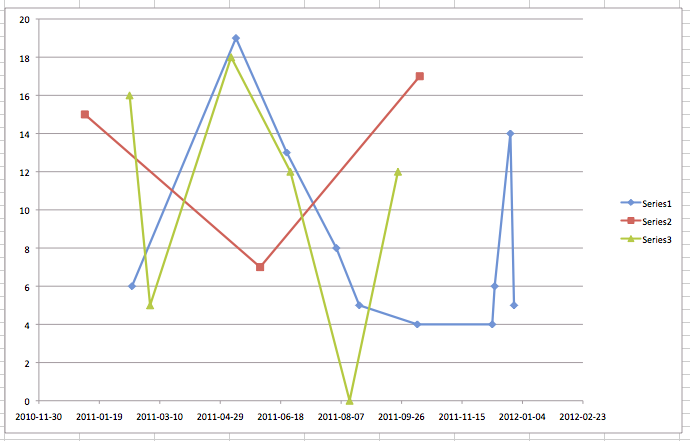
The Ask Metafilter question “Basic line graph” spurred me to make this unpretty graph:
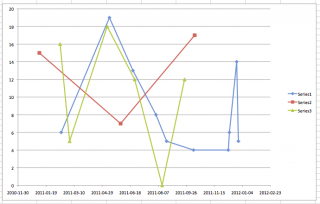 Here are the input data: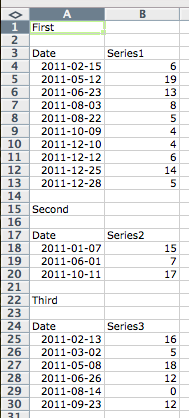
You need to make an X-Y (Scatter) plot. All others don’t have fully independent X-axes. Make your chart by selecting the first two data columns, then Insert Chart. Once the chart is in, right click/Control-click (OS X) to get this context menu:
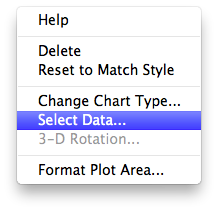
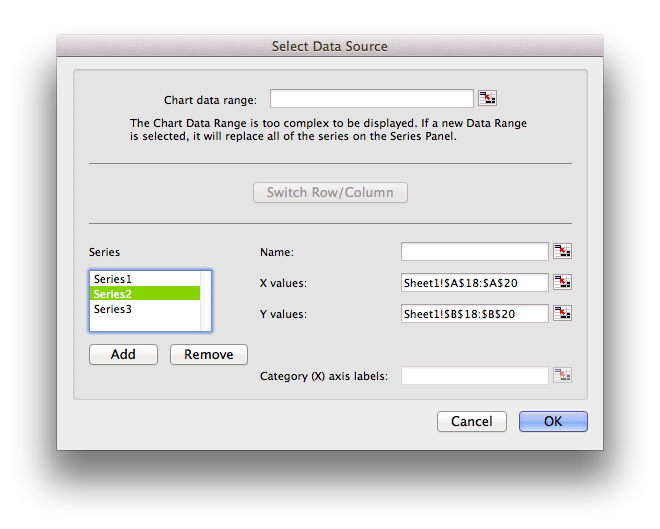
which should show
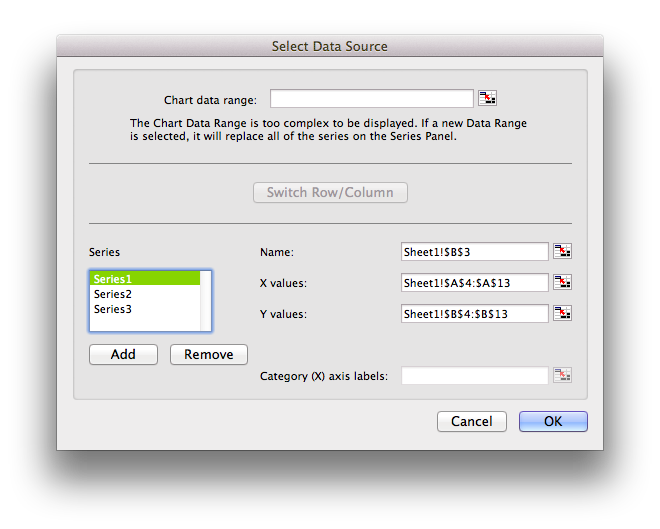
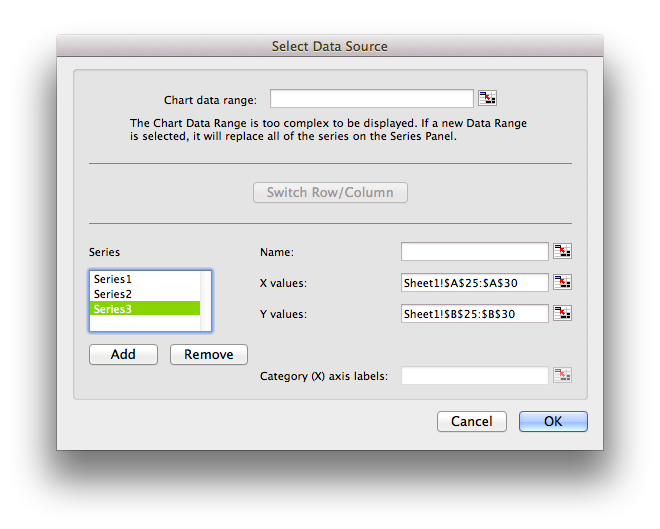
You can add more data series by hitting Add. Here are the specs for the next two series:
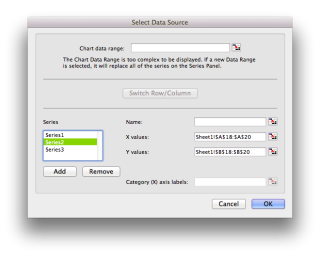
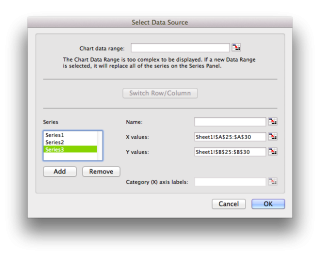
Finally, here’s the example spreadsheet: MultipleDateLinesChart.
-
I guess people were, at the time
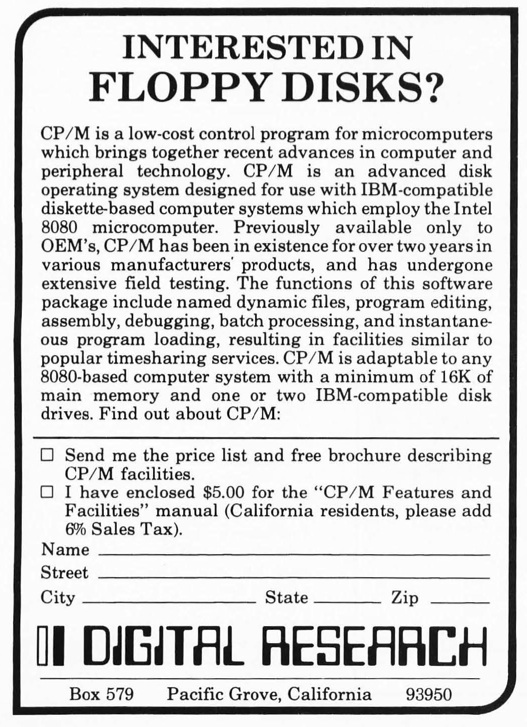
— an ad from the December 1976 edition of Byte, from the BYTE magazine scanning effort.
-
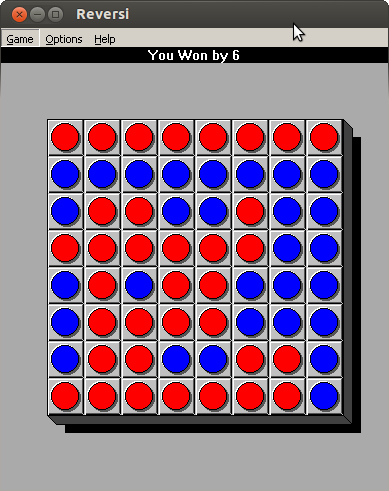
yay windows 3 reversi
It‘s old – very old – but it still runs under Wine.
-
not overthinking Raspberry Pi enclosures one bit …
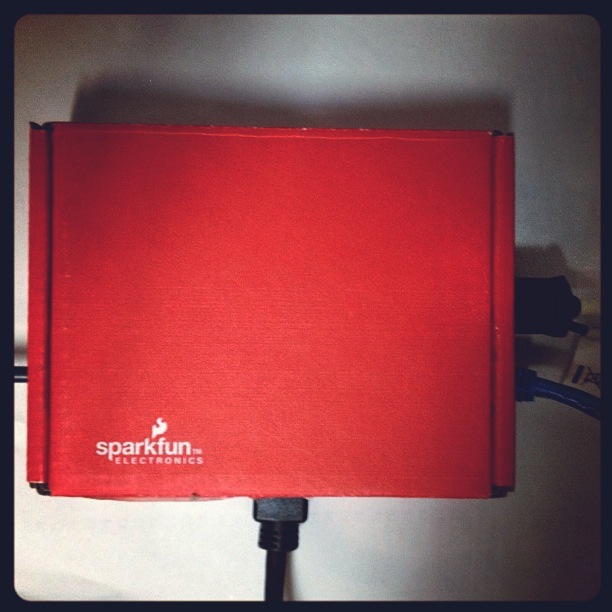 I was half way through marking out the Raspberry Pi‘s shipping box to cut out as an enclosure …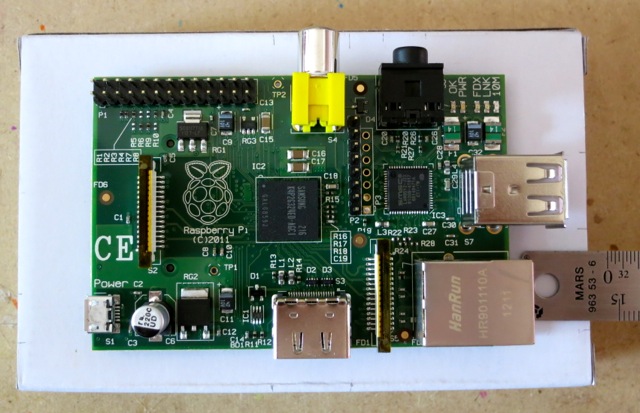
… when I spotted a SparkFun box from an Arduino shield. Aha! Nice thick corrugated card that was reasonably easy to cut with a very sharp knife.
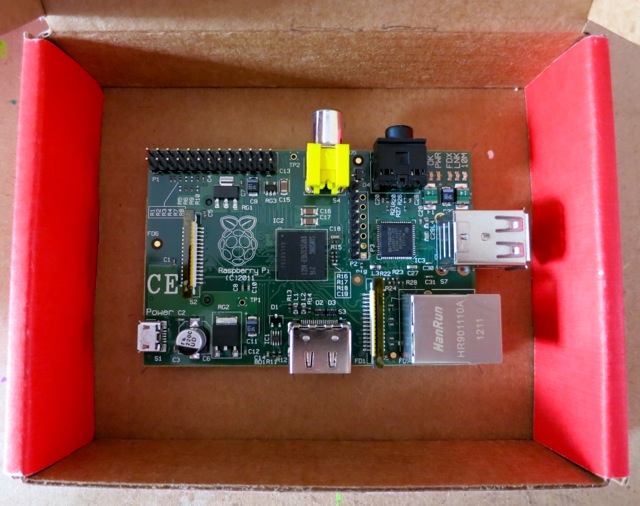
<voice_of_experience>NB: At this point it would have been much wiser to have inserted a memory card before laying this out.</voice_of_experience>
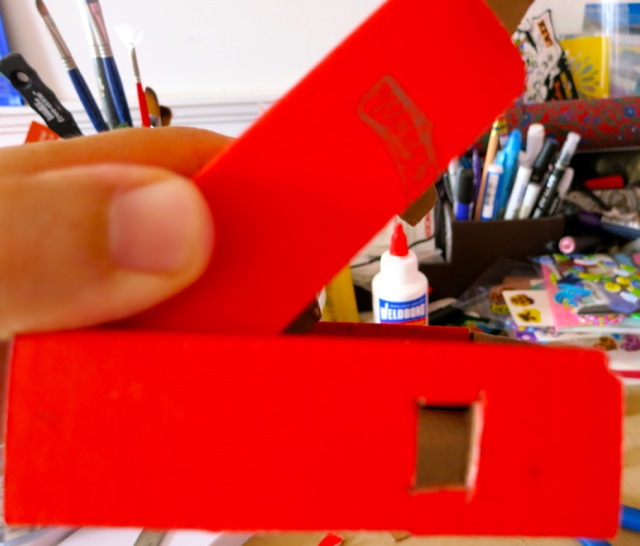
You’re going to have to cut out slots for connectors on the side of the lid. I marked out the path of the lid by closing the box and shading the path that went by the hole I’d cut. Basically, any cardboard you see passing by the hole has to be cut out.
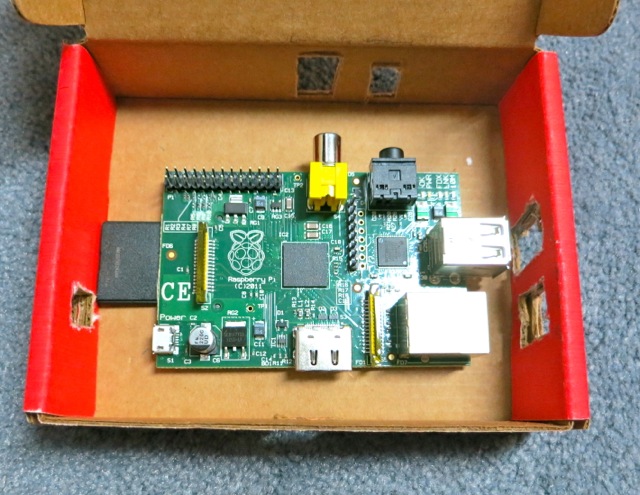
Now with memory card — and you can see I was a bit off.
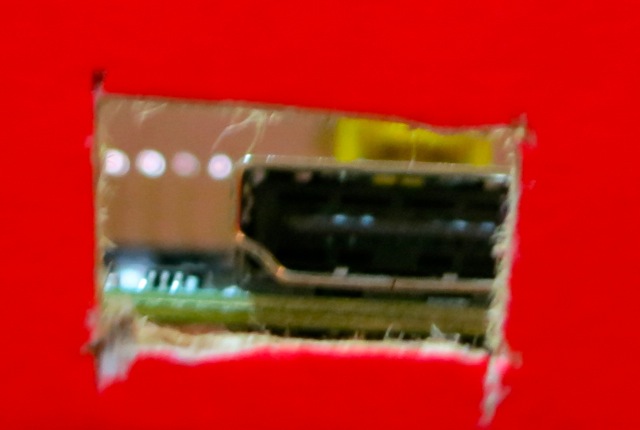
The pain of misalignment, as seen by the HDMI plug. Knives out!
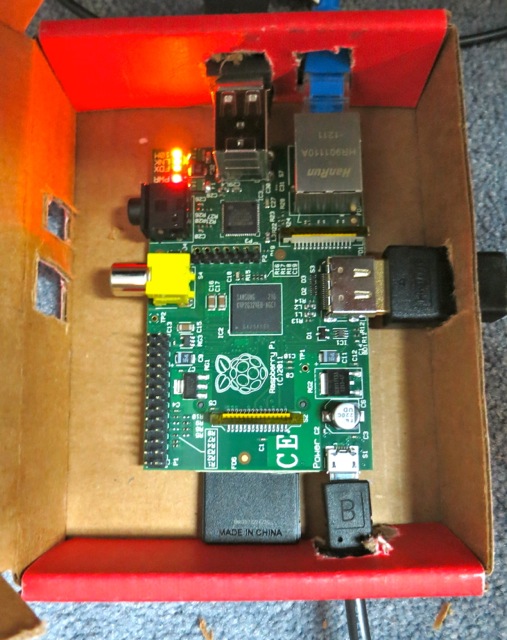
It’s finally all snugged into the box. It’s not going to move about with all the connectors holding it in place.
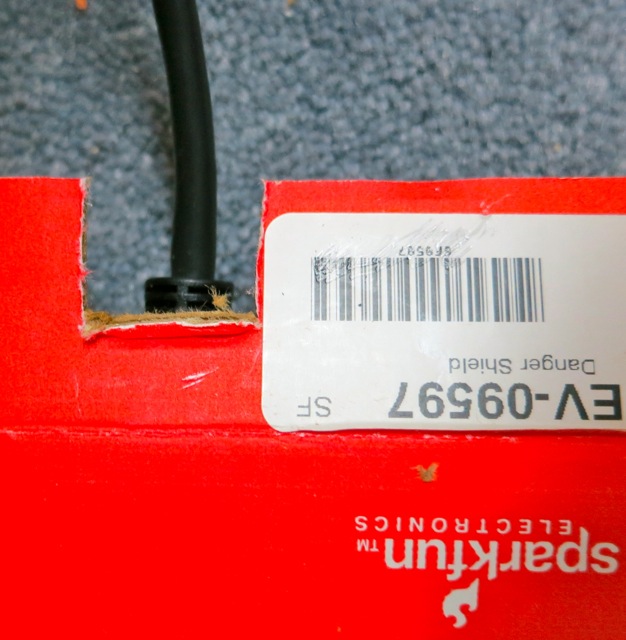
Don’t forget the cutout for the video cable in the box flap. I only caught this at the very last moment.
The Raspberry Pi does run faintly warm in the box. I suspect with the warmth, and all the little cutouts, this will shortly become an A-1 Special spider habitat.
-
!!!!!!!!!!!!!!!!!!!!!!!!!!!!!!!!!!!!!!!!!!!!!!!!
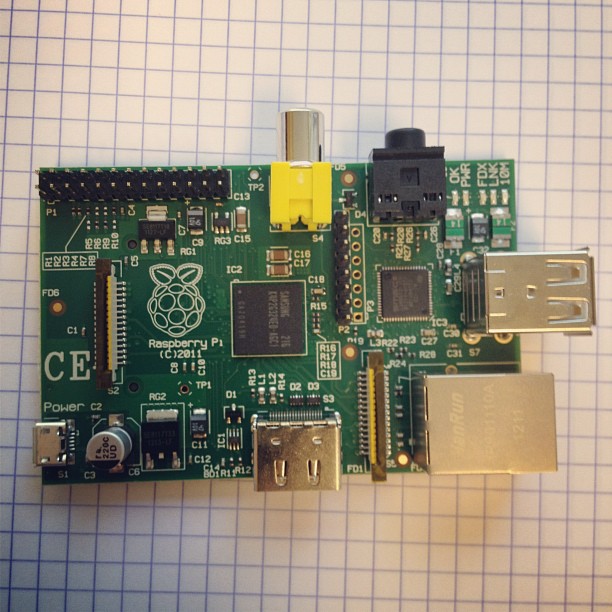 Raspberry Pi is in the house.
 -
awk is not irksome
You could make a t-shirt design out of this, if you felt so inclined. I like the fact that it’s valid — if useless — Awk code. -
Beware the Lexcavator
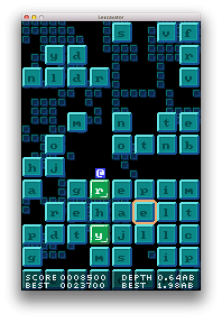 Lexcavator (groaningly, “a videogame for people who dig words“) is a kinda Boggle/Tetris/Boulder Dash thingy. It’s cross-platform, and cheap, optionally free. You may like it. I find it plays best with keyboard and a Wacom tablet.
 -
My bank broke PDF … and how I used PDFBeads to fix it
I’m on a major decluttering toot. When I realised that the filing cabinet I bought three years ago would no longer close with all the papers stuffed in it, I knew something had to change. I’ve been shredding like it’s Houston in 2001. I have the duplex scanner to suck in the stuff I need to keep. I’m moving to paperless wherever possible to stop it building up again.
My bank provides PDF statements. Of this I approve. PDF is almost perfect for this: it provides an electronic version of the page, but with searchable text and the potential for some level of security. Except, this is not the way that my bank does it. At first glance, the text looks pretty harmless:
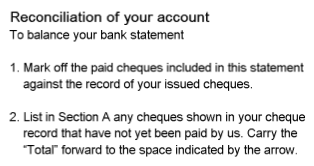
Zoom in, and it gets a bit blocky:

Zoom right in:

Aargh! Blockarama! Did they really store text as bitmaps? Sure enough, pdftotext output from the files contains no text. Running pdfimages produces hundreds of tiny images; here’s just a few:






Dear oh dear. This format is the worst of electronic, combined with paper’s lack of computer indexability. The producer claims to be Xenos D2eVision. Smooth work there, Xenos.
So, how can I fix this? It’s a bit of a pain to set this workflow up, but what I’ve done is:
- Convert the PDF to individual TIFF files at 300 dpi. Ghostscript is good for this:
gs -SDEVICE=tiffg4 -r300x300 -sOutputFile=file%03d.tif -dNOPAUSE -dBATCH -- file.pdf Run Tesseract OCR on the TIFF files to make hOCR output:
for f in file*tif

do

tesseract $f `basename $f` hocr

done
Update: Cuneiform seems to work better than Tesseract when feeding pdfbeads:
for f in file*tif

do

cuneiform -f hocr -o `basename $f .tif`.html $f

done- Move the images and the hOCR files to a new folder; the filenames must correspond, so file001.tif needs file001.html, file002.tif file002.html, etc.
- In the new folder, run
pdfbeads * > ../Output.pdf
The files are really small, and the text is recognized pretty well. It still looks pretty bad:
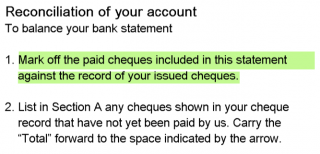 but at least the text can be copied and indexed.
This thread “Convert Scanned Images to a Single PDF File†got me up and running with PDFBeads. You might also have success using the method described here: “How to extract text with OCR from a PDF on Linux?†— it uses hocr2pdf to create single-page OCR’d PDFs, then joins them.
- Convert the PDF to individual TIFF files at 300 dpi. Ghostscript is good for this:
-
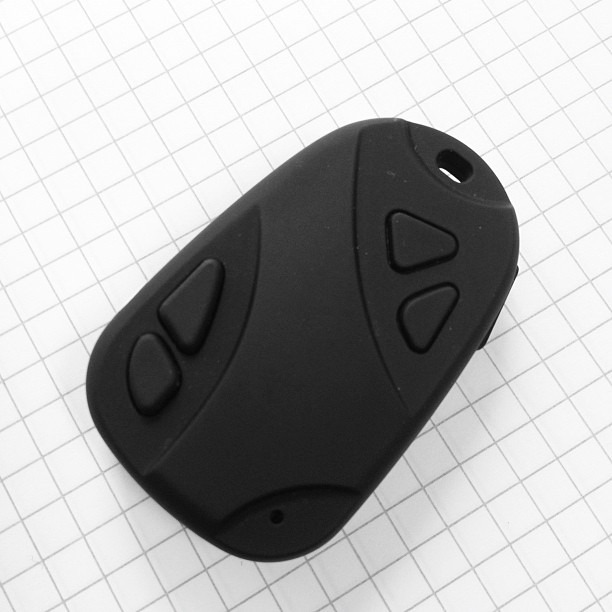
The strange world of the 808 Car Keys Micro Camera
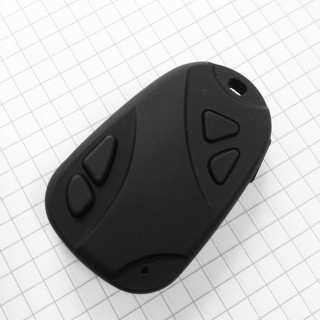 They have no viewfinder, no way of focusing, no controls beyond a power button and a multi-function shutter button (and two other seemingly useless buttons). They come with no manual, no readily identifiable manufacturer and you don’t really know what you’re going to get until you turn them on — yet they sell in their thousands. They are the 808 Car Keys Micro Camera.
I first heard about them from This Camera is an Adventure on MetaFilter, then someone suggested one as a solution to my Halfbakery idea “Tiny high quality digital cameraâ€. So I bought two:
- a #3 from ebay seller liangmin9888. Total cost $14.59 shipped from Hong Kong.
- a #16 from ebay seller elehomegood. Total cost $40.99 shipped from Hong Kong.
I chose these sellers for their high reputation, and they didn’t disappoint. The cameras? They’re no Leicas.
The #3 is supposedly the best of the standard resolution cameras. They have a large yellow timestamp permanently inscribed in the corner of any image or video. The one I have is loaded with lens aberrations, and makes a Lomo look like a view camera. Still, I see some potential in it.
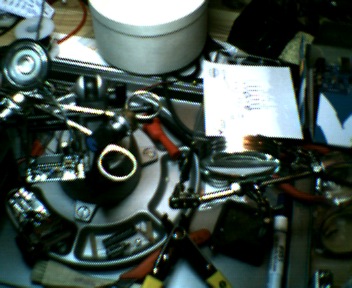
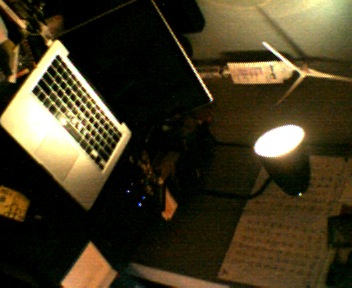
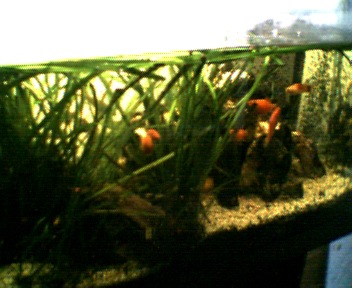
The #16 is a bit better. It still is miles behind my phone camera, and it only takes slightly soft 0.9 megapixel images. No video samples yet, but here’s a squinty picture I took in Lakefield today:

Lakefield, rather wonkily by 808 #16 I do feel a bit self conscious about using such a covert camera, but I’ll see what I can do with them.
-
And that’s that …
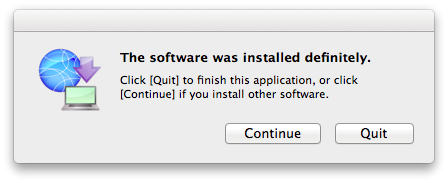
There’s something satisfying when your computer tells you, “The software was installed definitely.” I’d forgotten how ropey the translations were on Epson software, and I got this as I installed my new Epson WorkForce WF-7520 printer.
Haven’t had enough time to really dig into it, but it seems quite a fun unit. Duplex printing and scanning up to A3/Tabloid. Wireless printing (including AirPrint direct from an iOS device). Scans to flash storage, which is available as a network share. All good stuff.
-
ColorHug
I got my ColorHug calorimeter the other day. You can’t tell, but this laptop display is a bunch warmer than it was, and there are now colours springing out of what was formerly murk (sproing!).
It’s still very much in beta (and I mean that the way it used to mean), so it works but is a bit fiddly. It currently has to boot from a Linux live CD; there’s no native OS X or Windows support. There’s a very active user group, and issues are being found and squished daily.
-
still rather more proud of this code than I should be
Years ago, I wrote this tiny subroutine in PostScript:
/box { % draw a box given lower left and upper right corner coordinates
  2 copy moveto
  3 index exch lineto
  3 -1 roll 2 index lineto
  exch lineto
  closepath
} def
All it does is define a rectangular path given by four numbers. So to draw a box from (0,0) to (100,50), you’d say
0 0 100 50 box
stroke
This code still pleases me because:
- it accepts arguments in a sensible order
- it uses no local variables, relying purely on the stack
- no spare values have to be popped from the stack at any time.
-
My kind of RPG
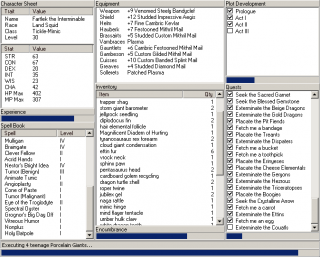
Progress Quest is my kind of game. -
WPS: PostScript for the Web
This is flat-out amazing: WPS: PostScript for the Web.
-
Awk day of the week function
Yet another in my series of awk functions no-one but me will ever use:
function dow(year, month, day) {
# Modified from C Snippets "calsupp.c" public domain by Ray McVay
# http://www8.cs.umu.se/~isak/snippets/calsupp.c
# returns 0-6 where 0 == sunday
# tested over 24000 days in range of unix timestamp, 1970-2035

    day_of_week = 0;

    if (month <= 2) {
        month += 12;
        year--;
    }
    day_of_week = (day + month * 2 + int(((month + 1) * 6) / 10) + year + int(year / 4) - int(year / 100) + int(year / 400) + 2);
    day_of_week = day_of_week % 7;
    return ((day_of_week ? day_of_week : 7) - 1);
}
Basically, all this does is calculate a Julian day number, then take its remainder modulo 7. I’d seen an example that parsed the output of ‘cal’. That’s one way of doing it; not necessarily mine.
-
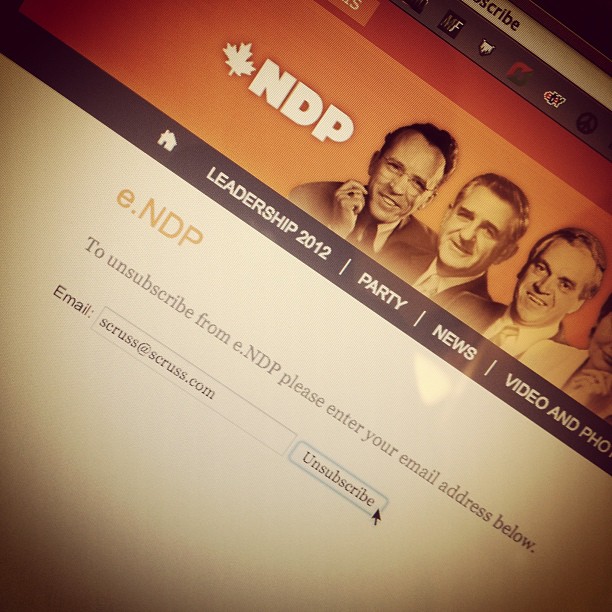
help help I’m being harassed by the New Democratic Party
You’d think that Canada’s New Democrats would be a bit more respectful and techno-savvy, but for the life of me, I can’t get them to stop sending me e-mail. I donated last year, but I don’t want to get updates any more.
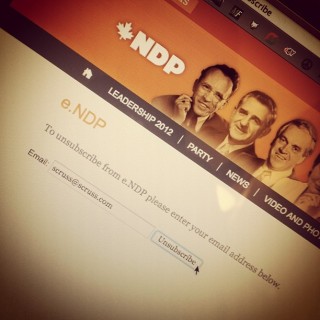 I’ve hit the unsubscribe page five times, and received confirmation each time:
- on Fri, 12 Aug 2011 17:18:04
- on Fri, 11 Nov 2011 11:57:58
- on Thu, 26 Jan 2012 08:07:21
- on Sat, 28 Jan 2012 14:25:09
- on Sun, 29 Jan 2012 11:35:33
I’ve now sent something via the contact form. Do I have to fax them, too?