Instagram filter used: Lo-fi
Photo taken at: Wrongbar
Hey! This is ancient! But since we’re talking about even more ancient computers, those bits still work. I’d recommend looking at the current installation instructions for z88dk rather than what I’ve got here.

If you crash an Amstrad CPC, you often got some pretty patterns. Like the one above, which was supposed to print the alphabet, but got about as far as R, then started making coloured spots on the screen. My alphabet doesn’t (usually) contain coloured spots, so something went wrong.
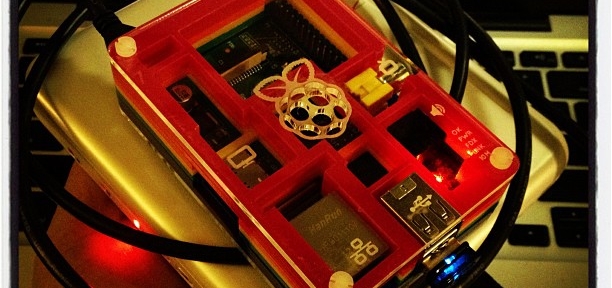
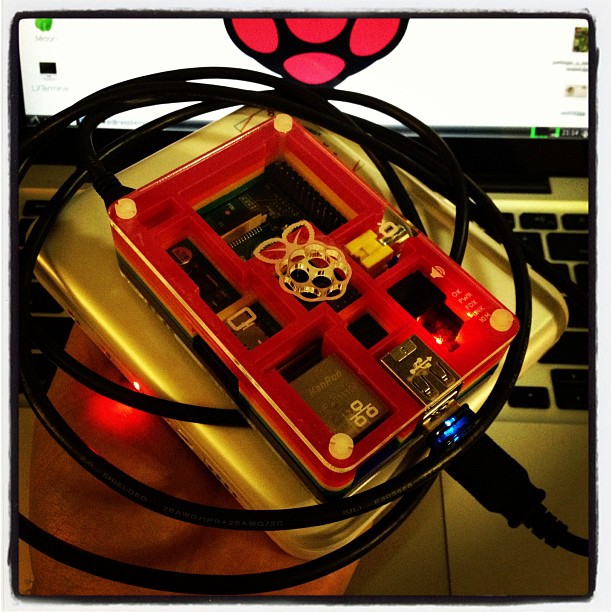
This post is only about the Raspberry Pi in that it’s the nearest always-on Linux system that I have. This would likely work fine on any Linux machine. While the Z80 cross compiler I use (z88dk) is available in the repos, I can’t get it to build anything, so I just pulled down the latest version. To build the compiler:
wget http://nightly.z88dk.org/z88dk-latest.tgz
tar xvzf z88dk-latest.tgz
cd z88dk
export Z80_OZFILES=$(pwd)/lib/
export ZCCCFG=${Z80_OZFILES}config/
export PATH=${PATH}:$(pwd)/bin
./build.sh
This should result in a working environment. We can test it with a simple C program:
/* alfa.c - print the alphabet */
#include <stdio.h>

int main(void) {
  char a='A';
  char b=26;
  while (b>0) {
    putchar(a);
    a++;
    b--;
  }
}
You can build it with:
zcc +cpc -create-app -make-app -O3 -unsigned -o alfa.bin alfa.c -lcpcfs -zorg=16384
You should end up with a file alpha.bin of approximately 4749 (!) bytes. You can copy it to a disc image using iDSK:
iDSK blank.dsk -i alfa.bin -c 4000 -e 4000 -t 1
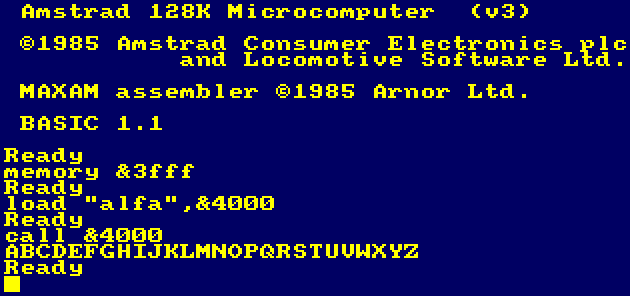
It runs like this:
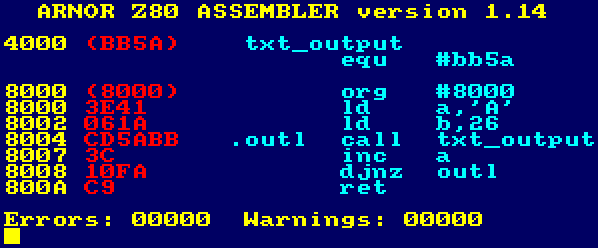
You can do the same with Z80 assembly language (shown here in the most gratuitously pretty Amstrad assembler, Maxam):
Although this results in only 11 bytes of code, it’s not portable; the C code above compiled and ran on both my Raspberry Pi and my Mac. It wouldn’t even run properly on a different Z80 system, as only the Amstrad CPC knows that call #bb5a prints the character in the A register. On the ZX Spectrum, for example, it was the completely different instruction rst 16 to print a character.
(There’s a lot more on z88dk on the CPCWiki.)
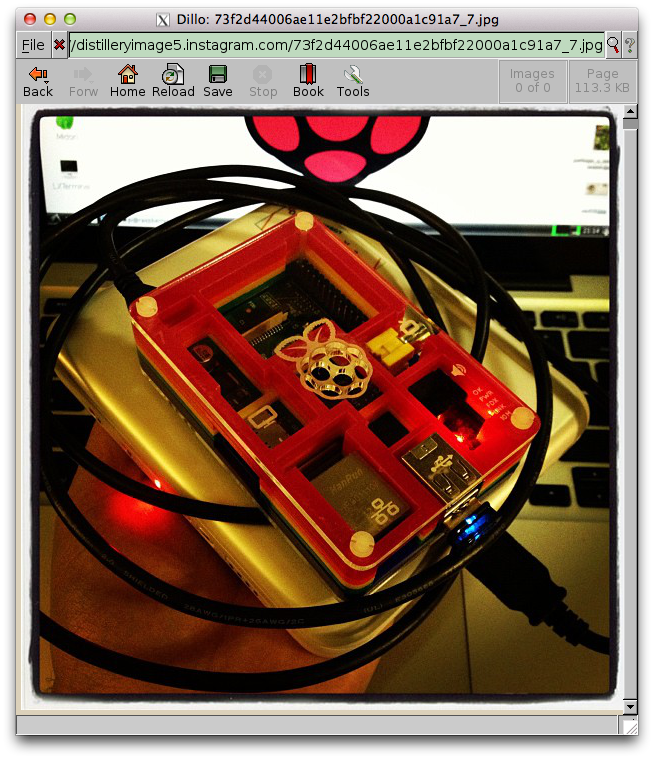
Yay! I found a wireless adapter that the Raspberry Pi is able to power without an external hub. It’s a Belkin N150 Micro Wireless USB Adapter. Not sure of the range, but it works well enough, and is cheap.
Just to show you how hard-core I am, that’s a screenshot of a browser (showing a picture of the Raspberry Pi + LSTech Solar charger) running on that Raspberry Pi with an X session tunnelled to the laptop you can see in the background. My head hurts now.
Put me out to pasture, my conference swag skills are failing.
I picked this up at Solar Power International:
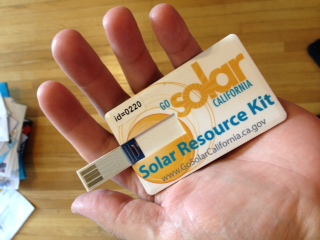
I thought I was picking up a USB memory stick, as I’d nabbed one in the same form factor before. Break off the backing card at the hinge, and you’ve got a nice tiny data store like the Kingmax ones I used to use.
On plugging it into my Mac, a couple of icons bipped on my dock, then Skype opened. Wat? More importantly, there was no storage to be seen, so once my virus fears had subsided a bit, I was determined to find out what this pointless piece of plastic was doing.
The stick identified itself to the system as an Apple keyboard (USB ID 05ac:020b), and spits out the following characters (captured by cat and xxd on my Raspberry Pi):
0000000: 1b72 1b5b 317e 1b5b 3477 7777 2e62 757a  .r.[1~.[4www.buz
0000010: 7a63 6172 642e 7573 2f73 6365 2d32 3230  zcard.us/sce-220
0000020: 0a                                       .
After reading about evil USB dongles, it seems that the Ctrl-R keypress it’s sending is the Windows “Open Browser” command, and then opens the url www.buzzcard.us/sce-220. This link redirects to www.plugyourbrand.com/gosolar_sce/index.html?u=220, which appears to do some Flash/JS stuff which I don’t want to understand.
The funny thing is, the card has the perfectly respectable www.GoSolarCalifornia.ca.gov (well, respectable if you consider a US .gov website as such) link printed on it. Even printing a card with a QR code linking to that address would be less opaque.

As is, a bunch of plastic was wasted in vain just to save people typing an URL. We’re all going to die, and it really is your fault …
One day, I’d like to power a small remote server from solar power. Today is not yet that day. But I’m closer …
At the Solar Power International show (big modules! cheap modules! AC modules!!) last week in Orlando (squee-able minilizards! cuban food!!) there were a few vendors selling solar USB chargers. Most were folding thin-film units similar to this, but what caught my eye (and was actually for sale at the show) was the LSTech “Smart one“: 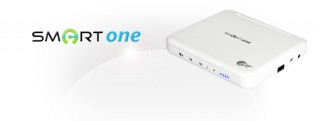 The unit features:
It comes with a couple of USB cables, and like seemingly all Korean semi-luxe electronic devices, comes in a soft brown velour bag. I’m not sure if the soft velour bag is the universal sign of quality in Korea, but I’ve noticed it enough that it might be A Thing.
I’ve run a Raspberry Pi for a couple of hours off this thing without making too much of a dent in the charge. I might be able to run it in full sun from the 4W solar charger, but I’m under no illusion that the Raspberry Pi’s ~3.5W continuous draw is going to keep running from such a small panel. That’s expecting an 88% capacity factor from a solar panel, which would be well if there wasn’t this small thing called night (or rotation of the earth, or cloud cover, or …)


Instagram filter used: X-Pro II
Photo taken at: Orange County Convention Center West Concourse