

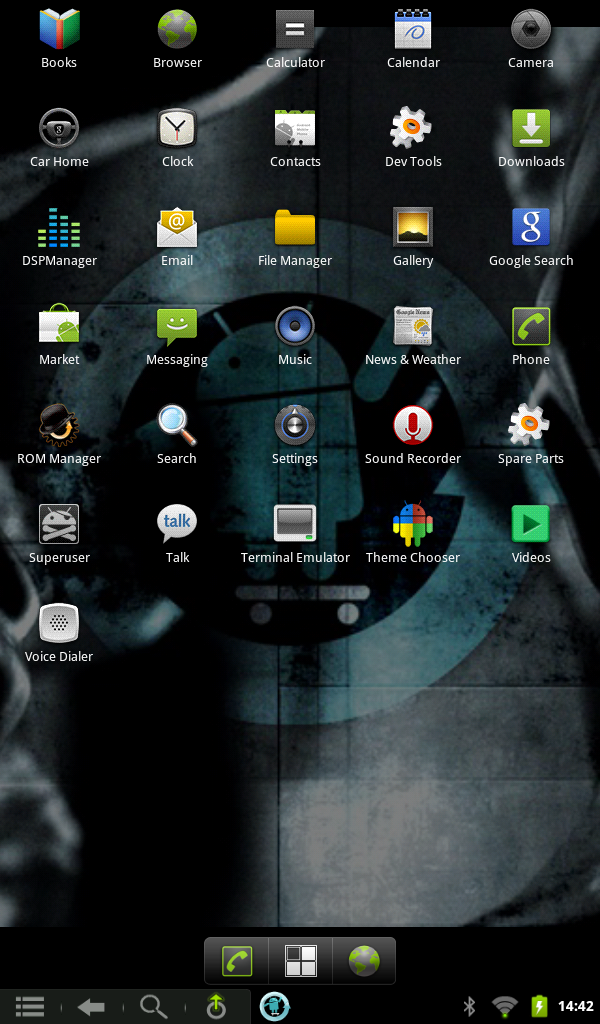
 OooOOooh! teh pritty! I’ve temporarily rooted my Nook Color to run the latest version of Android from microSD using the following instructions: [ROM][CM7] [v1.3] Size-agnostic SD Card image and CM7 installer for SD Cards. – xda-developers. It’s a bit slow.
Perhaps the hardest part was getting this screenshot. I got it using the Android SDK ddms tool, which took some hitting with a virtual Stillson wrench to get going. If, on OS X, the command adb devices returns a blank list, you will need to add the Nook’s USB vendor ID to the ~/.android/adb_usb.ini config file. Stop the server (adb kill-server), then enter the following command:
echo 0x2080 >> ~/.android/adb_usb.ini
then restart the adb server (adb start-server). adb devices should return something like:
List of devices attached 2010830023232004 Â Â device
and now all tethered Android joy can be yours.
If you’re trying to change the header image, and the old image seems to be stuck, make sure you turn off WordPress Super Cache before you change the image. Before you restart the plugin, make sure you delete cached files, or the old header will come back and haunt you.
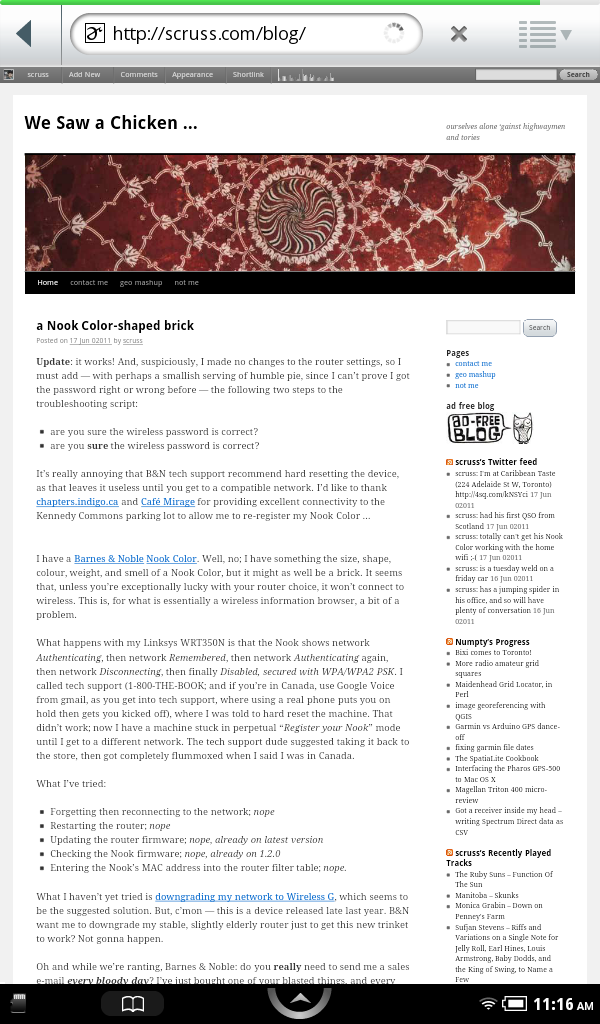
Update: it works! And, suspiciously, I made no changes to the router settings, so I must add — with perhaps a smallish serving of humble pie, since I can’t prove I got the password right or wrong before — the following two steps to the troubleshooting script:
It’s really annoying that B&N tech support recommend hard resetting the device, as that leaves it useless until you get to a compatible network. I’d like to thank chapters.indigo.ca and Café Mirage for providing excellent connectivity to the Kennedy Commons parking lot to allow me to re-register my Nook Color …
I have a Barnes & Noble Nook Color. Well, no; I have something the size, shape, colour, weight, and smell of a Nook Color, but it might as well be a brick. It seems that, unless you’re exceptionally lucky with your router choice, it won’t connect to wireless. This is, for what is essentially a wireless information browser, a bit of a problem.
What happens with my Linksys WRT350N is that the Nook shows network Authenticating, then network Remembered, then network Authenticating again, then network Disconnecting, then finally Disabled, secured with WPA/WPA2 PSK. I called tech support (1-800-THE-BOOK; and if you’re in Canada, use Google Voice from gmail, as you get into tech support, where using a real phone puts you on hold then gets you kicked off), where I was told to hard reset the machine. That didn’t work; now I have a machine stuck in perpetual “Register your Nook” mode until I get to a different network. The tech support dude suggested taking it back to the store, then got completely flummoxed when I said I was in Canada.
What I’ve tried:
What I haven’t yet tried is downgrading my network to Wireless G, which seems to be the suggested solution. But, c’mon — this is a device released late last year. B&N want me to downgrade my stable, slightly elderly router just to get this new trinket to work? Not gonna happen.
Oh and while we’re ranting, Barnes & Noble: do you really need to send me a sales e-mail every bloody day? I’ve just bought one of your blasted things, and every morning I’m getting “Buy a Nook!” in my inbox. Make it stop, okay?
Well … sorta. I can’t upload any size of image, but previously I was limited to about 0.3MP (640×480). Now I can upload up to about 1.5MP without the dreaded Memory error. I can also use WordPress’s Auto Upgrade feature again.
Daddy Hogwash’s “WordPress 3.0 Upgrade Complete after Solving Fatal Error: Out of Memory Issue” is what fixed it. His suggested number of 40M fixed the auto upgrade problem, while I upped it to 64M to get larger images to work with my host, 1and1.com.
Update: There is no fix for this. Memory limit on my kind of hosting is ~34M. Any higher is not allowed. This seemed to work for a while, now doesn’t.
I made a card for Catherine:
 The original has her contact details, which I’ve left out here. I’d never used Inkscape before; the tricky part was working out the layer alignment while allowing for the bleed. I exported it as a 600 dpi PNG, then sent it to Staples Copy & Print. Turned out pretty well, I thought.
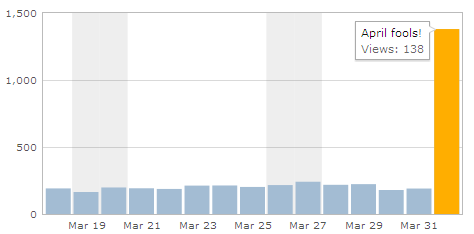 Jetpack, don’t you know that if you fool after noon, you’re the fool?
Oddly-shaped windows are a pain to screen grab. Netpbm to the rescue!
ppmmake blue 800 600 | pnmtopng > ~/Desktop/b.png
pngtopnm Screen\ shot\ 2011-03-27\ at\ 10.12.52\ .png |\
 pnmcrop |\
 pnmtopng -transparent blue > ICP-2007.png
Ta-dah!
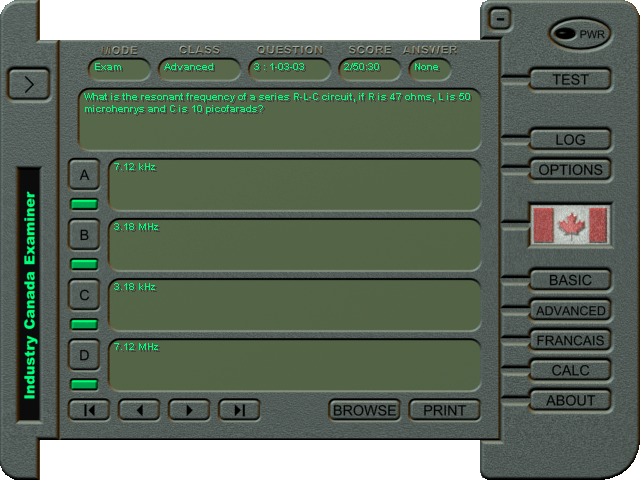
(and yeah, this is a Windows program running under Wine on OS X …)
It appears that my musical choice has this effect on people, as this just happened on a collaborative jukebox I’m aware of:
Oh well.
Canada Computers are entirely awesome. In the last week, they:
Catherine probably thought I was acting no more strangely than usual last night, when I was holding the Power Cost display unit in one hand, frobbing the electric stove control with the other, all the while watching a digital clock and cackling gently to myself.
All this makes me think I’m a bit further on with getting something from the Power Cost Monitor. Previous attempts using cheap wireless units (and cluelessness on my part — never forget that) got nothing, so I caved and bought the rather expensive but nice Parallax 433 MHz RF Transceiver from Solarbotics.
The Parallax unit adds an analogue output that’s proportional to the instantaneous signal strength. I hooked up the output to the trusty sdfatlib analogue logger, set the logger to sample every 50ms (figuring that, every now and again, it’s going to see part of a transmission) and this is what I saw:
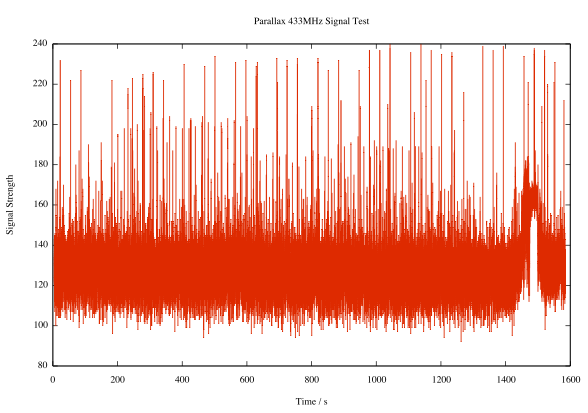 Pretty noisy, I know. But look, there are regular peaks:
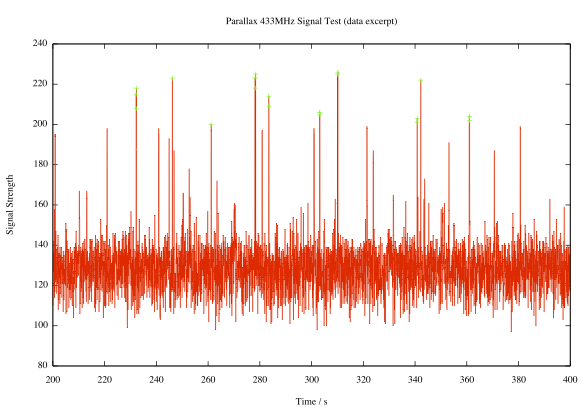 Here I’ve highlighted all the peaks with signal strength ≥ 200 (in arbitrary units, where 1024 would be full scale). It’s pretty regular; the largest peaks come in a shade under every 32 seconds, or a multiple thereof. If you need additional decimal places to validate your worldview, I’m thinking the period’s around 31.86s.
Observations made during last night’s frobbing and cackling episode seem to confirm that the display updates about every 32s. If you adjust the load mid-cycle, nothing changes until the update. If the display misses an update, it’ll refresh in 64 or 96 seconds.
I don’t yet know what bitrate the data comes through at, or the protocol. I’ve logged some data recorded at various rates: 433mhz_powercost_data. The file names give a hint at the data rate; L1200V04 was recorded at 1200bps, for example. I’m guessing that there’s some kind of sync header, then the total value and the current temperature (which was around/below freezing at the time). I need to work on that.
Update: I rewrote the logger to use the Arduino’s internal UART, since — lovely though NewSoftSerial may be — it causes millis() to report wildly inaccurate times at low bit rates. I recorded a bunch more data (powercost-arduino2.zip) in a slightly more useful text format. It has three columns:
I’ve also included the Arduino sketch, which could be better documented.
I’m pretty new to Arduino, and electronics in general. Sure, I used to wire up sensors to a bunch of dataloggers, but there wasn’t much variation or application of theory. I made up a bunch of Ardweenies, mostly to practice soldering skills, but now I’ve made them, I might as well use them.
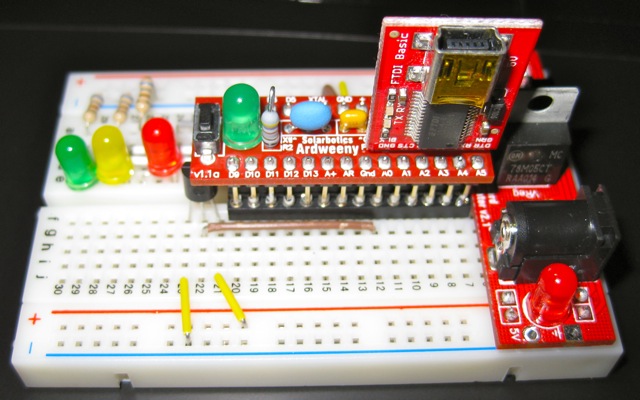
The Ardweeny is a tiny broadboard-only Arduino-compatible microcontroller board. It needs both a power supply and a means of programming it. Solarbotics’ own Breadboard Voltage Regulator Kit provides the juice, while a SparkFun’s FTDI Basic Breakout handles the USB serial programming. The FTDI breakout board can supply power, so I turn the power off to the board at the regulator when programming it. You can’t use shields with the Ardweeny, but it’s small enough that you can have a simple project on a small breadboard. It communicates with the Arduino IDE as if it were a Duemilanove.
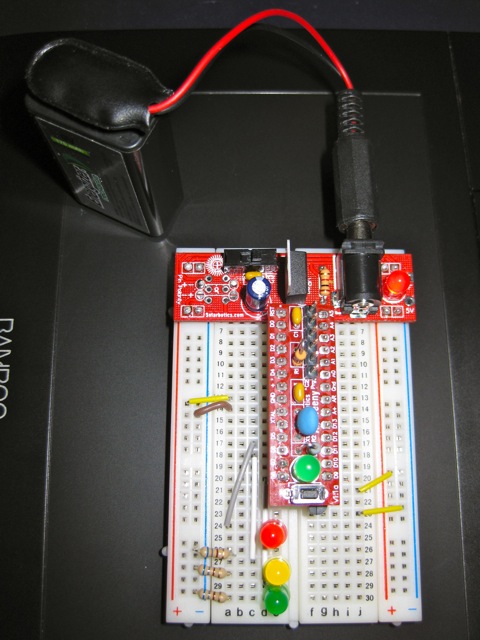 The Ardweeny has pins clearly (if tinily) marked by function. To power it, you need to feed GND and +. The familiar A0-A5 and D0-D13 are present, if not quite where you’d expect them. There isn’t room to mark the digital pins capable of PWM.
For no particular reason (perhaps that spring finally looks like it might be warming things up around here) I wanted to make a a temperature sensor that would sample the temperature at start up, then warn if the temperature got more than 2°C hotter or colder.
I used an LM35 as the sensor. These are a bit noisy, so I added some smoothing (nicked, with little grace, from the Arduino – Smoothing tutorial). The temperature is indicated by three LEDs: red for ≥2°C over, amber for within ±2°C of the starting temperature, and green for ≥2°C under. I also wanted all the LEDs lit while the system was working out starting temperature. Here’s how it runs:
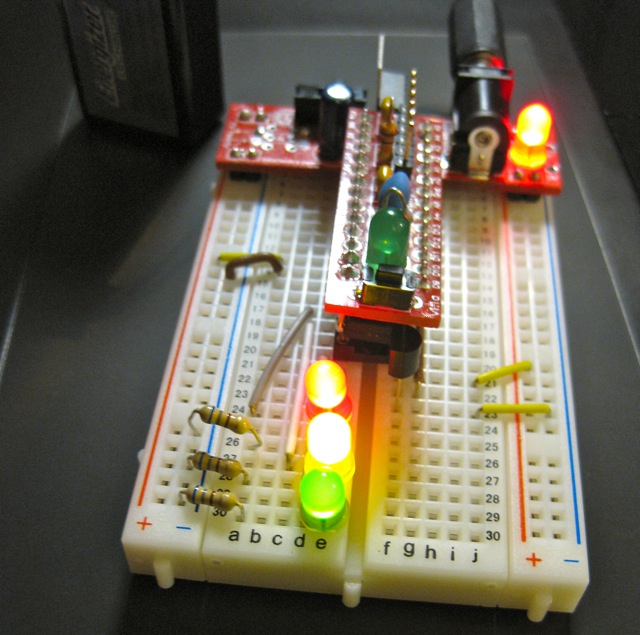
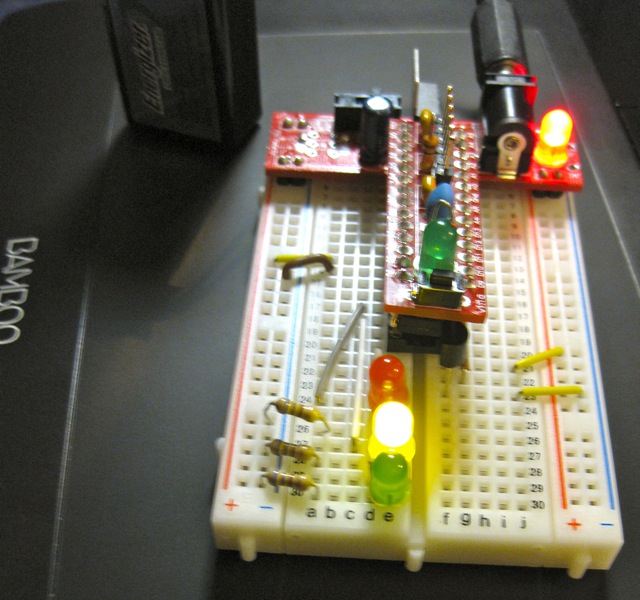
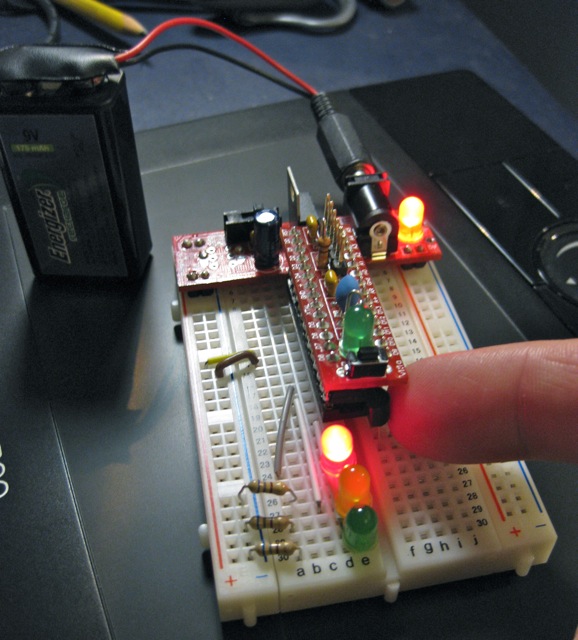
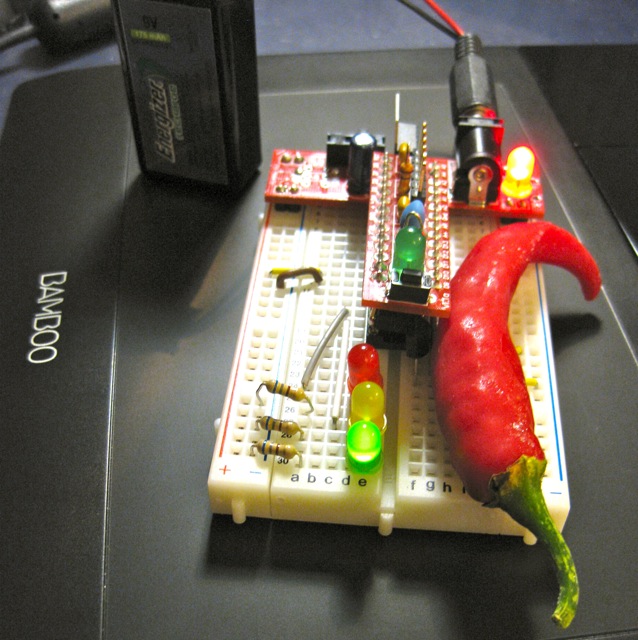
I put the LM35 on A0, and the red, amber and green LEDs on D5, D6 & D8. The only reason I didn’t use D7 was that I didn’t have the right length jumper wire. 680Ω resistors are used to limit current through the LEDs.
Here’s the code:
/*
 lm35_plusminus - read temperature at startup then light
 leds if over or under

 lm35 - analogue 0

 red led - digital 5
 amber led - digital 6
 green led - digital 8

 scruss - 2011-02-17
 */

#define REDPIN 5
#define AMBERPIN 6
#define GREENPIN 8
#define TEMPPIN 0 // analogue
#define DELTA 2.0 // amount +/- from start to warn
#define READINGS 15

//declare variables
float tempC, start_temp, array[READINGS], total;
int val, i;

void setup()
{
  pinMode(REDPIN, OUTPUT);
  pinMode(AMBERPIN, OUTPUT);
  pinMode(GREENPIN, OUTPUT);

  // signal start of test by lighting all LEDs
  digitalWrite(REDPIN, HIGH);
  digitalWrite(AMBERPIN, HIGH);
  digitalWrite(GREENPIN, HIGH);

  // read initial values
  for (i=0; i< READINGS; i++) {
    delay(500/READINGS); // just so initialization is visible
    val = analogRead(TEMPPIN);
    array[i] =  (5.0 * (float) val * 100.0)/1024.0;
    total += array[i];
  }
  start_temp = total / READINGS;

  // test off, lights off
  digitalWrite(REDPIN, LOW);
  digitalWrite(AMBERPIN, LOW);
  digitalWrite(GREENPIN, LOW);
  i=0; // just to initialize
}

void loop()
{
  // some cheapo smoothing copied from the Smoothing example
  //  in the playground
  total -= array[i];
  val = analogRead(TEMPPIN);
  tempC = (5.0 * (float) val * 100.0)/1024.0;
  array[i] = tempC;
  total += tempC;
  i++;
  if (i>=READINGS) {
    i=0;
  }
  tempC = total/READINGS;
  if (tempC - start_temp >= DELTA) {
    // we're hot !
    digitalWrite(REDPIN, HIGH);
    digitalWrite(AMBERPIN, LOW);
    digitalWrite(GREENPIN, LOW);
  }
  else if (tempC - start_temp <= -DELTA) {
    // we're cold !
    digitalWrite(REDPIN, LOW);
    digitalWrite(AMBERPIN, LOW);
    digitalWrite(GREENPIN, HIGH);
  }
  else {
    // we're just right !
    digitalWrite(REDPIN, LOW);
    digitalWrite(AMBERPIN, HIGH);
    digitalWrite(GREENPIN, LOW);
  }
}
Despite the smoothing, the LEDs flicker briefly as they turn on. I kind of like the effect, so I made no attempt to change it.
What I like about Arduino is that — within the limits of my sensor knowledge — the programming language does what I expect. The above program worked first time; worked, that is, save for me putting one LED in the wrong way round, so it didn’t light. I know I could probably replicate the same function with a few linear devices and other components, but it would take much more time and effort. It may not be the most elegant, but it does work, and gives me the satisfaction of the desired result quickly.
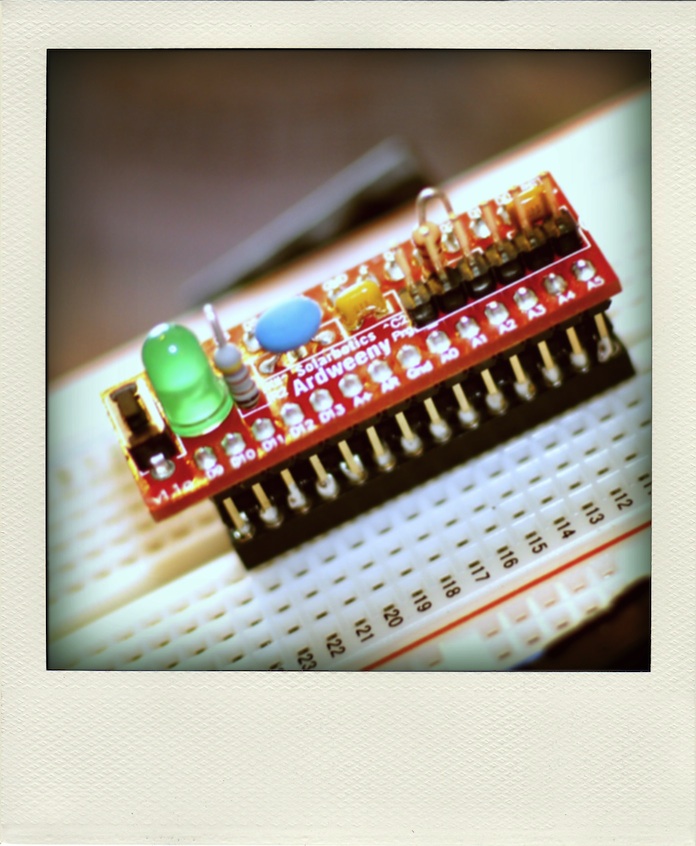 … several Solarbotics Ardweenys. They are extremely tiny Arduino clones designed for the breadboard.

After bumping along at about 600Kbps for the last few weeks, Bell (through TekSavvy) finally kicked my connection over to 3 megabit. I don’t think we’ve ever managed this speed before, as I think I’ve been routed to a different exchange. Whee!
Update: Yowza! Looks like I’ve been upped to as close to the 5M that I can get …

It was a bit of a fight to get the SparkFun microSD Shield working. At first, I thought it was my choice of cards. Then, on reading the manual (ahem), I discovered the section “I downloaded a FAT library for Arduino on my own from the Web but it’s not working! Why not?“. It seems that the SparkFun shield uses non-standard pins for signalling, which they consider a feature, but some consider a bug.
After fixing the code in the awesome sdfatlib library, I’ve now got it logging the temperature of a cooling container of hot water:
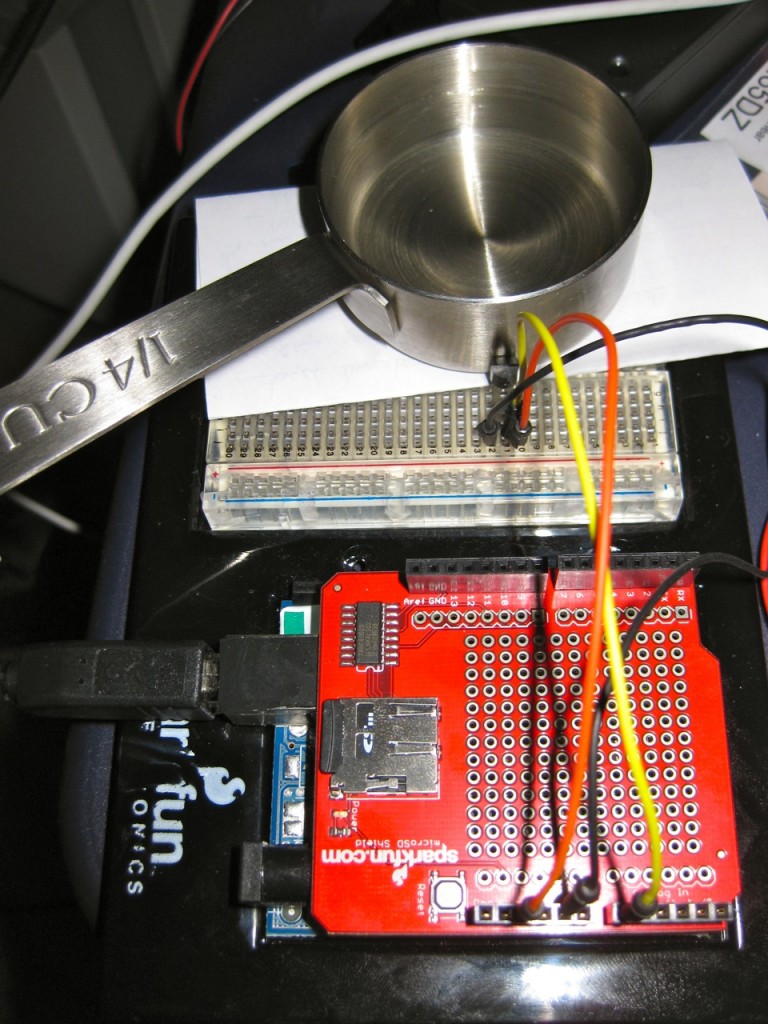 You might just be able to make out the LM35 pressed up against the measuring cup.
I remember making a right mess of this experiment in my school final Physics practical exam. I also used to do this in my first job when bored testing Campbell CR10 dataloggers, making a nice 1-d cooling curve with a thermocouple and a cup of hot water.
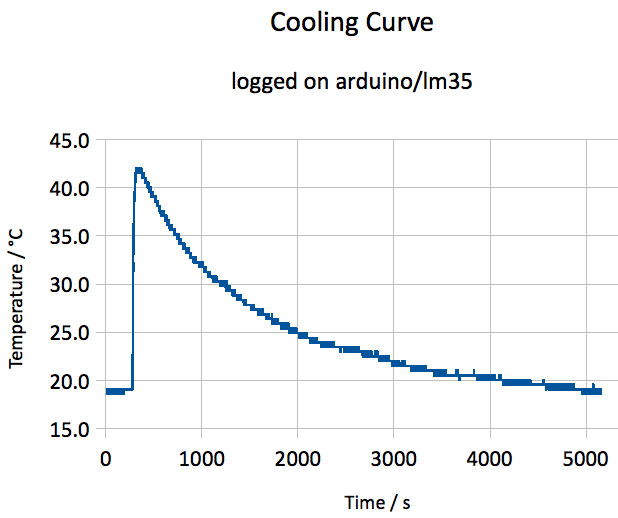 I think the heating came on a couple of times, as there shouldn’t be bumps in the curve. Here’s the data.
The bloke standing behind the console looks like he’s working an iPhone – in 1959!
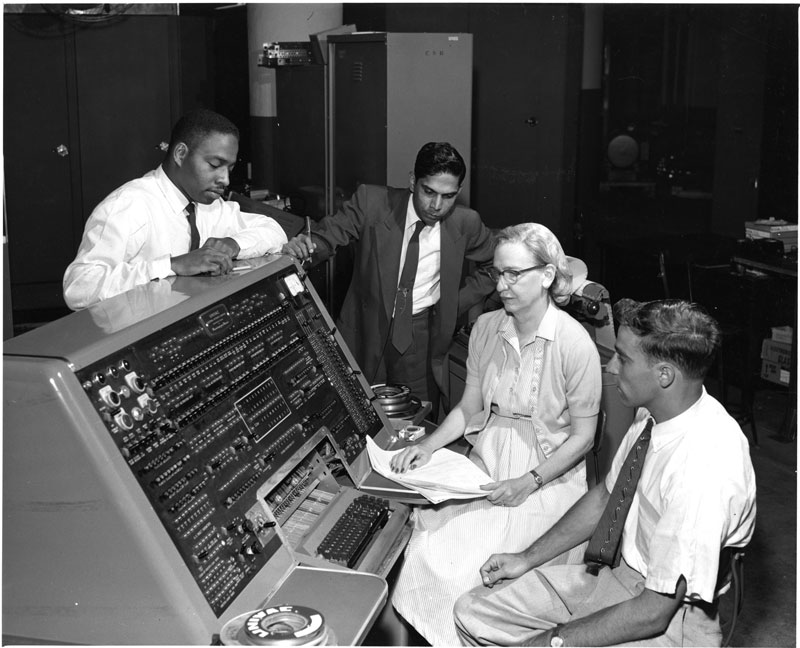 (actually, it might just be a cigarette; see the open pack of Luckies by Grace Murray Hopper’s right elbow.)
Image nicked from the NMAH | COBOL – COBOL online exhibit.
I went to Photosynth, and saw this:
 Bullets are also small and fast, but I don’t plan to install any of those soon, either.
I knew that nothing good would come of emusic’s plan changes. I mean, dumping all your favourite indie labels and replacing them with mainstream crud; how’s that working out for you, yeah?
Just to show you how things have changed, here’s a list of the most recent artists I’d downloaded pre-plan changes. The ones in red are ones you can’t get any more:
And here was me on a major Delgados kick, and they’re gone.
So cancelled my plan on the weekend, and got this:
 Yep, if you’re on an annual plan, you’ve got to sit it out. They don’t offer refunds. So now I have to remember to go in every thirty days for the next nine months to find something – anything! – to download. It’s extremely shabby that emusic are holding over $100 of my balance to ransom. I guess they’re just trying to fit in with the mainstream music industry …
Arduino and the Irn-Bru Can Choir present Roy Williamson’s epic anthem:
Like O Canada and The Star Spangled Banner before it, it’s a random midi file (grabbed from Midi files of bagpipe tunes: mercifully, does not autoplay) converted to RTTTL and played through a glued-on piezo.
 I realize that I first started using