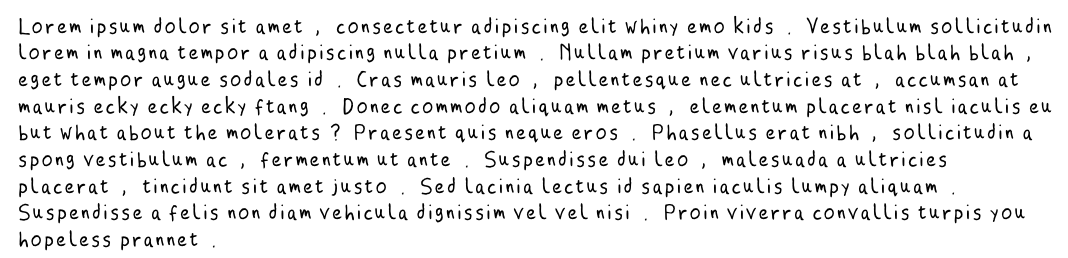
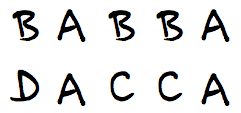
I took the glyphs of an overused generic font, and subjected them repeatedly to the modern equivalent of stereotyping: rasterized them, then autotraced the bitmaps. As a side effect, all the character heights were lost, so everything’s the same size.
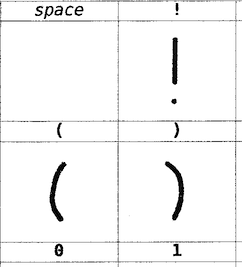
This is the first one I’ve done that hasn’t needed a printer or scanner. I exported the template to a single image (chargrid.png), then hand-wrote the characters using my graphics tablet on a new transparent layer in Gimp.
This isn’t quite right yet – characters aren’t encoded correctly, and it’s not quite as monospaced as it should be, but it has some nostalgia value. It’s the screen font used by the Amstrad CPC.
File: AtkNoise. Probably best at as a display font.
(The name’s from the process I used to make the font. I masked the font over greyscale noise at fairly low resolution, then applied Atkinson dithering, then fed the result through potrace. I’ve used this technique before.)
Hey, this post is super old!
That means that installation and run instructions may not work as well, or even at all. Most of the *Ports Apple software repositories have given way to Homebrew: you may have some success on Mac (untested by me) if you brew install netpbm fontforge potrace. There’s also some font cleanup I’d recommend, like resolving overlaps, adding extrema, and rounding points to integer. One day I may update this post, but for now, I’m leaving it as is.
This looks more than a bit like my handwriting
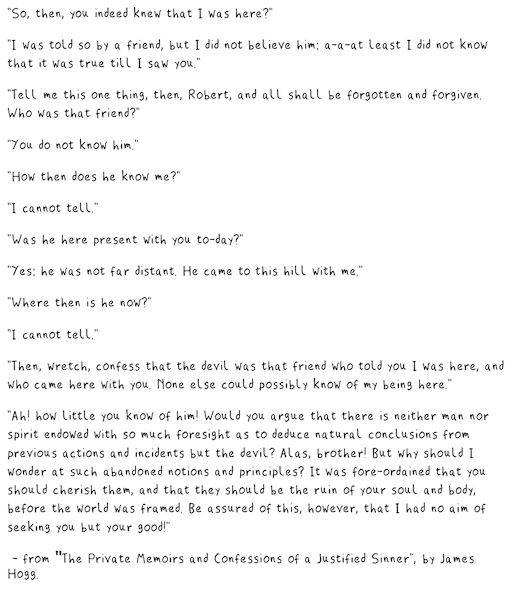
because it is my handwriting! Sure, the spacing of the punctuation needs major work, and I could have fiddled with the baseline alignment, but it’s legible, which is more than can usually be said of my own chicken-scratch.
This process is a little fiddly, but all the parts are free, and it uses free software. This all runs from the command line. I wrote and tested this on a Mac (with some packages installed from DarwinPorts), but it should run on Linux. It might need Cygwin under Windows; I don’t know.
FontForge, the amazing free font editor. (Yes, I said amazing. I didn’t say easy to use …)
autotrace or potrace so that FontForge can convert the scanned bitmaps to vectors
some kind of bitmap editor.
You will need to download
fonttrace.pl – splits up a (very particular) bitmap grid into character cells
chargrid.pdf – the font grid template for printing
Procedure:
Print at least the first page of chargrid.pdf. The second page is guidelines that you can place under the page. This doesn’t work very well if you use thick paper.
Draw your characters in the boxes. Keep well within the lines; there’s nothing clever about how fonttrace.pl splits the page up.
Scan the page, making sure the page is as straight as possible and the scanner glass is spotless. You want to scan in greyscale or black and white.
Crop/rotate/skew the page so the very corners of the character grid table are at the edges of the image, like this: I find it helpful at this stage to clean off any specks/macules. I also scale and threshold the image so I get a very dark image at 300-600dpi.
Save the image as a Portable Bitmap (PBM). It has to be 1-bit black and white. You might want to put a new font in a new folder, as the next stage creates lots of files, and might overwrite your old work.
Run fonttrace.pl like this: fonttrace.pl infile.pbm | sh
If you miss out the call to the shell, it will just print out the commands it would have run to create the character tiles.
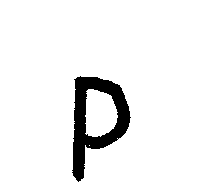
This should result in a bunch of files called uniNNNN.png in the current folder, like these:
uni0057.pnguni0069.pnguni0073.pnguni0070.png
uni0079.png
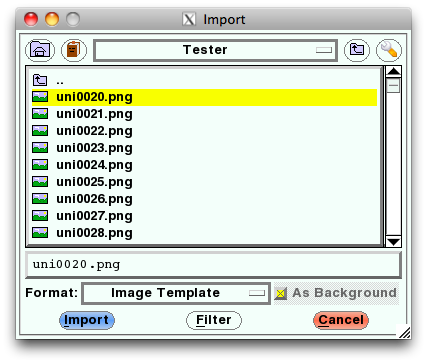
Fire up FontForge. You’ll want to create a New font. Now File→Import…, and use Image Template as the format. Point it at the first of the image tiles (uni0020.png), and Import.
Select Edit→Select→All, then Element→Autotrace. You’ll see your characters appear in the main window.
And that’s – almost – it. You’ll need to fiddle with (auto)spacing, set up some kerning tables, set the font name (in Element→Font Info … – and you’ll probably want to set the em scale to 1024, as TrueType fonts like powers of two), then File→Generate Fonts. Fontforge will throw you a bunch of warnings and suggestions, and I’d recommend reading the help to find out what they mean.
There are a couple of limitations to the process:
Most of the above process could be written into a FontForge script to make things easier
Only ASCII characters are supported, to keep the number of scanned pages simple. Sorry. I’d really like to support more. You’re free to build on this.
Lastly, a couple of extra files:
CrapHand2.pbm – a sample array drawn by me, gzipped for your inconvenience (and no, I don’t know why WordPress is changing the file extension to ‘pbm_’ either).
chargrid.ods – the OpenOffice spreadsheet used to make chargrid.pdf
But I made these character glyphs in a semi-automatic bitmap converter for tracing in scanned letters into FontForge. It’s currently only a proof of concept, but I want to expand it up to a full ASCII font, at least.
Micropayments are a bit like legal weed – only the users want it, and the suppliers and their opponents would rather keep the status quo. Lots of smart people have tried it (remember Peppercoin? Ron Rivest was in on that one) and not many real users have ended up using it.
Flattr, like every other new system, claims to be different from every other system. It’s a patronage system, where users/readers/listeners can click on the Flattr link and divvy up their monthly contribution amongst everyone they liked.
I forget how (or exactly why) I got an invitation, but I finally activated it and credited enough for 6 months’ usage this morning. Now I need to go out and find things to like … and they’re thin on the ground.
Jag kanske inte svenska tillräckligt, but I’m not seeing much that has likeable content. Maybe my user number – in the low 1000s – is a hint, but let’s see how things go by the end of October. I’m hoping it doesn’t end up like Dexit, the dismal downtown Toronto cashless payment system that never got the inertia (or reliable terminals) needed to survive. One can never tell with these online things; when I signed up with Twitter in early 2007, it was a pretty hopeless system …
As a minor celebration of our 8th anniversary of arriving in Canada, I give you (with explanation later) the collected transcripts of my Google Voice calls:
Hey, gimme a buzz me back this is Ron man, you know. Lamb oxen, this is Ron 205, buzz me when you get a chance later.
That probably in about a.
Hey from A D this is Ron man and 12 5 man If you are a I’ll buzz me, man. I’m gonna do some business man, so pick up you know of a receive, a. My, but alright with equating later.
Hello, this is not. He wants to join for your learn, not you, that fallen off. Bye.
Hey, Got this way about you could give me a call back and give me a call. Real quick, I’m outside. Thank you.
Hello.
Hello, Would you know that. Love you all River Run them.
Not available at the. It’s.
In a moment of boredom while visiting the US, I must’ve signed up for Google Voice. I’m not entirely sure what my number is, and I can’t access the account inside Canada. I haven’t given the number to anyone, yet I’m getting these voicemails. What can it mean? As a wise person once said, “Lamb oxen, but alright with equating later.”
I just got a ASUS O!Play HDP-R1. It’s one of the current crop of media player boxes, like the WDTV. I suspect they’re all the same MIPS hardware/Linux firmware inside. (Hey, you can telnet into it! Whee! Or something.)
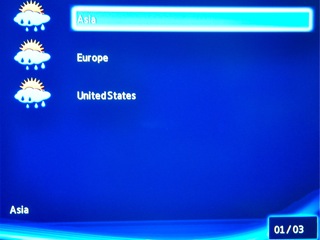
At first, I couldn’t get it to work with my network share, but after a firmware upgrade, all is good. The new firmware offers web content, including weather. So I hopped along, and tried to access Toronto weather:
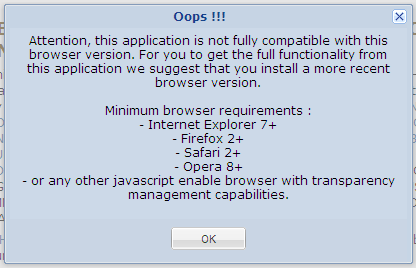
Err, some of us live outside Asia, Europe and the United States, y’know …
 **** This file had errors that were repaired or ignored.
 **** The file was produced by:
 **** >>>> Adobe PDF Library 7.0 <<<<
 **** Please notify the author of the software that produced this
 **** file that it does not conform to Adobe's published PDF
 **** specification.
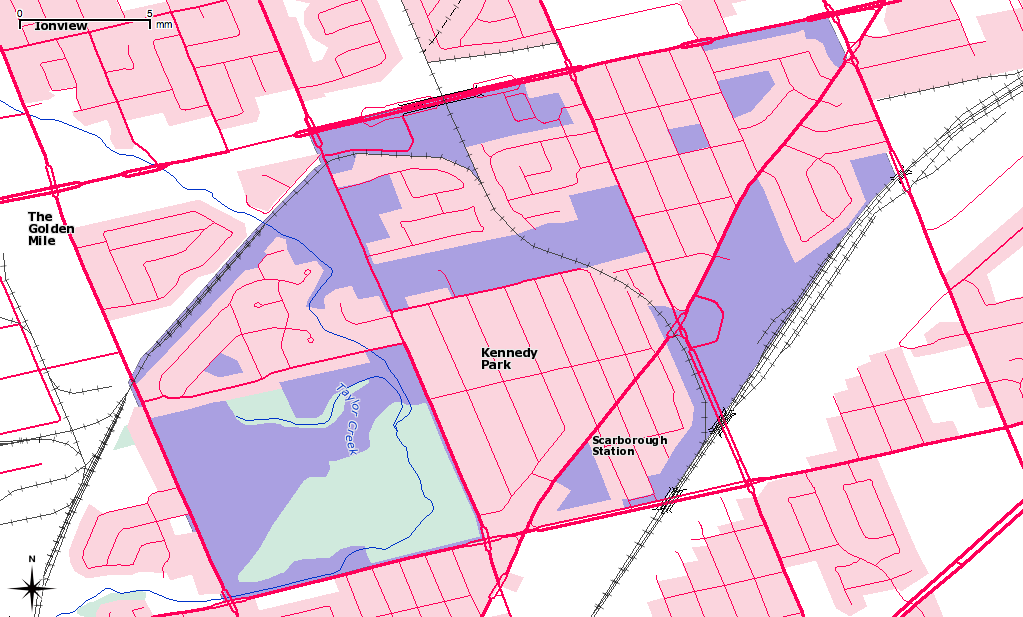
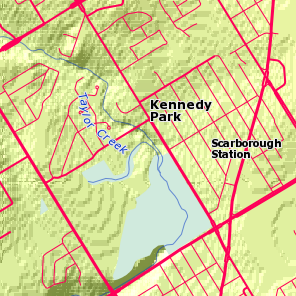
My neighbourhood, Kennedy Park, is pretty much defined by the CNR tracks at the southeast and northwest corners. This is Toporama Web Map Service data overlaid on the toronto.ca | Open neighbourhood polygon:
It’s all lit up! These are the houses in my streets, each one highlighted in QGIS:
More GIS nerdry at Numpty’s Progress.
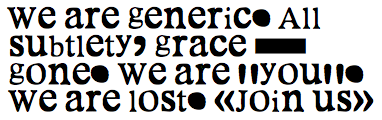 Truetype: MeltdownHorrid.zip


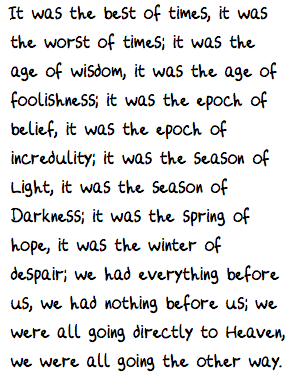 Truetype:
 I find it helpful at this stage to clean off any specks/macules. I also scale and threshold the image so I get a very dark image at 300-600dpi.



 Am I missing something? Is it the new, newer

 Err, some of us live outside Asia, Europe and the United States, y’know …