Blog
-
My Raspberry Pi talks to my Oscilloscope
Hey! This post is completely ancient. It doesn’t even use Python 3. Advice given here might be well out of date.
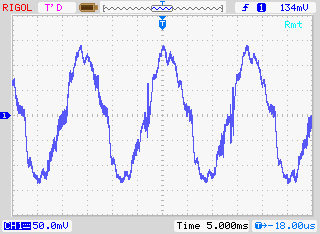
… it complains that the oscilloscope is always making waves.
Ahem. Anyway. I have a Rigol DS1102E 100 MHz Digital Oscilloscope. For such a cheap device, it’s remarkable that you can control it using USB Test & Measurement Class commands. I’d been wanting to use a Raspberry Pi as a headless data acquisition box with the oscilloscope for a while, but Raspbian doesn’t ship with the usbtmc kernel module. I thought I was stuck.
Alex Forencich turned up in the forum with an all-Python solution: Python USBTMC (source: alexforencich / python-usbtmc). I got this working quite nicely today on both the Raspberry Pi and my Ubuntu laptop. Here’s how I installed it:
- Check your device’s USB code with lsusb:
$ lsusb
Bus 001 Device 002: ID 0424:9512 Standard Microsystems Corp.
….
Bus 001 Device 004: ID 1ab1:0588 Rigol Technologies DS1000 SERIES - Ensure that libusb-1.0 is installed:
sudo apt-get install libusb-1.0-0 - Create a new group, usbtmc:
sudo groupadd usbtmc - Add yourself to this group:
sudo usermod -a -G usbtmc pi - As root, create a file /etc/udev/rules.d/usbtmc.rules. You’ll need to put in your device’s ID values:
# USBTMC instruments
# Rigol DS1100 – ID 1ab1:0588 Rigol Technologies DS1000 SERIES
SUBSYSTEMS==”usb”, ACTION==”add”, ATTRS{idVendor}==”1ab1″, ATTRS{idProduct}==”0588″, GROUP=”usbtmc”, MODE=”0660″
(all of the SUBSYSTEMS to MODE= should be one one line) - Download and install the latest pyusb (Raspbian version is rather old):
git clone https://github.com/walac/pyusb.git
cd pyusb
python setup.py build
sudo python setup.py install - Now get python-usbtmc:
git clone https://github.com/alexforencich/python-usbtmc.git
cd python-usbtmc
python setup.py build
sudo python setup.py install - For this simple demo, you’ll need to convert the USB vendor IDs to decimal:
0x1ab1 = 6833
0x0588 = 1416 - Now, start python as root (sudo python) then type:
import usbtmc
instr =Â usbtmc.Instrument(6833, 1416)
print(instr.ask(“*IDN?”)) - This should return something like:
Rigol Technologies,DS1102E,DS1EB13490xxxx,00.02.06.00.01
If you get the status line, congratulations! You now have a fully working usbtmc link. I haven’t had much time to play with this, but I know I can make really nice screenshots to an attached USB drive using the command: instr.write(“:HARDcopy”). Many more commands can be found in the DS1000D/E Programming Guide, available on Rigol‘s site.
I had a couple of problems, though:
The library seems to need root privileges, despite the udev rule thing. After creating the udev rule, you will need to reboot. This is the simplest way of getting it to work without being root.Reading from the ‘scope’s memory chokes on non-UTF8 characters. If I do:
rawdata = instr.ask(“:WAV:DATA? CHAN1”)[10:]
I get a lengthy Python error which ends:
…
File “/usr/lib/python2.7/encodings/utf_8.py”, line 16, in decode
   return codecs.utf_8_decode(input, errors, True)
UnicodeDecodeError: ‘utf8’ codec can’t decode byte 0x99 in position 10: invalid start byte
I have no idea what that means, or how to fix it. Alex suggested using ask_raw instead of ask, and the data comes through with no complaints.
I’ve still got to work my way through the Rigol’s data format, but other people have done that before:
- Controlling a Rigol oscilloscope using Linux and Python | C i b o M a h t o . c o m
- Ken Shirriff’s blog: Four Rigol oscilloscope hacks with Python
I’ll post any updates here, along with the Raspberry Pi forum topic: USB Test & Measurement class (usbtmc) driver?
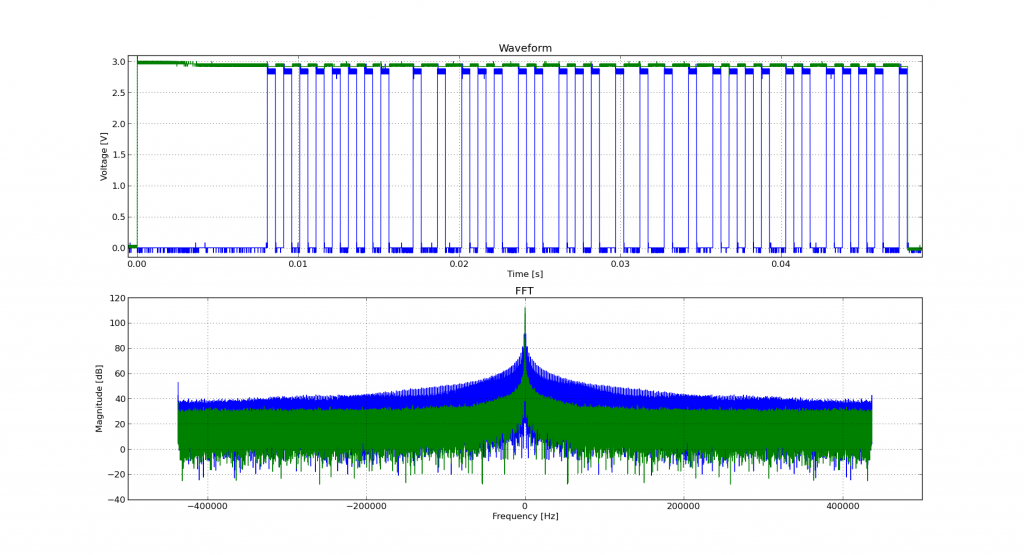
Incidentally, if you’re working with WFM data dumps from the Rigol ‘scopes (and you should, because they make storing data to USB drives quick), mabl/pyRigolWFM is basically magic. Not merely can it describe and decode those binary files, it can do pretty graphics with no thought required:
 Hat tip for the mention: MP3 Options & Oscilloscope Interfacing For Raspberry Pi @Raspberry_Pi #piday #raspberrypi « adafruit industries blog
Update, 2013-12-20: I’ve successfully managed to run most of Ken’s examples with Alex’s code. The major modification you have to do is use ask_raw instead of ask. Example code shown below:
#!/usr/bin/python # -*- coding: utf-8 -*- """ Download data from a Rigol DS1102E oscilloscope and graph with matplotlib using Alex Forencich's python-usbtmc pure python driver https://github.com/alexforencich/python-usbtmc scruss - 2013-12-20 based on Download data from a Rigol DS1052E oscilloscope and graph with matplotlib. By Ken Shirriff, http://righto.com/rigol which in turn was Based on http://www.cibomahto.com/2010/04/controlling-a-rigol-oscilloscope-using-linux-and-python/ by Cibo Mahto. """ import usbtmc import time import numpy import matplotlib.pyplot as plot # initialise device instr = usbtmc.Instrument(0x1ab1, 0x0588) # Rigol DS1102E # read data instr.write(":STOP") instr.write(":WAV:POIN:MODE RAW") # first ten bytes are header, so skip rawdata = instr.ask_raw(":WAV:DATA? CHAN1")[10:] data_size = len(rawdata) # get metadata sample_rate = float(instr.ask_raw(':ACQ:SAMP?')) timescale = float(instr.ask_raw(":TIM:SCAL?")) timeoffset = float(instr.ask_raw(":TIM:OFFS?")) voltscale = float(instr.ask_raw(':CHAN1:SCAL?')) voltoffset = float(instr.ask_raw(":CHAN1:OFFS?")) # show metadata print "Data size: ", data_size print "Sample rate: ", sample_rate print "Time scale: ", timescale print "Time offset: ", timeoffset print "Voltage offset: ", voltoffset print "Voltage scale: ", voltscale # convert data from (inverted) bytes to an array of scaled floats # this magic from Matthew Mets data = numpy.frombuffer(rawdata, 'B') data = data * -1 + 255 data = (data - 130.0 - voltoffset/voltscale*25) / 25 * voltscale # creat array of matching timestamps time = numpy.linspace(timeoffset - 6 * timescale, timeoffset + 6 * timescale, num=len(data)) # scale time series and label accordingly if (time[-1] < 1e-3): time = time * 1e6 tUnit = "µS" elif (time[-1] < 1): time = time * 1e3 tUnit = "mS" else: tUnit = "S" # Plot the data plot.plot(time, data) plot.title("Oscilloscope Channel 1") plot.ylabel("Voltage (V)") plot.xlabel("Time (" + tUnit + ")") plot.xlim(time[0], time[-1]) plot.show() - Check your device’s USB code with lsusb:
-
Faster MP3 options for Raspberry Pi
Hi there! This post is beyond ancient, and made sense back when the original Raspberry Pi Linux distributions didn’t have floating point support. With the multi-core Raspberry Pi 3, lame now runs at an acceptable rate. You should probably ignore this post unless you’re deliberately trying to recreate that bubbly old MP3 sound.
One thing the Raspberry Pi is not good at is encoding MP3s at any great speed. At best (using lame) you might get slightly better than 2× real time playback. If you’re using your Raspberry Pi to transcode to another format, that might be slow enough (with other system overhead) to make the output stutter.
While it would be nice to have the GPU as a general media encoder, we’re not there yet. If you must encode mp3s quickly on a Raspberry Pi, there are a couple of options:
- Comprec – http://unimut.fsk.uni-heidelberg.de/demi/comprec/index.html
This uses ARM assembly language. The code is a little fiddly to compile, but can encode to a 128 kbit/s mp3 in ~ 6× real time. I’ve used this for years. - Shine – https://github.com/savonet/shine
This is actually being maintained, and is portable between architectures. Not quite as fast as comprec, at 2.7× real time, but still a bit faster than lame.
Please note that both of these are based on the old ‘8hz’ mp3 encoder, which was a fairly literal interpretation of the original Fraunhofer code. They only start producing okay sounding files at high bitrates.
If you need to decode mp3s quickly, MAD is pretty good: http://www.underbit.com/products/mad. It’s in the repos as ‘madplay’.
- Comprec – http://unimut.fsk.uni-heidelberg.de/demi/comprec/index.html
-
My signal generator is noisy ☹
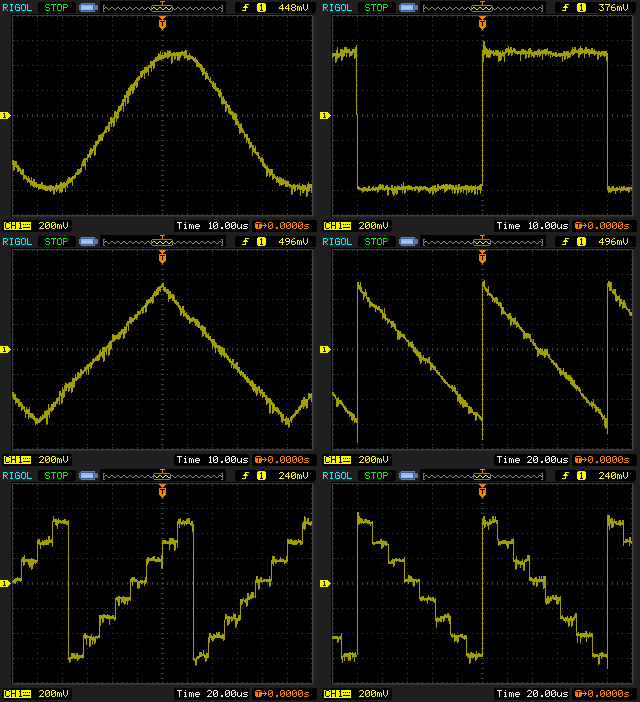
My JYE Tech miniDDS function generator has the fuzzies, alas. It seems that this is a known problem.
-
My first FreeDV QSO
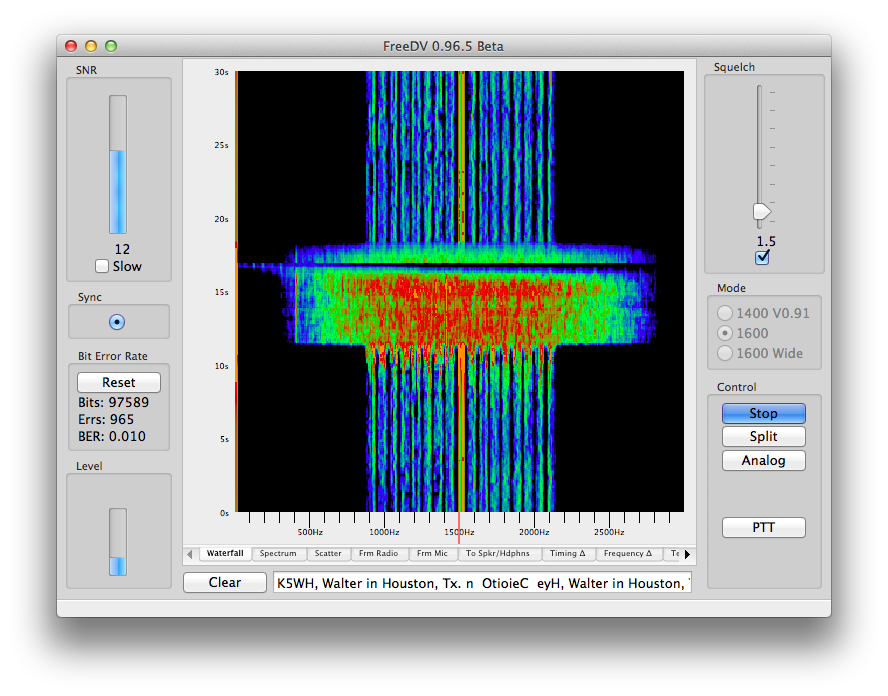
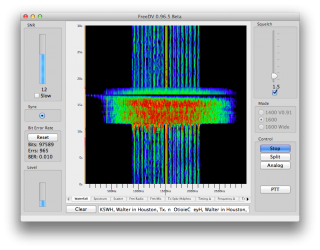 FreeDV is a fully open digital voice protocol; unlike DMR, D-STAR and the rest, there are no patents tying it down. It uses very little bandwidth for voice. I just had my first QSO (thanks K5WH in Texas!) using this mode. While it does make voices sound a little robotic, there’s no static, no hiss, nothing unwanted. That’s what always put me off HF voice: trying to work out who is saying what through all the noise. FreeDV fixes that.
It’s quite a new protocol, so you don’t hear it much on the air yet. I hope to be making some more noise with it soon.
-
Blueline / Black & Decker Power Monitor RF Packets
Update 2014-10-02: I’ve forked Bryan’s Arduino code and added some instructions: scruss/Powermon433 (though use Bryan’s, srsly)
Update 2014-08-19: Bryan Mayland has decoded the data on Arduino! More details here: CapnBry/Powermon433
Given that I first started thinking about reverse-engineering the Blueline Powercost Monitor‘s data stream in September 2010, I hardly win any awards for rapid development. Here’s what I know so far about the device and its transmissions:
- The Blueline unit and the (now discontinued)Â Black & Decker Power Monitor (EM100B) appear to be functionally identical. Both transmit data using simple ASK/OOK at 433.92 MHz in the ISM band.
- It is, however, completely different from the Norgo NGE101 meter, dammit.
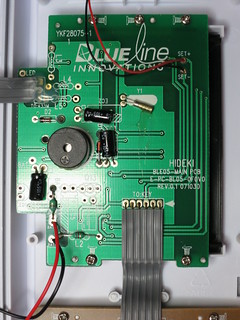
- The display unit is made by Hideki Electronic Limited, who make many small weather stations and wireless displays. [Pictures of the display circuit boards]
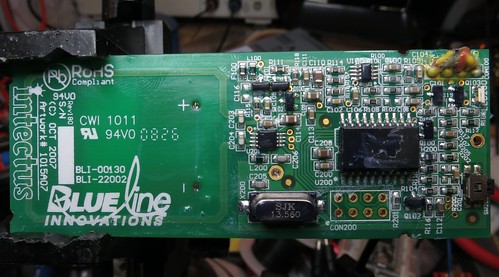
- The transmitter unit was designed by Intectus in Ottawa for Blueline. It uses a TI MSP430 µcontroller. [Transmitter board picture]
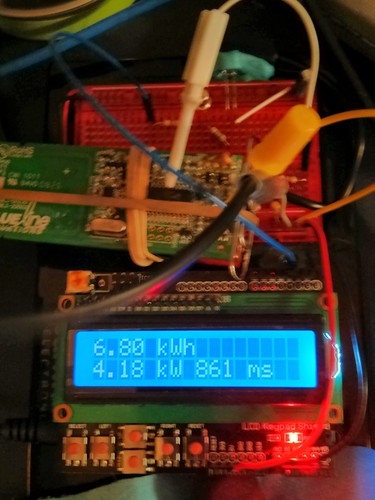
- The transmitter can be triggered by simulating a power meter if you flash a 940 nm IR Emitter LED for 50 ms into its sensor. 1× 50 ms flash represents 1 Wh of power consumed. A pulse frequency of 1 Hz represents 3.6 kW consumption.
- The transmitter sends a bundle of three (seemingly) identical packets every 31.8 seconds. These appear to contain consumption data, as the display updates approximately every 32 seconds.
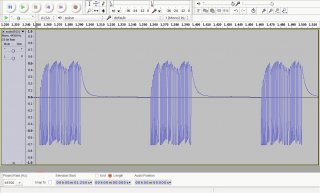
- A series of contiguous packets, recorded as audio using a simple circuit described by the Protocol Analyzer project: audio201311182215-silenced (FLAC; please note that interstitial silences have been blanked to reduce file size).
- Temperature packets may be sent separately from power, as the display updates temperature much more slowly than power use.
- Power packets only appear to contain use data (along with a transmitter ID). If the sensor receives an absolutely constant input, the packets transmitted 32 s apart can be identical.
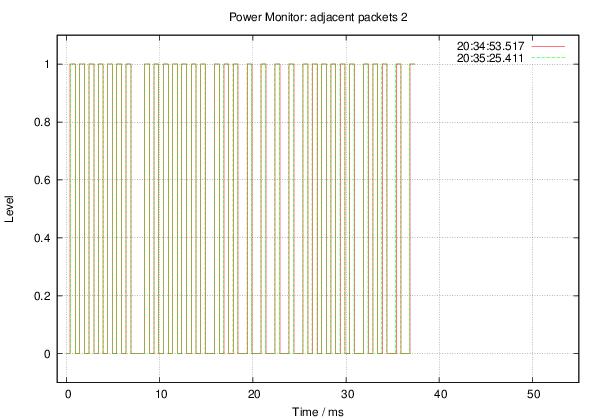
- The packets appear to be Manchester-encoded.
Some rough notes on mark/space timing (all times in µs):
Mark : Mean    529.4 Min    499.0 Max    590.0 StdDev:   15.03
Space: Mean    694.5 Min    385.0 Max   1474.0 StdDev:  281.57
Mark/space times, by frequency (all times in µs):
MARK
====

          µS
Rank     Value   Count
-------- ------- -----
     1         522  498
     2         544  206
     3         567   32
     4         499   32
     5         590    8

SPACE
=====

          µS
Rank     Value   Count
-------- ------- -----
     1         476  279
     2         975  223
     3         454   99
     4         952   65
     5         431   26
     6        1474   22
     7         408   21
     8         499   17
     9         998   12
    10      199000    8
    11         385    2
    12        1451    2
More later, including raw packet data.
Thanks to Randy Simons and Bryan Mayland for the recent help. Thanks too to Brett “Wiring†Hagman for asking just why I was trying to do this …
-
We won’t, we won’t Roku …
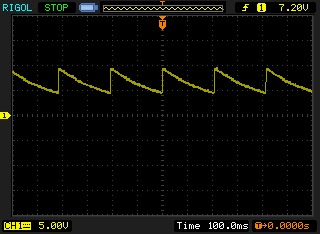
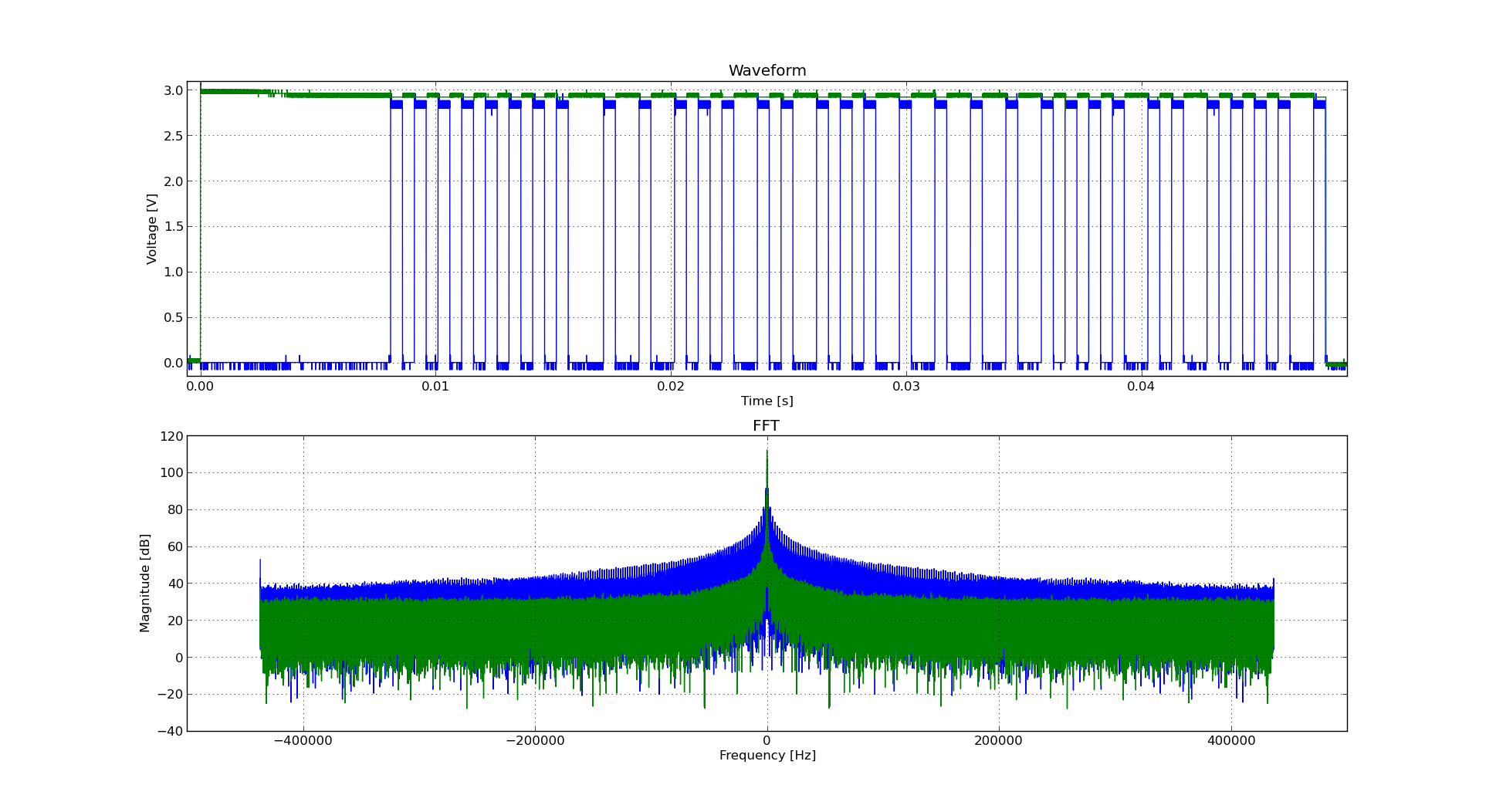
I’m pretty sure the 9V DC power supply for one of my Roku Soundbridges shouldn’t be doing that ↑↑ . This is the second unit I’ve had to replace, my other Soundbridge blowing its 5 V supply a couple of years back. This one cycles from 9.4 to 4.4 V about 5 times a second. Not very DC, but kind of lethargic for AC.
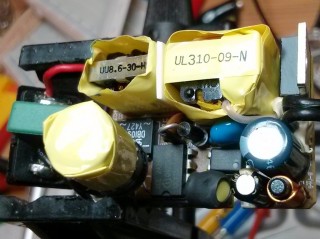
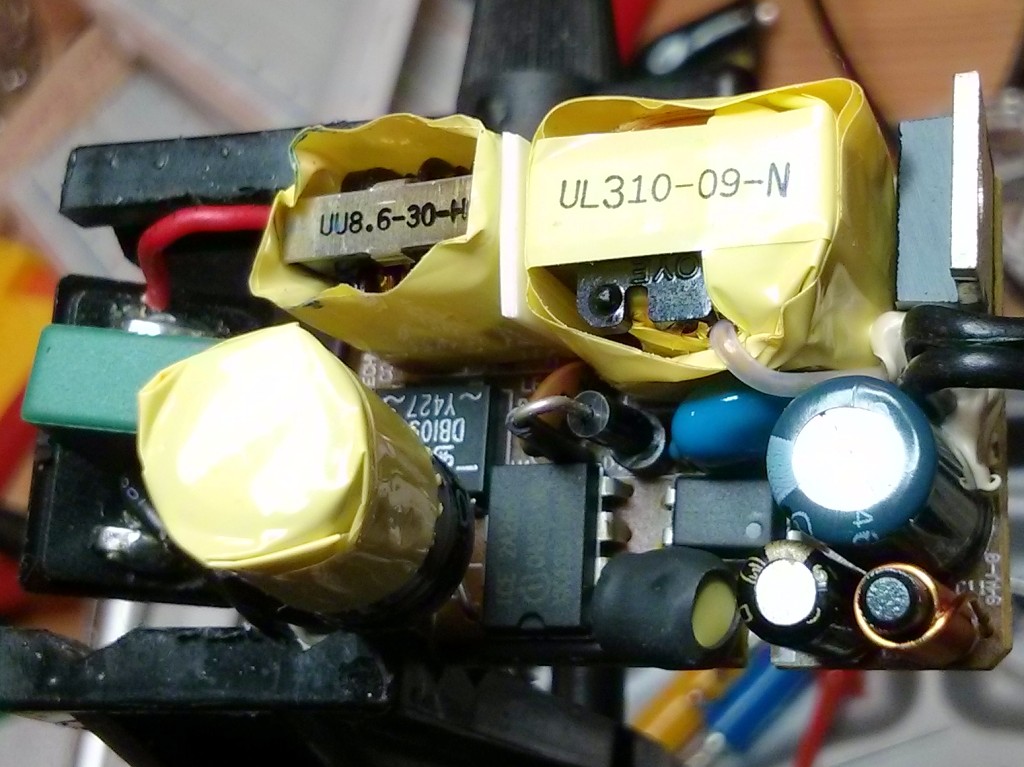
It’s hard to tell, but one of the caps inside the rather complex little Unifive wall wart may have blown. I’ve scrapped the PSU and replaced it with a beefier one. It seems that power supplies are a problem (see: 1, 2, 3, 4) on these machines, so I wonder when/if I will need to replace this one.
-
Serious nostalgia…
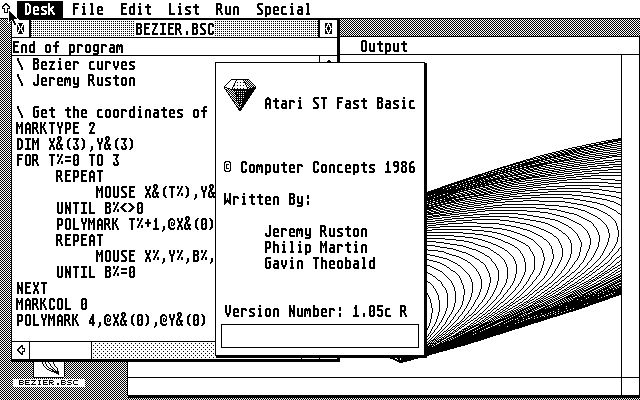
Oh man — emulating an Atari ST. It’s 1987, and I’m back in that computer lab on the first floor of the James Weir Building …
(Jeremy Ruston went on to write TiddlyWiki, amongst other things.)