Instagram filter used: Lo-fi
So it seems my lifelong nickname is/was a Piedmontese word for noise, crash/clatter/bang or scream/shout/squawk:
![[french/piedmnotese dictionary text]
Scruss s.; Bruit, fracas, cri.
La porta a la fait un scruss;
La porte a crié, a fait un cri.](https://scruss.com/wordpress/wp-content/uploads/2020/02/piedmontese-scruss.png)
An early 19th century dictionary written by an Italian count had my number all along.
Hey! This is really old! FreeCAD 0.19 is in the Raspberry Pi OS Bullseye repo now:
sudo apt install freecad
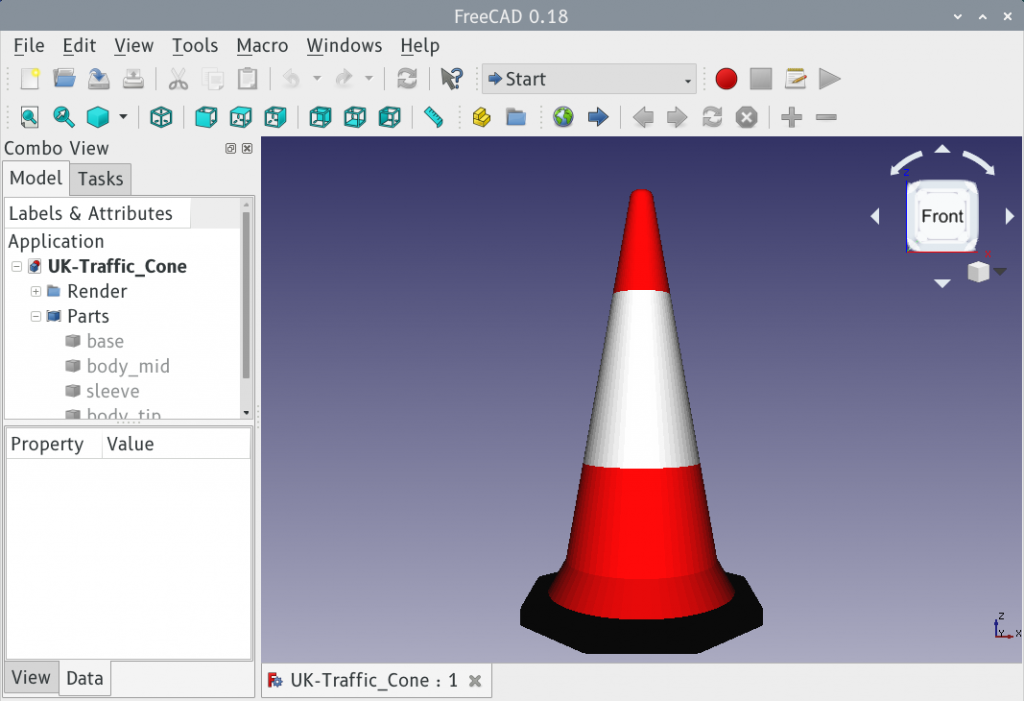
FreeCAD and the Raspberry Pi haven’t always got on too well. For complex technical reasons the standard package would load and immediately crash on a Raspbian system. For user reasons, this was just another annoyance.
Recent releases seem to run fairly well on a Raspberry Pi 4, though, but only after building them from source. Here’s a method that got FreeCAD 0.18.4 running for me. It’s lightly modified from FreeCAD forum MartijnD‘s post:
sudo apt install cmake build-essential libtool lsb-release swig libboost-dev libboost-date-time-dev libboost-filesystem-dev libboost-graph-dev libboost-iostreams-dev libboost-program-options-dev libboost-python-dev libboost-regex-dev libboost-serialization-dev libboost-signals-dev libboost-thread-dev libcoin-dev libeigen3-dev libgts-bin libgts-dev libkdtree++-dev libmedc-dev libopencv-dev libproj-dev libvtk6-dev libx11-dev libxerces-c-dev libzipios++-dev qt4-dev-tools libqt4-dev libqt4-opengl-dev libqtwebkit-dev libshiboken-dev libpyside-dev pyside-tools python-dev python-matplotlib python-pivy python-ply python-pyside libocct*-dev occt-draw libsimage-dev doxygen libcoin-doc dh-exec libspnav-dev

wget https://github.com/FreeCAD/FreeCAD/archive/0.18.4.zip

unzip 0.18.4.zip

rm 0.18.4.zip

mkdir freecad-build

cd freecad-build

cmake -DPYTHON_EXECUTABLE=/usr/bin/python2.7 -DPYTHON_INCLUDE_DIR=/usr/include/python2.7 -DPYTHON_LIBRARY=/usr/lib/arm-linux-gnueabihf/libpython2.7.so  -DPYTHON_PACKAGES_PATH=/usr/local/lib/python2.7/dist-packages/  ../FreeCAD-0.18.4/

make -j4
Notes:
If you want to learn how to use it, look at the tutorials: even the Raspberry Pi Foundation have written some. The UK Traffic Cone model you can have: it’s what I made to learn a bit more about FreeCAD. Don’t worry, I’m still on Team OpenSCAD …
CBC says that Alberta’s looming multibillion-dollar orphan wells problem prompts auditor general probe. I mean, I’d say it does: estimated costs to clean up abandoned petrochemical wells outstrip the industry cleanup fund by over 132×, so it’s gone way past looming and is well into omnishambles country. But I’m not here to talk about the environmental mismanagement (well, not much: lolRedwater …), but more to talk about CBC’s terrible infographic:
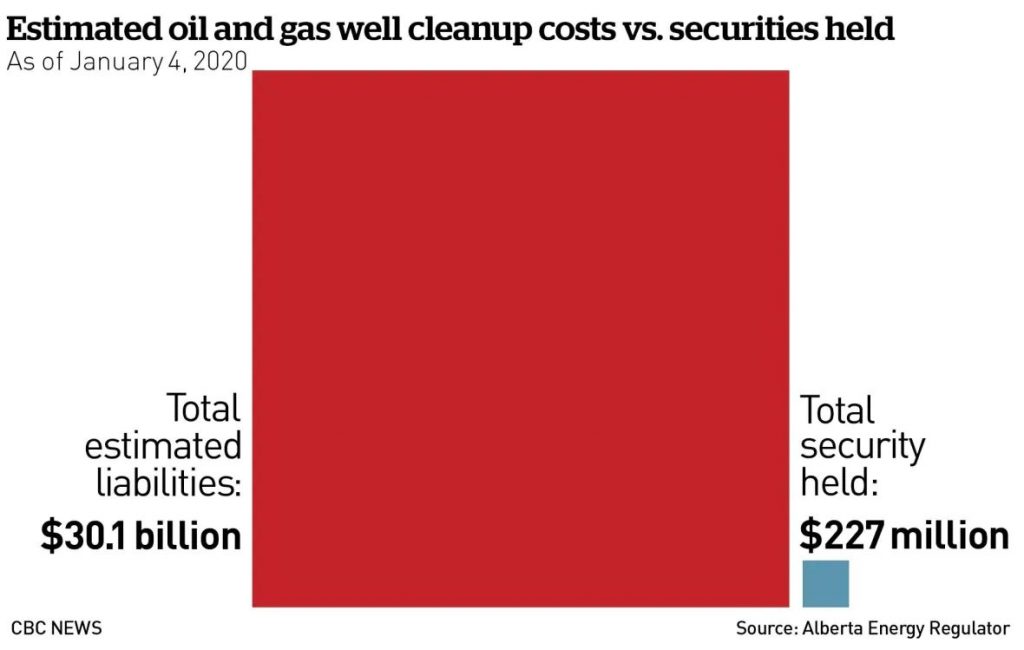
The image is accurate, technically. The estimated liabilities ($30100000000) are 132.6× the total security held ($227000000), and the red square’s length is 11½× (= √132.6) the blue one’s. But people are generally terrible at comparing areas.
Here are the same numbers, but in bar chart form:

And there’s the problem: it’s too big to comprehend. CBC’s comfortable little chart fits on a page; you can tweet it, even. But reality is a whole lot of scrolling down the page.
Even the manky old pie chart would be better than CBC’s squares-by area:
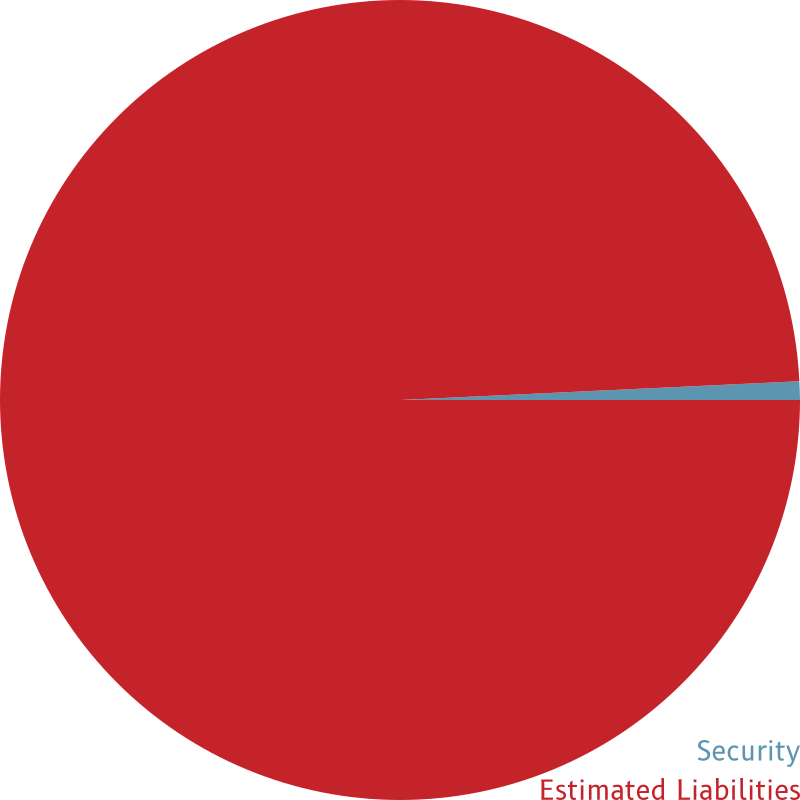
At least pie charts used linear measure as a proportion of the full 360° pie. But comparing areas is hard; in the diagram below, the teal-coloured part is twice the area of the gold part.