Instagram filter used: X-Pro II
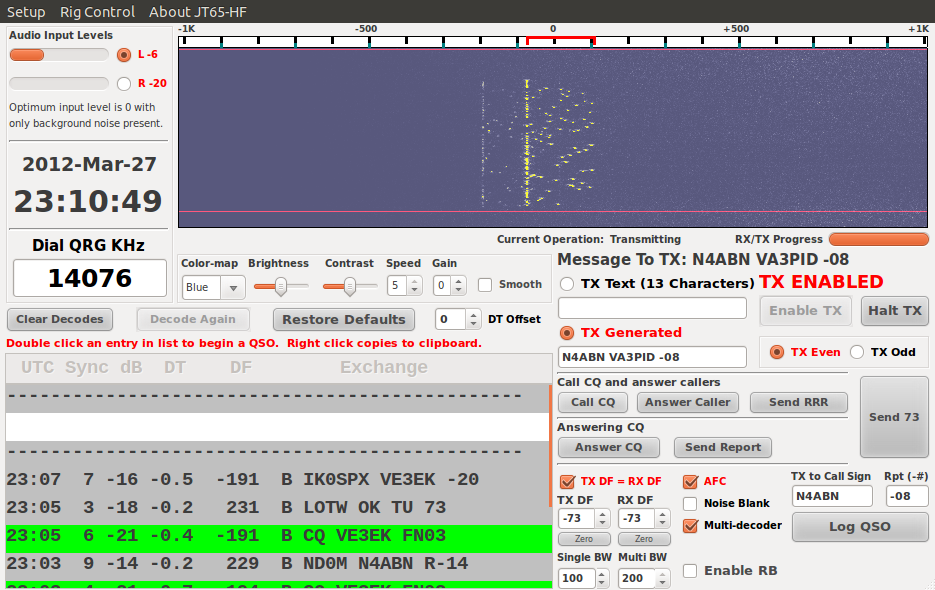 I’d been trying to get JT65 to work in Ubuntu for a long time. K1JT’s package is fiddly to set up, and the version in the repositories is ancient. I’d had minor success with the Windows version of JT65-HF under Wine, but it wasn’t very stable, and any attempt to switch programs (something I, Capt. Micro-Attention-Span, do a lot) caused it to crash.
Thankfully, I found W6CQZ’s compiled version for Linux, which installed and ran almost without hitch. What you need to do is make your rig’s audio interface the default sound card, and then JT65-HF should pick up the interface and use it straight off:
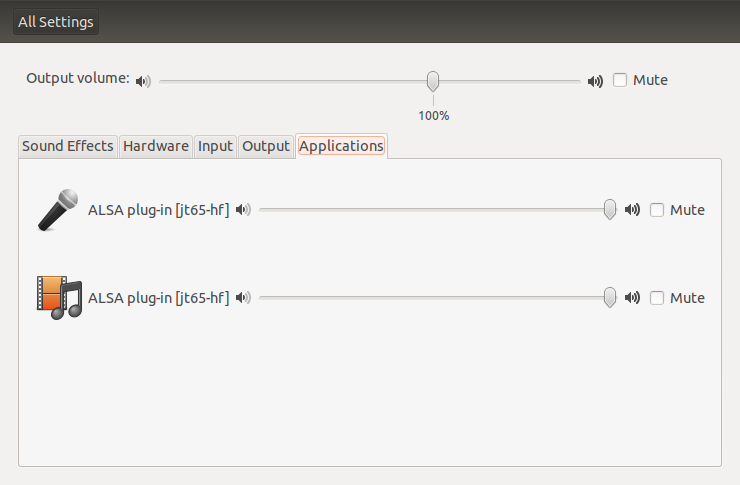 That’s gnome-control-center confirming that JT65-HF is using the sound device. You do have to be a bit careful not to send computer audio across the airwaves when you do this, though.
The one good thing that is built into Ubuntu is that you don’t have to worry about clock synch like you do on Windows. Ubuntu pretty much keeps the system clock on perfect time, and Jt65 expects everyone to be synchronized. Doing this on Windows is much harder than it needs to be.
It’s a great mode. This is how I was heard earlier this evening:
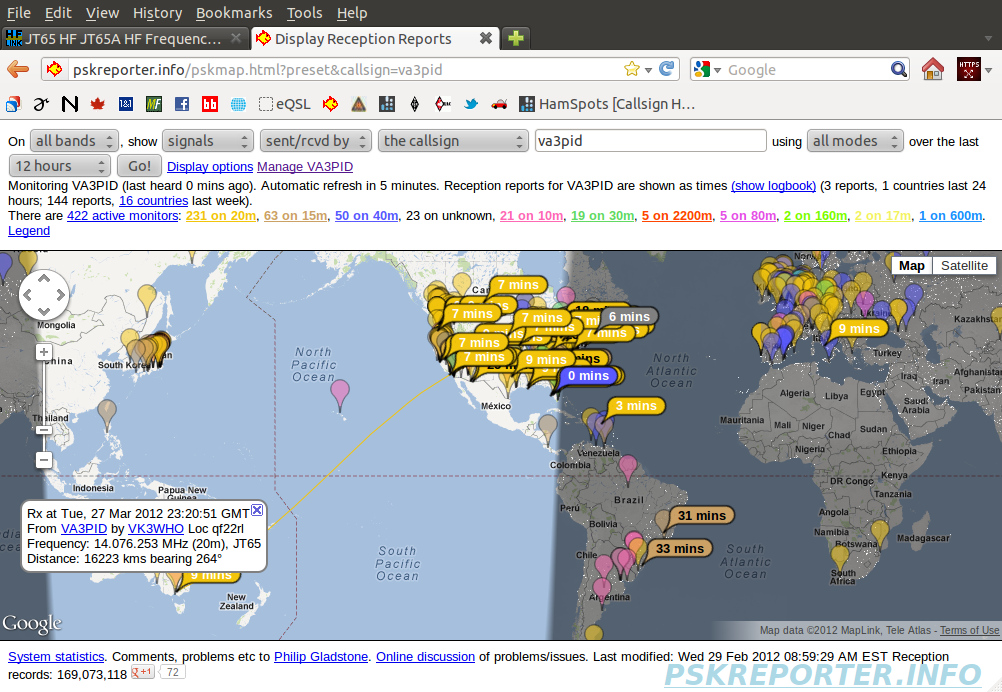 They heard me in Australia, on 12W!
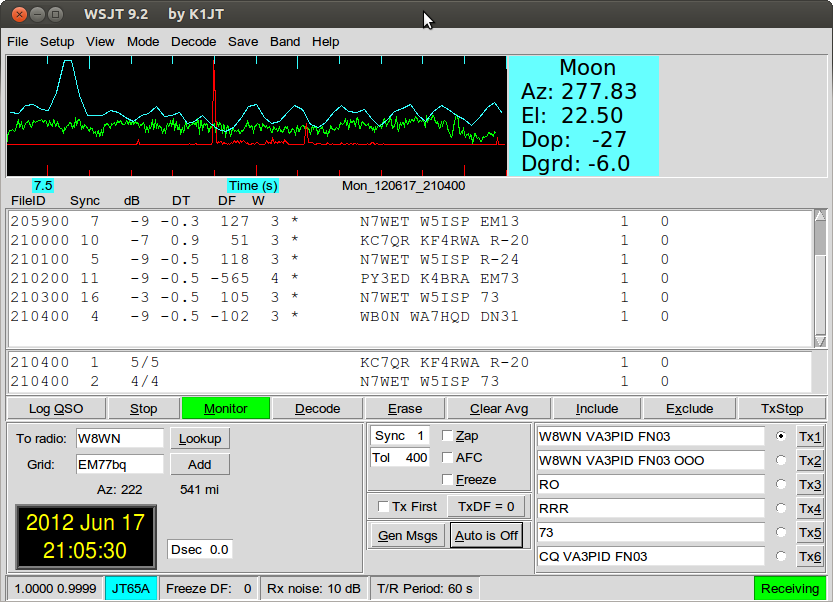
Update, 2012-06-17: W6CQZ’s binary won’t run under Ubuntu 12.04 LTS, so I had to bite the bullet and build from source. I grabbed the SVN repository, and followed M1GEO’s instructions Compiling WSPR. It’s still fiddly to choose which audio device (I use Pulse, and can use the same number for both input and output). See, lookit; signals!
City Hall is currently tearing itself apart over transit. You’d think that in a city with a downtown that’s pretty much gridlocked for three hours of the day, the answer to the transit question would be “More please everywhere”, but in this precious city, it’s less than that.
We have a mayor who is obsessed with subways because he thinks they’re fast and will keep the automobiles running. Unfortunately, Toronto is a big sprawly city with less than infinite cash, so we’re not going to get subways everywhere. Our last venture into subway building — the Sheppard line — has been a bit rubbish, running a stubby distance to nowhere in particular, and being quiet enough that you can always get a seat.
Though I live in Toronto, I’m originally from Glasgow. Glasgow has a subway; in fact, it’s one of the world’s oldest. It was opened in 1896, when Glasgow was at the height of its “Second City” fame. Glasgow made the ships and trains that maintained the empire, and trained the engineers of the world. We were pretty hot shit at the time, and we had a bunch of workers we needed to get around every day from the shipyards and offices of the city. Lots of people moving in to work. Ergo, subway!
Just one problem: cities change, subways don’t. Even though shipbuilding was never a hugely lucrative industry (according to my grandfather, who worked at John Brown’s, they never cleared more than 7% even at the best times), Glasgow and environs would probably have never thought that its industries would change and contract the way they did.
So what’s the subway that Glasgow’s been left with?
Glasgow used to have quite an extensive tram network. Of course, you wouldn’t know now, ‘cos it’s all been ripped up, but you can do that with street-level transit. Subways you’re stuck with.
Cities and cultures never know when they’re at their height. Glasgow had it going on when it built its subway, yet I’m sure the city planners never thought that the city would change the way it did. At least Glasgow made stuff that everyone needed; Toronto, what do you do that keeps you anchored here?
 I bought an Eye-Fi memory card after hearing about ladyada’s Internet of Things Camera. Neat idea; SD card which transmits across wi-fi to your computer. It would be nice if it didn’t go via Eye-fi’s servers, but it’s a start.
What is annoying is the huge packaging which contains a fake cardboard SD card just to take up space. The fake card even has a little plastic cover. Dear me.
If you don’t love this, you may be dead.
(via The world’s oldest record shop: on the vinyl frontier since 1894 | Music | The Observer)
There is somewhere an abandoned house
With cracked walls and sagging roof
In its yard the grass unmown
Unswept dust the door unmoved
Guarded by a dog
A small forgotten man
With unshaven beard and unkempt hair
Paces back and forth like a madman
Lost face hope abandoned
Looking for his dog
— Eqrem Basha, “Introduction to the meaning of solitudeâ€

The highlighted text says “Staedtler Textsurfer Gel highlighter”, but you can’t read it because the highlighter made the ink fade.
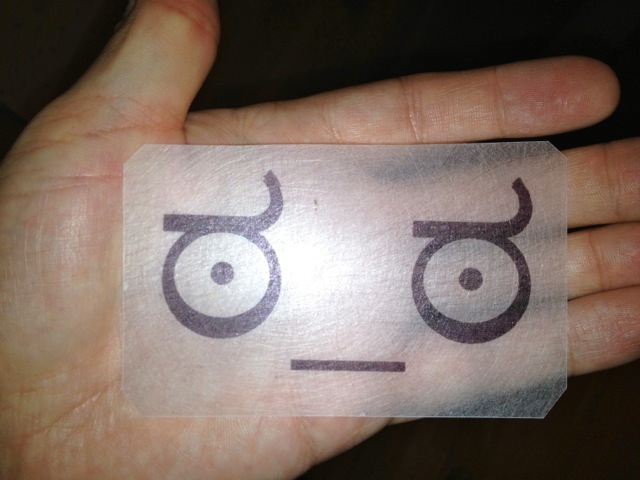
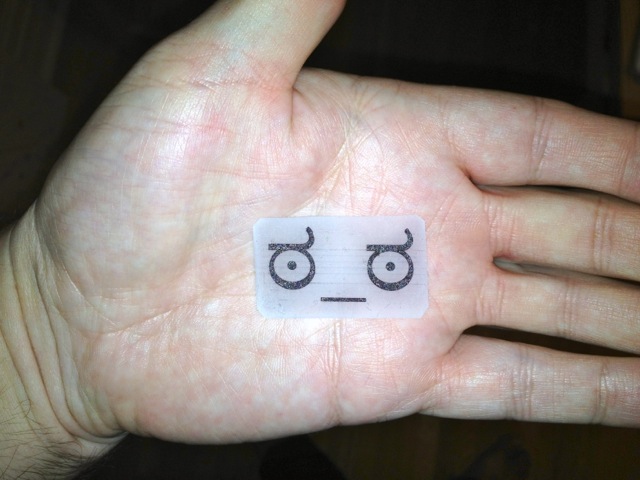
I didn’t know they still made SHRINKY DINKS. Indeed, I didn’t know they were ever really a thing outside something you got free in Nabisco cereal boxes in the 1970s. Or something you did with Hula Hoops packets, then stuck a safety pin on the back so you could wear it as a smashing badge.
To be appropriately retro, I printed this with a dot-matrix printer.
CHDK allows your Canon P&S to do nifty things. One of them is to rig up a USB Remote Cable. Someone on Metafilter asked how to set this up, so here’s what worked with me and my PowerShot SD790is (Ixus 90).
!!! Warning: this requires you to apply unauthorized voltages to your camera. If in doubt, don’t. Check the CHDK camera-specific page for notes on voltages. Don’t hold me responsible if you let the magic smoke out of your camera !!!
You’ll need to install CHDK first. What you download and how you install it depends on your camera model and the memory card your using. This might help.
The good news is that CHDK comes with the remote script built in, so you don’t need to download anything else. You will need a suitable remote trigger, or a cannibalized USB Mini-B cable.
First, call up the CHDK menu. On my camera, that’s the Direct Print button (looks like this:  ), which puts CHDK in Alt mode. Hit Menu in Alt mode, and you should see this menu:
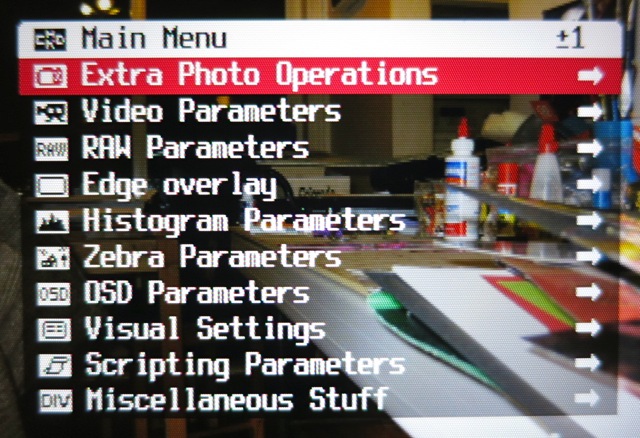
Scroll down to Miscellaneous Stuff and select it:
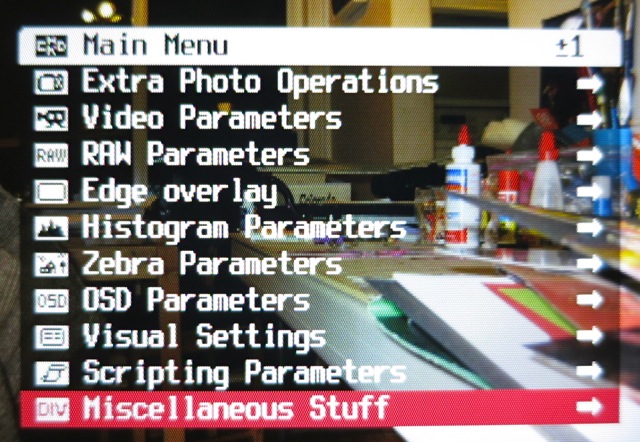
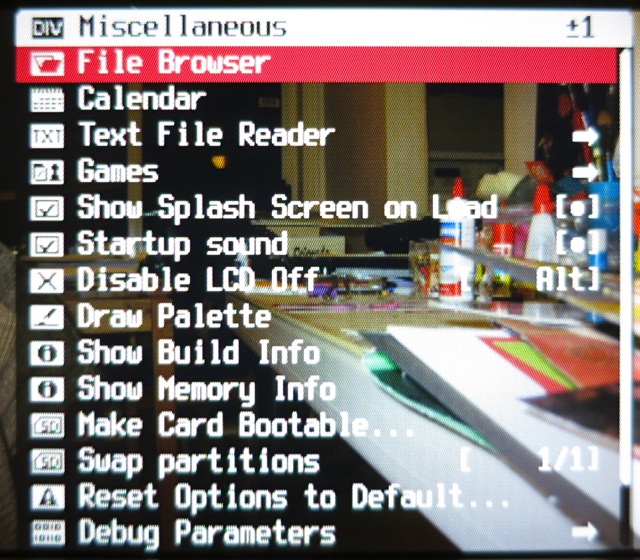
Scroll all the way down to Remote Parameters (or, more quickly, scroll up, and the menu wraps round):
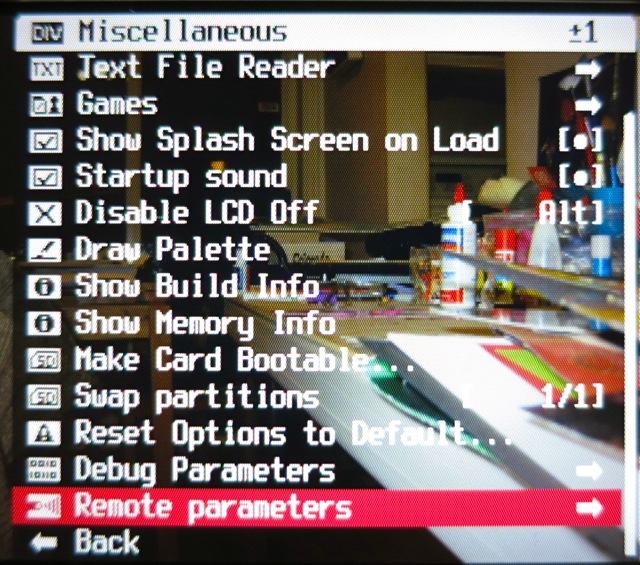
Now Enable Remote:

Go back to the main menu, and scroll down to Scripting Parameters:
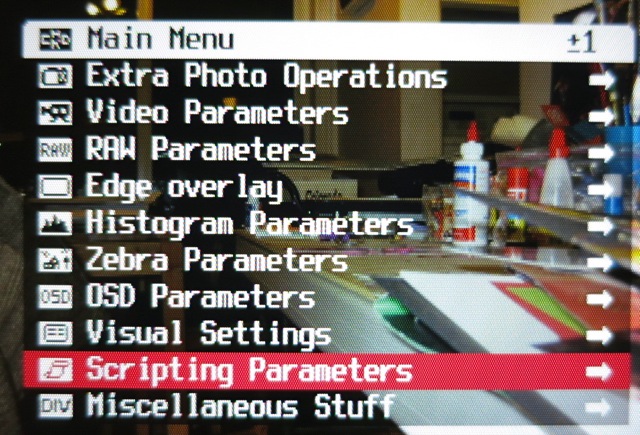
Select Load Script from File …:
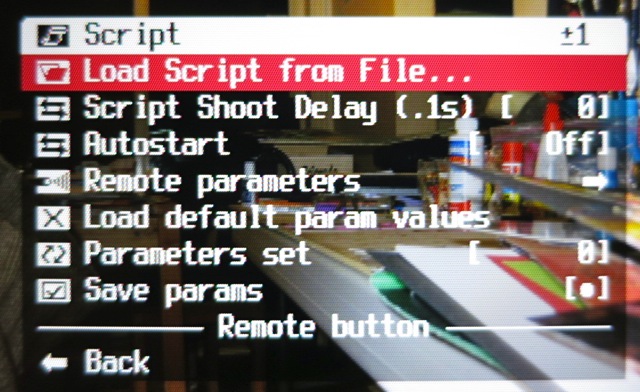
Enter the EXAM folder:
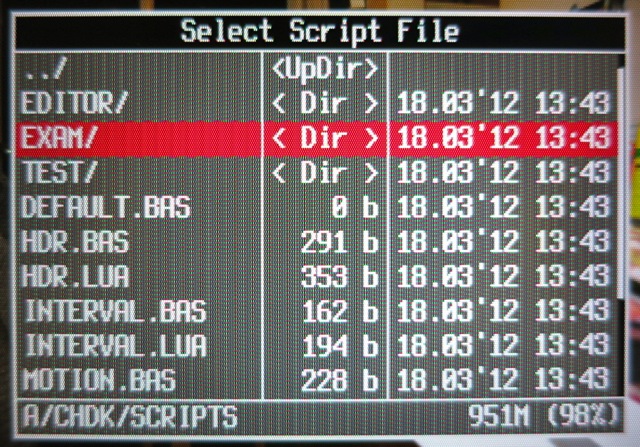
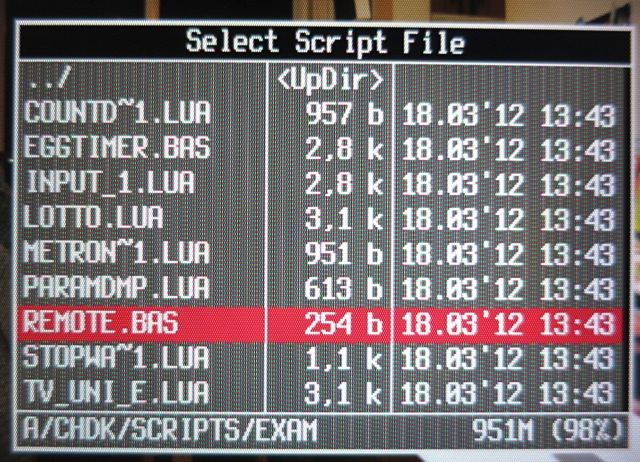
Select REMOTE.BAS:
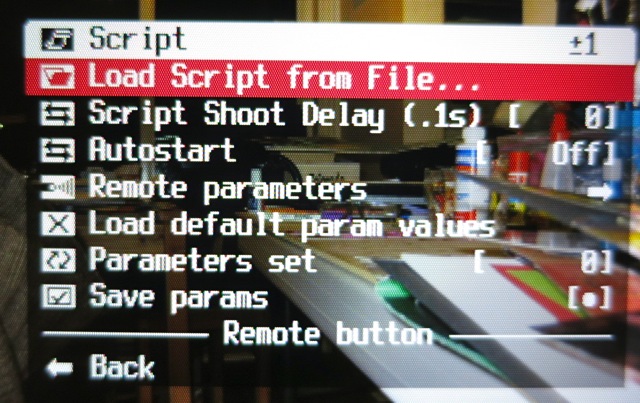
Now you’ll be taken back to the Script menu, and the bottom of the menu shows that you’ve enabled the Remote button script:
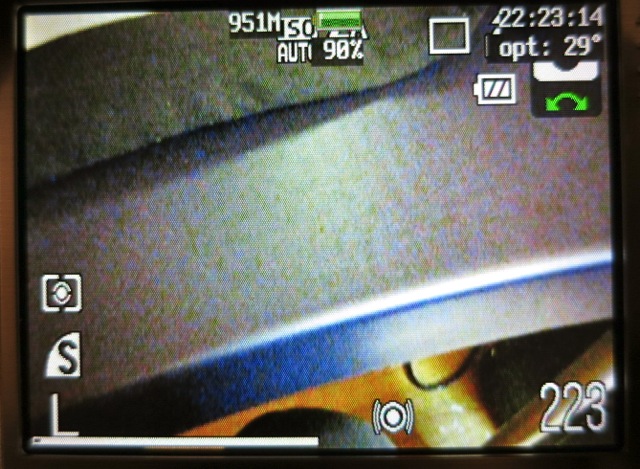
Exit the menu, and hit the shutter button to extend the lens. You’ll get a normal display, a bit like this:
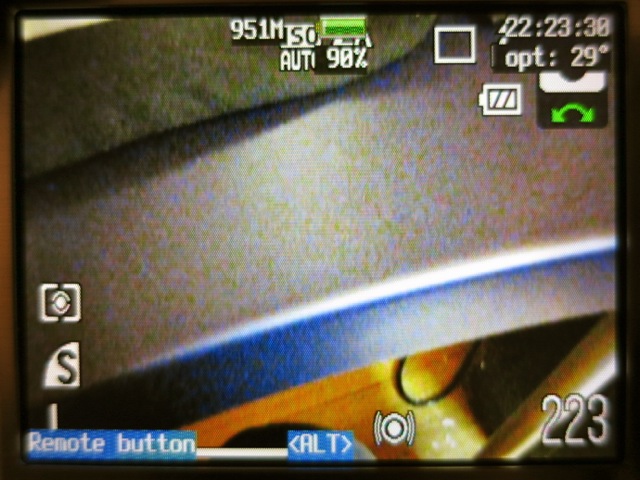
To allow the remote script to run, hit Direct Print/Alt, and the bottom of the display will show that the remote script is running:
Now you’ll need to rig up a trigger. I cannibalized an old USB Mini-B cable, and connected the black wire to ground, and the red wire – momentarily – to +5V. You will likely come up with something much more elegant.
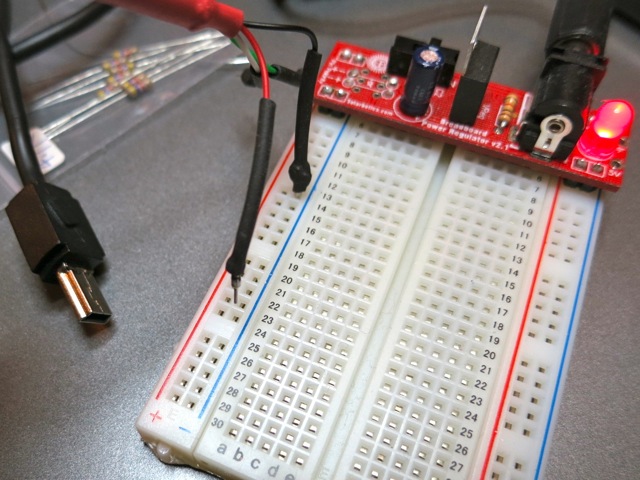
And here’s me triggering a shot (you can see the amber focus/flash LED lit) by touching the red wire to +5V:
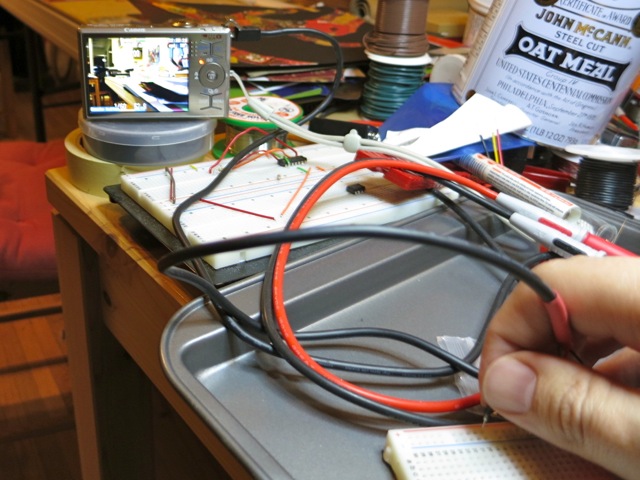
That’s all there is to very basic remote work in CHDK. Note that USB Remote V2 is in development, which allows finer control and many more options.