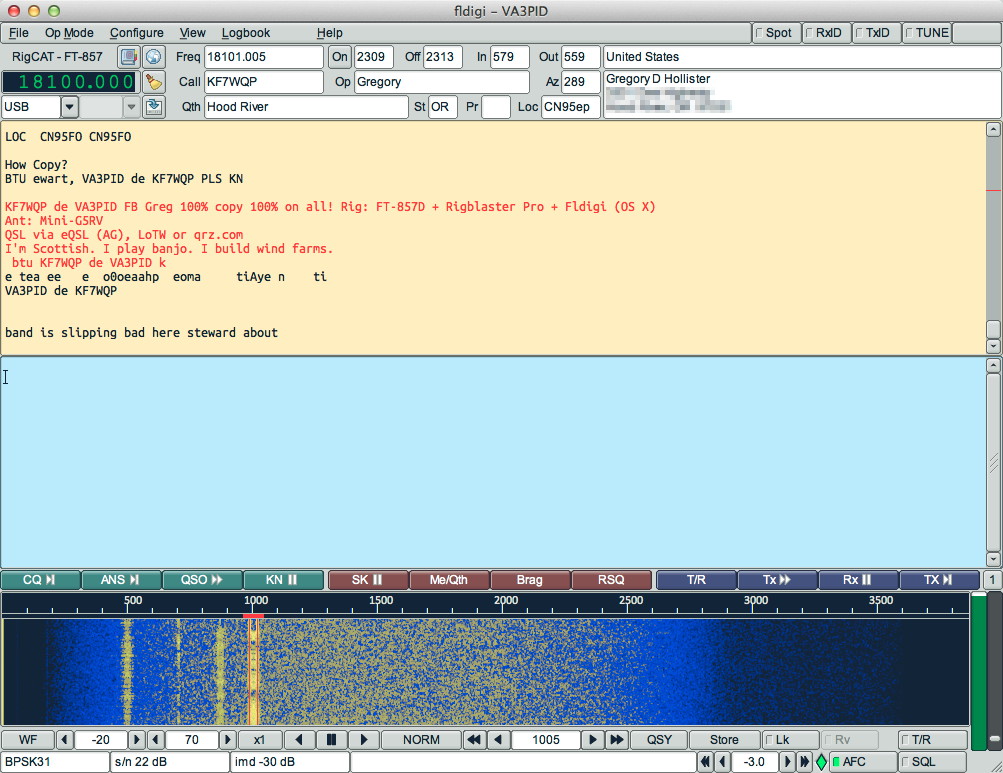
 Got my radio back on the air after six months off. I’d decommissioned the ancient ThinkPad that spoke to the radio, and hadn’t worked out what I’d needed to get it running with the MacBook. All it took was a FTDI-based USB to serial converter for the RigBlaster Pro’s PTT line control, and all works perfectly!
Author: scruss
-
VA3PID is back on the air!
-
Faster Java on Raspberry Pi
With the official announcement of Oracle Java on Raspberry Pi, Java just got usable on the Raspberry Pi. It’s still not super-fast, but I’m seeing ~10× speedup over OpenJDK.
To install it (on Raspbian):
sudo apt-get update && sudo apt-get install oracle-java7-jdk
sudo update-java-alternatives -s jdk-7-oracle-armhf
By way of a baseline, here are SciMark 2.0 results on OpenJDK:
$ java -classpath ./scimark2lib.jar jnt.scimark2.commandline -large SciMark 2.0a Composite Score: 2.4987047508570632 FFT (1048576): 1.5550941987343943 SOR (1000x1000):Â Â 5.32030759023185 Monte Carlo : 0.6005590152716936 Sparse matmult (N=100000, nz=1000000): 2.3584905938878946 LU (1000x1000): 2.6590723561594847 java.vendor: Sun Microsystems Inc. java.version: 1.6.0_27 os.arch: arm os.name: Linux os.version: 3.6.11+
Here’s what the Oracle JDK cranks out (bigger numbers → better):
$ java -classpath ./scimark2lib.jar jnt.scimark2.commandline -large SciMark 2.0a Composite Score: 14.94896390647437 FFT (1048576): 6.953238474333376 SOR (1000x1000):Â Â 33.91437255527547 Monte Carlo : 8.869794361002157 Sparse matmult (N=100000, nz=1000000): 9.81896340073432 LU (1000x1000): 15.188450741026523 java.vendor: Oracle Corporation java.version: 1.7.0_40 os.arch: arm os.name: Linux os.version: 3.6.11+
That’s a tidy increase, and might make Processing and Arduino much easier to work with.
(It’s still not tremendously fast, though. My i7 quad-core has a composite score of nearly 1450 …)
-
BeagleBone Black: slow as a dog
All benchmarks are artificial, but this one had me scratching my head. One hears that the BeagleBone Black is screamingly fast compared to the Raspberry Pi; faster, newer processor, blahdeblah, mcbtyc, etc. I found the opposite is true.
So I buy one at the exceptionally soggy Toronto Mini Maker Faire. Props to the CircuitCo folks, they are easy to set up: just a mini-USB cable provides power and virtual network shell. And BoneScript — an Arduino-like JavaScript library — is very clever indeed. But I need to see if this thing has any grunt, and so I need a benchmark.
After hearing about the business-card raytracer, I thought it would be perfect. I compiled it on both machines with:
g++ -Ofast  card.cpp  -o card
and then ran it with:
time ./card > /dev/null
The results are … surprising:
- Raspberry Pi: 4′ 15″
- BeagleBone Black: 12′ 39″ → 3× slower
(In comparison, my i7 quad-core laptop runs it in 8½ seconds.)
I don’t have any explanation why the BBB is so much slower. It’s almost as if the compiler isn’t fully optimizing under Ã…ngström Linux.
Raspberry Pi: system info
$ uname -a
Linux rpi 3.6.11+ #538 PREEMPT Fri Aug 30 20:42:08 BST 2013 armv6l GNU/Linux

$ cat /proc/cpuinfo
Processor    : ARMv6-compatible processor rev 7 (v6l)
BogoMIPS    : 697.95
Features    : swp half thumb fastmult vfp edsp java tls
CPU implementer    : 0x41
CPU architecture: 7
CPU variant    : 0x0
CPU part    : 0xb76
CPU revision    : 7

Hardware    : BCM2708
Revision    : 000f
BeagleBone Black: system info
# uname -a
Linux beaglebone 3.8.13 #1 SMP Tue Jun 18 02:11:09 EDT 2013 armv7l GNU/Linux
# cat /proc/cpuinfo
processor    : 0
model name    : ARMv7 Processor rev 2 (v7l)
BogoMIPS    : 297.40
Features    : swp half thumb fastmult vfp edsp thumbee neon vfpv3 tls
CPU implementer    : 0x41
CPU architecture: 7
CPU variant    : 0x3
CPU part    : 0xc08
CPU revision    : 2

Hardware    : Generic AM33XX (Flattened Device Tree)
Revision    : 0000
Both boards are running at stock speed.
Update: I’ve tried with an external power supply, and checked that the processor was running at full speed. It made no difference. I suspect that Raspbian enables armhf floating point by default, while Ã…ngström needs to be told to use it.