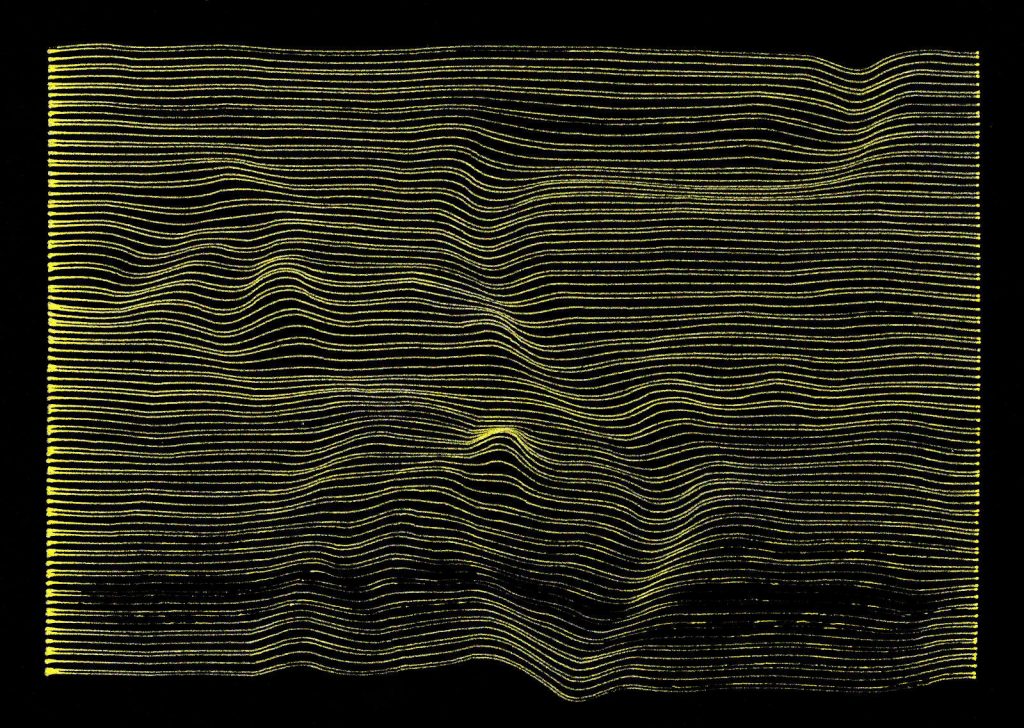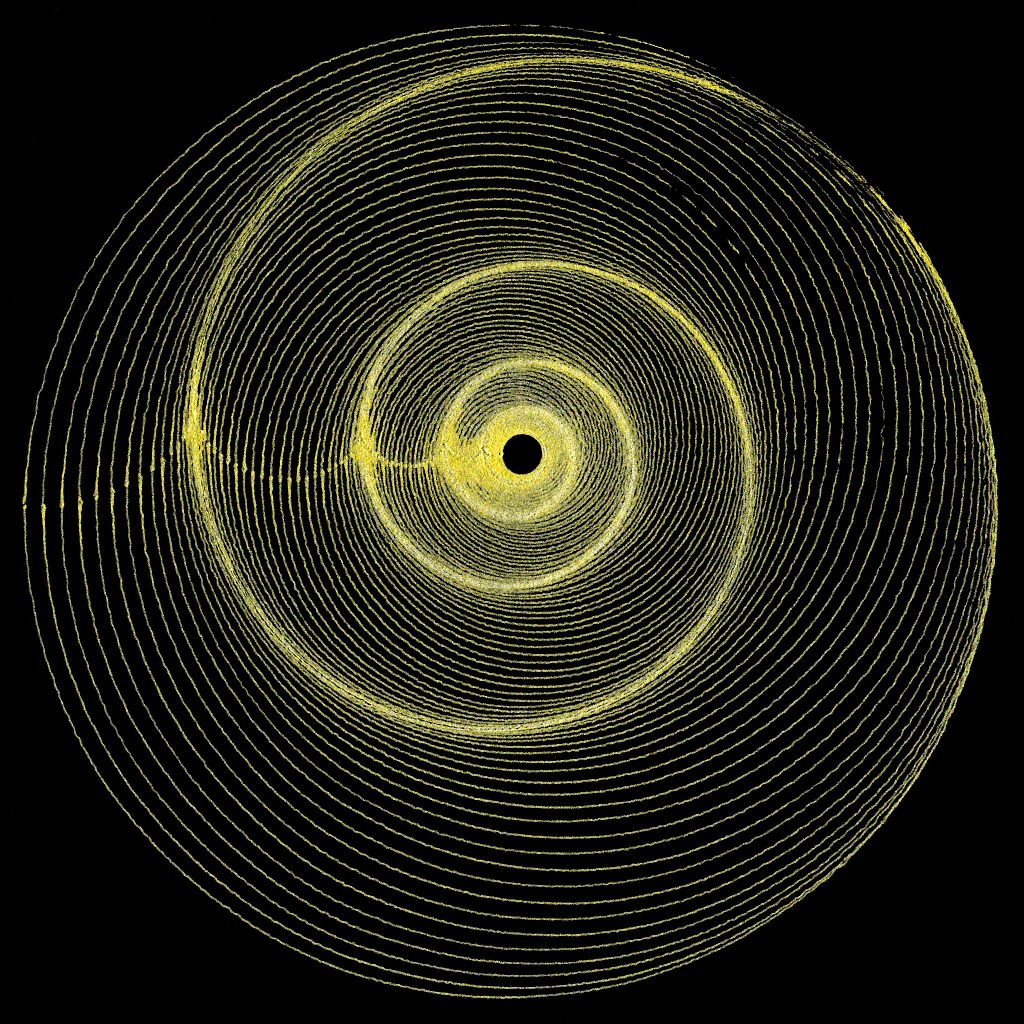
So I guess I did learn how to plot circles in G Code successfully …
So I guess I did learn how to plot circles in G Code successfully …
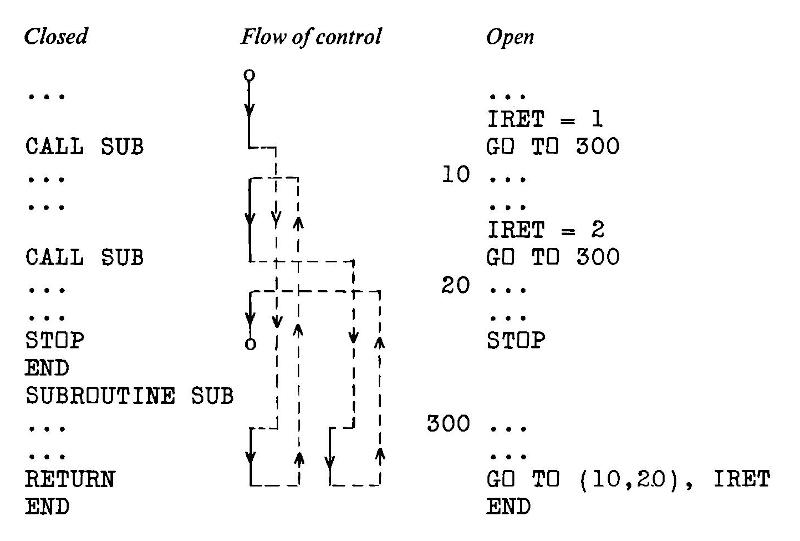
Imagine you have a programming task that involves parsing and analyzing text. Nothing complicated: maybe just breaking it into tokens. Now imagine the only programming language you had available:
Sounds impossible, right? But that’s the world described in Colin Day’s book from 1972, Fortran techniques with special reference to non-numerical applications.
The programming language used is USA Standard FORTRAN X3.9 1966, commonly known as Fortran IV after IBM’s naming convention. For all it looks crude today, Fortran was an efficient, sod-the-theory-just-get-the-job-done language that allowed numerical problems to be described as a text program and solved with previously impossible speed. Every computer shipped with some form of Fortran compiler at the time. Day wasn’t alone working within Fortran IV’s text limitations in the early 1970s: the first Unix tools at Bell Labs were written in Fortran IV — that was before they built themselves their own toolchain and invented the segmentation fault.
The book is a small (~ 90 page) delight, and is a window into system limitations we might almost find unimaginable. Wanna create a lookup table of a thousand entries? Today it’s a fraction of a thought and microseconds of program time. But nearly fifty years ago, Colin Day described methods of manually creating two small index and target arrays and rolling your own hash functions to store and retrieve stuff. Text? Hollerith constants, mate; that’s yer lot — 6HOH HAI might fit in one computer word if you were running on big iron. Sorting and searching (especially without recursion) are revealed to be the immensely complex subjects they are, all hidden behind today’s one-liner methods. Day shows methods to simulate recursion with arrays standing in for pointer stacks of GO TO targets (:coding_horror_face:). And if it’s graphics you want, that’s what the line printer’s for:
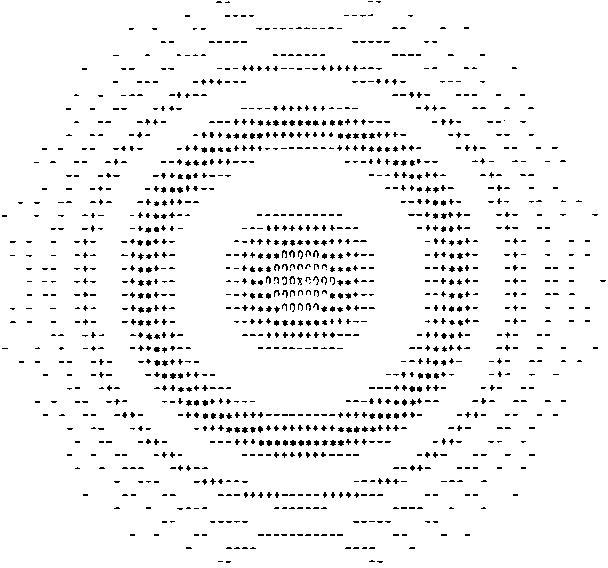
Why do I like this book enough to track down a used copy, import it, scan it, correct it and upload it to the Internet Archive? To me, it shows the layers we now take for granted, and the privilege we have with these hard problems of half a century ago being trivially soluble on a $10 computer the size of a stick of gum. When we run today’s massive AI models with little interest in the underlying assumptions but a sharp focus on getting the results we want, we do a disservice to the years of R&D that got us here.
The ‘charges for computing time’ comment above is from Colin’s website. Early central computing facilities had the SaaS billing down solid, partly because many mainframes were rented from the vendor and system usage was accounted for in minute detail. Apparently the system Colin used (when a new lecturer) was at another college, and it was the custom to send periodic invoices for CPU time and storage used back to the user’s department. Nowhere on these invoices did it say that these accounts were for information only and were not payable. Not the best way to greet your users.
(Incidentally, if you hate yourself and everyone else around you, you can get a feel of system billing on any Linux system by enabling user quotas. You’ll very likely stop doing this almost immediately as the restrictions and reporting burden seem utterly alien to us today.)
While the book is still very much in copyright, the copy I have sat unread at Lakehead University Library since June 1995; the due date slip’s still pasted in the back. It’s been out of print at Cambridge University Press since May 1987, even if they do have a plaintive/passive aggressive “hey we could totally make an ebook of this if you really want it†link on their site. I — and the lovely folks hosting it at the Internet Archive — have saved them from what’s evidently too much trouble. I won’t even raise an eyebrow if they pull a Nintendo and start selling this scan.
Colossal thanks to Internet Archive for making the book uploading process much easier than I thought it was. They’ve completely revamped the processing behind it, and the fully open-source engine gives great results. As ever, if you assumed you knew how to do it, think again and read the How to upload scanned images to make a book guide. Uploading a zip file of images is much easier than mucking about with weird command-line TIFF and PDF tools. The resulting PDF is about half the size of the optimized scans I uploaded, and it’s nicely tagged with metadata and contains (mostly) searchable text. It took more than an hour to process on the archive’s spectacularly powerful servers, though, so I hate to think what Colin Day’s bill would have been in 1972 for that many CPU cycles … or if even a computer of that time, given enough storage, could complete the project by now.
Almost any part of suburban Toronto brings a sameness of houses. Many neighbourhoods were built as a block, in the same year, in the same style. In order to encourage solid and financially-sound building design, the government agency Canada Mortgage and Housing Corporation (initially Central Mortgage and Housing Corporation; but always CMHC) sponsored house design competitions and paid architects a royalty for use of their designs in return for making the plans available inexpensively to all.
(I should note that that “available … to all” came with a fairly heavy dose of colonialism. As with credit to Francophone Canadians in the 19th century, mortgage finance was denied to First Nations people in Canada until very recently. Just part of the conciliation we have to do before there’s a hope of useful reconciliation.)
So many suburban neighbourhoods come straight out of the CMHC catalogues. CMHC houses are featured in Douglas Coupland’s Souvenir of Canada. They’re not part of the the whole majestic Canada thing, but they are as Canadian as _____.
I came across a tweet the other day about the CMHC catalogues:
I went to the site and there were loads of catalogues there, all languishing unbrowsably in boring old FTP folders. So I decided to upload all the CMHC Small House designs that I could find on archive.org. Here’s a sampler from each of the decades that are available:
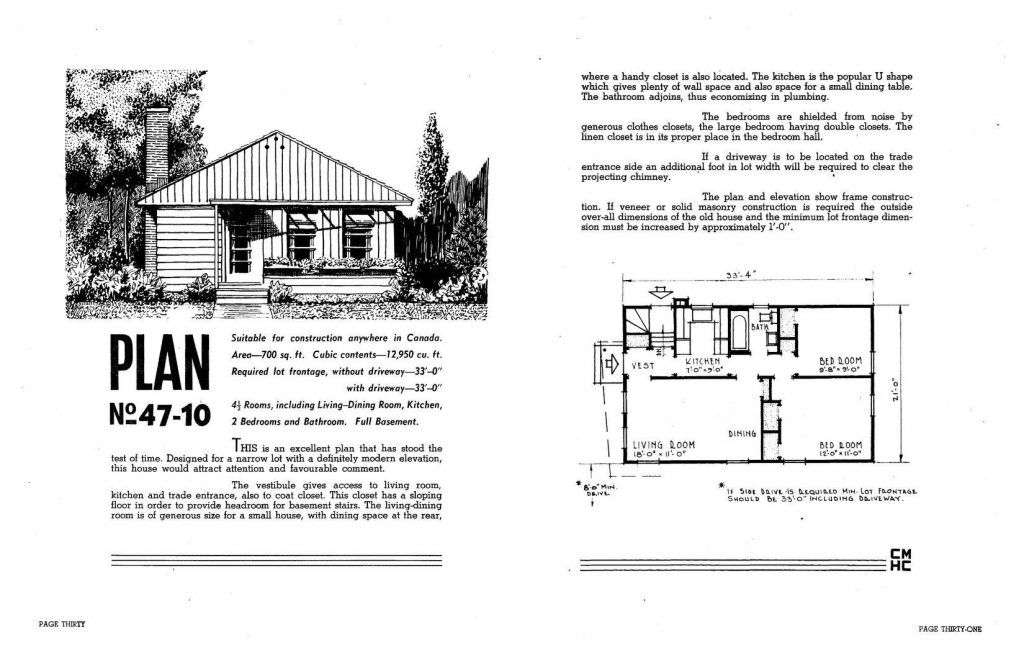
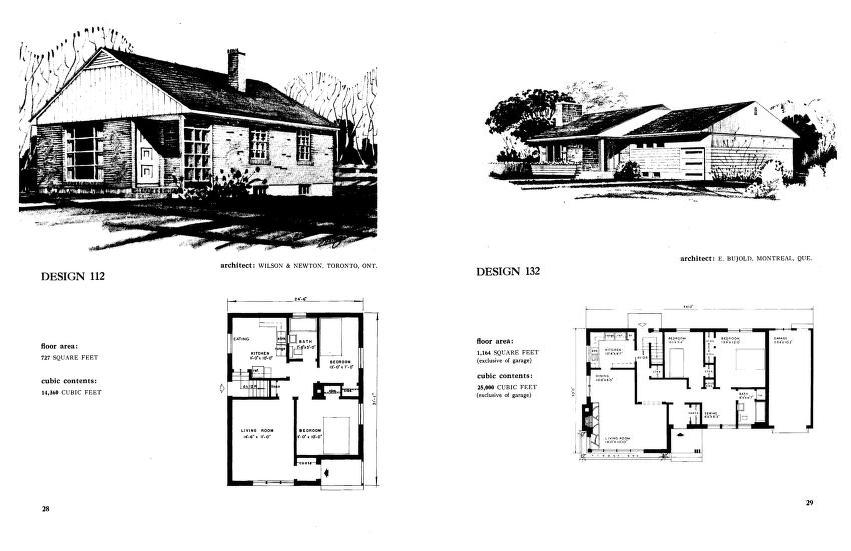
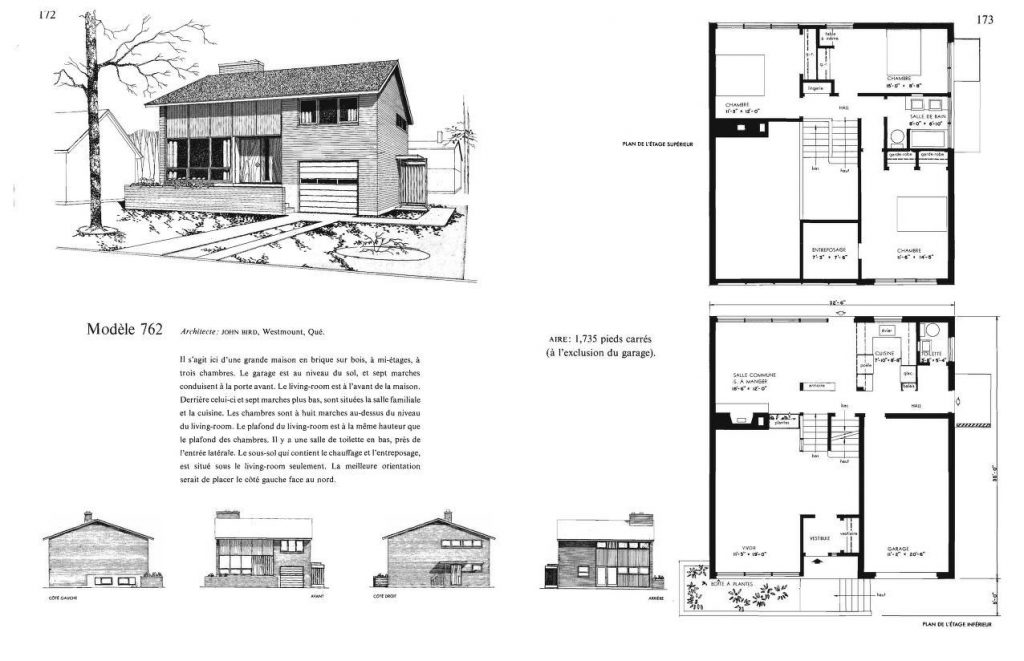
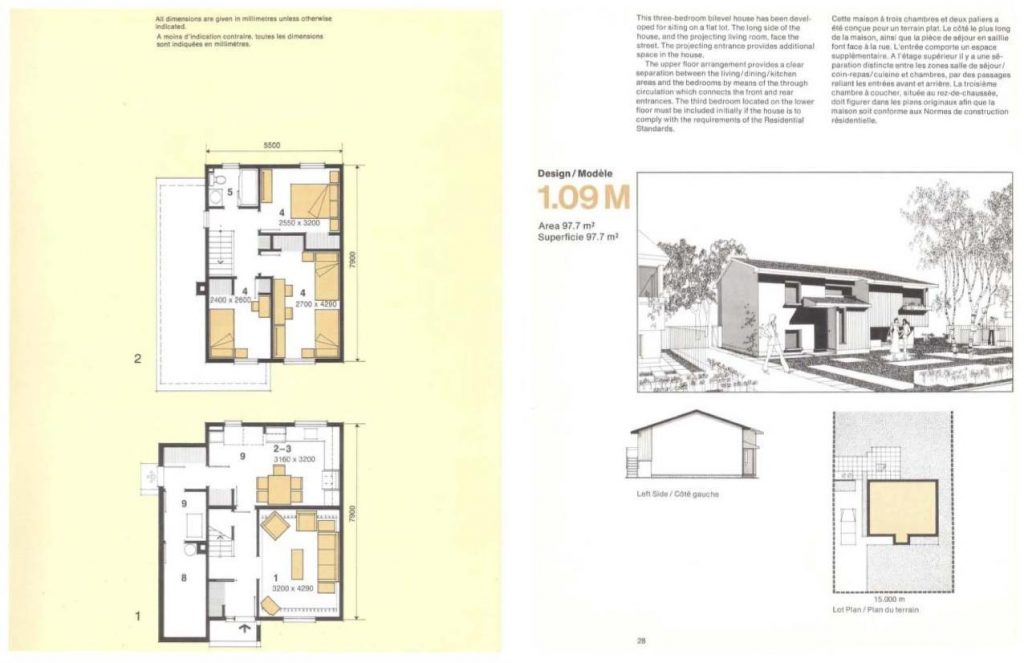
So many houses. So many neighbourhoods. So many families. So many stories. So many homes.
These are all of the CMHC design catalogues that I put up on Internet Archive:
They’re all downloaded from CMHC’s FTP site (ftp://ftp.cmhc-schl.gc.ca/chic-ccdh/HousePlans/). A dedicated urban architecture archivist could have a field day there.
CMHC link via Elie Bourget – thanks!
One of the earlier acknowledgements of the inevitability of TIMTOWTDI in programming:
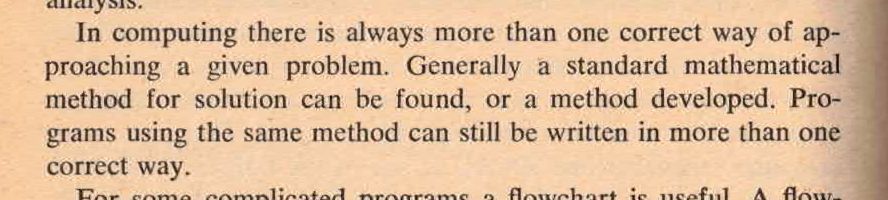
Admittedly, it’s talking about BASIC — and by BASIC, PDP-8 BASIC was very basic¹ indeed — but there’s always more than one correct way to implement a solution.
¹: no text string handling, variable names limited to two characters in [A-Z][0-9] format, IF…THEN can only take a line number as argument (as with Dartmouth BASIC), one statement per line, max 350 lines or so. I’d heard that DEC thought that BASIC was going to be a passing fad and that their own FOCAL language was going to “win”, so their BASIC offerings were deliberately given less attention than FOCAL. Hmm …
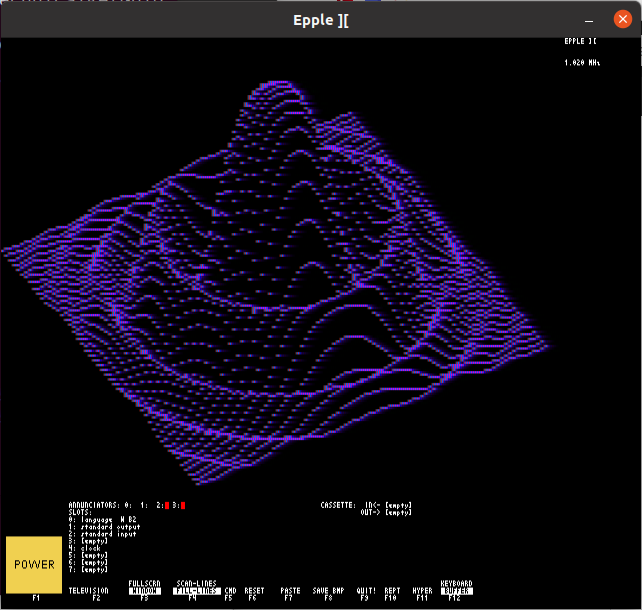
Hey! The Epple-II build process has changed completely, and I can’t even get the emulator to start under Linux now.
as requested on reddit:
sudo apt install git build-essential autoconf automake libsdl2-dev libsdl2-image-dev libsdl2-ttf-dev xa65git clone https://github.com/cmosher01/Epple-II.githttps://github.com/cmosher01/Apple-II-Source.gitcd Epple-II && ./bootstrap && ./configure && makesudo make installcd ../Apple-II-Source/ && ./bootstrap && ./configure && makesudo make installepple2 epple2 &; the emulator will hang)cassette blank prog.wavSAVE. This may take some time, and there will be a beepcassette savecassette eject outFor example, here’s Plotpourri‘s BASIC code saved to tape:
It’s also a pretty decent Apple II emulator, too.
Nobody asked for this. Nobody needs this. But here we are …
Inspired by J. G. Harston’s clever but domain-specific ClockSp benchmark, I set out to write a BASIC benchmark suite that was:
Since I already had a Commodore 64, and seemingly several million other people did too, it seemed like a fair choice to use as the reference system. But the details, so many details …
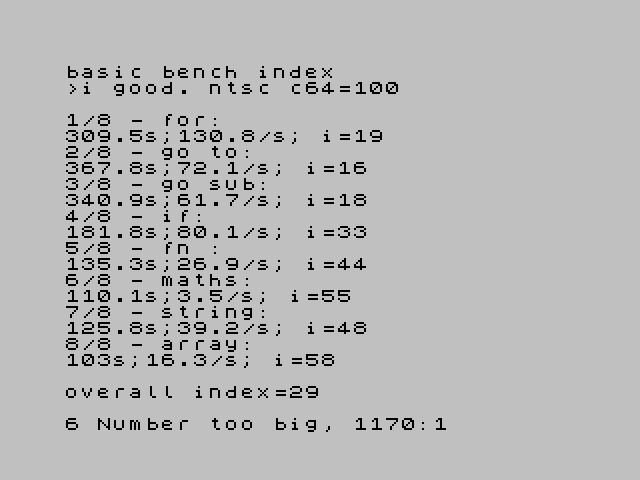
(I mean: who knew that Commodore PET BASIC could run faster or slower depending on how your numbered your lines? Not me — until today, that is.)
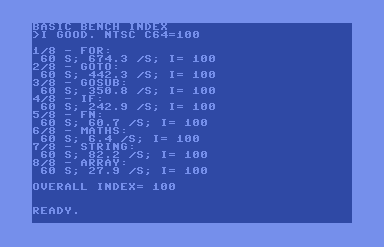
While the benchmark doesn’t scale well for BASIC running on modern computers — the comparisons between a simple 8-bit processor at a few MHz and a multi-core wildly complex modern CPU at many GHz just aren’t applicable — it turns out I may have one of the fastest 8-bit BASIC computers around in the matchbox-sized shape of the MinZ v1.1 (36.864 Z180, CP/M 2.2, BBC BASIC [Z80] v3):
BASIC BENCH INDEX
>I GOOD. NTSC C64=100

1/8 - FOR:
 3.2 S; 12778 /S; I= 1895
2/8 - GOTO:
 6.1 S; 4324.5 /S; I= 978
3/8 - GOSUB:
 3.1 S; 6789 /S; I= 1935
4/8 - IF:
 2.9 S; 4966.9 /S; I= 2046
5/8 - FN:
 3.5 S; 1030.6 /S; I= 1698
6/8 - MATHS:
 1.5 S; 255.3 /S; I= 4000
7/8 - STRING:
 2.6 S; 1871.6 /S; I= 2279
8/8 - ARRAY:
 3.1 S; 540.3 /S; I= 1935

OVERALL INDEX= 1839
That’s more than 9× the speed of a BBC Micro Model B.
Github link: bench64 – a new BASIC benchmark index for 8-bit computers.
Archive download:

Hey – the Toronto Raspberry Pi Meetup Group is meeting online tonight! All welcome: you don’t have to be in/near Toronto to attend.
I’ll be introducing the SeeedStudio Wio Terminal: a flexible, small input and display device. The Wio Terminal has many interesting uses — including as an adjunct to or even alternative to the Raspberry Pi
Thursday, December 10, 2020
7:00 PM to 8:30 PM EST
Signup link: https://www.meetup.com/Raspberry-Pi/events/dhwnzrybcqbnb/
or directly on Google Meet: https://meet.google.com/snu-befk-ivf
Slides!
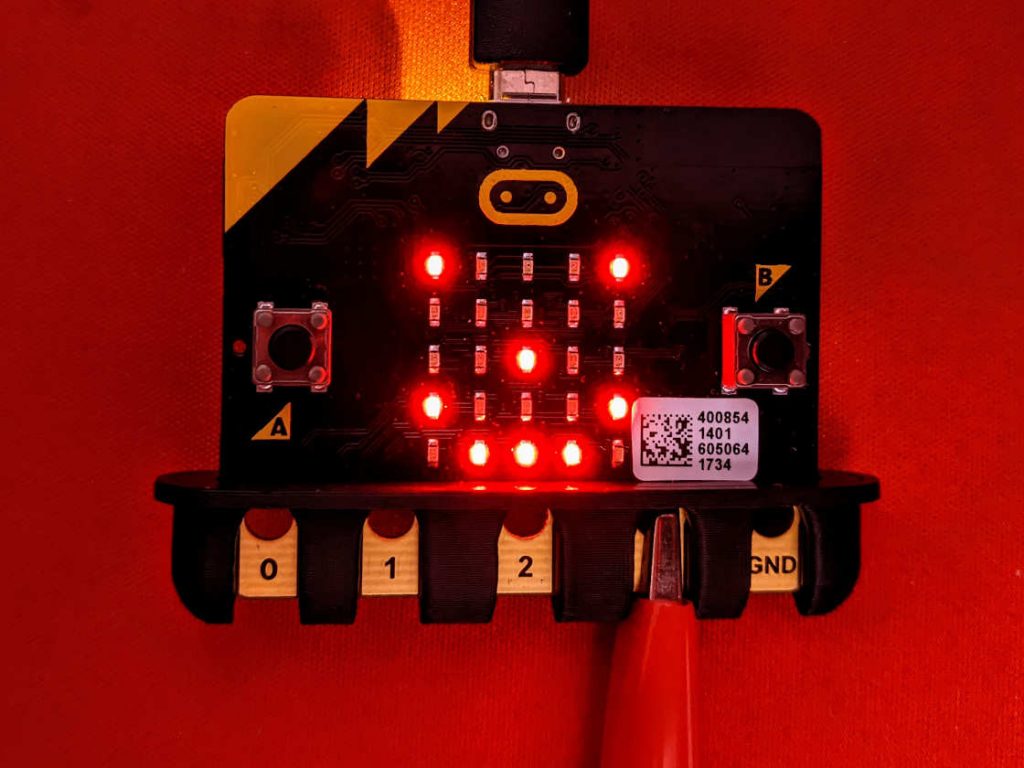
tiny guard piece to stop croc clips / alligator clips shorting out on your micro:bit. Designed entirely from the Kitronik mechanical drawings, as the official ones are useless.
All the other designs like this on Thingiverse that I tried were really hard to print. Apart from a small amount of bridging (which any printer should be able to handle) this one should be easier.
Thingiverse link: micro:bit croc clip keeper by scruss
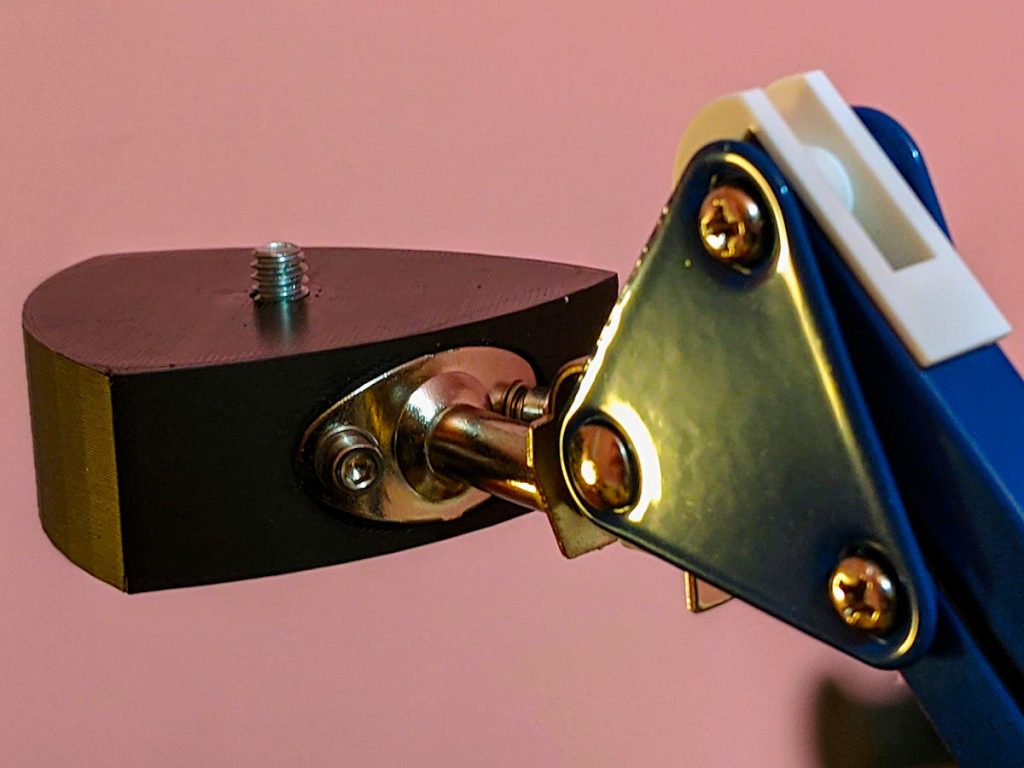
On thingiverse: IKEA TERTIAL tripod mount
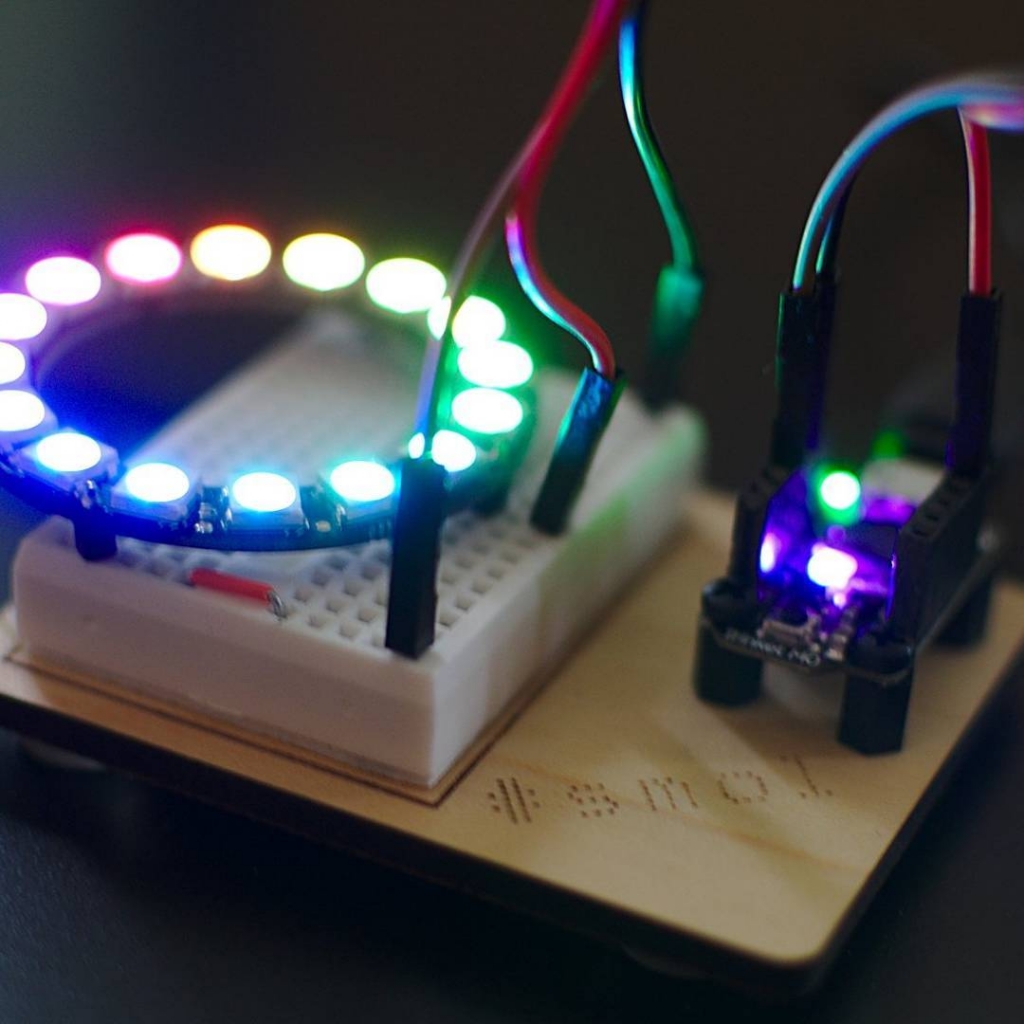
Dupont connectors — the little doohickeys at the end of jumper wires — are great if you never have to build them yourself. You’ll probably attempt it once with the wrong tools, and while the scars are healing you’ll vow never to do it again.
I recently bought a cheap crimp kit to build the MidTBot ESP32 plotter. My first attempts were, one might say, crap. But I wanted to clean up some of the cables from my desk, and one of them was a horrible taped-together set of jumper wires to use with a ST-LINK V2 compatible In-Circuit Programmer. Surely I could do better than my first try?
I did — thanks to this Instructable: Make a Good Dupont Pin-Crimp EVERY TIME!. Yes, it’s very long. Yes, it’s all about the only way to do it. Curiously, though, it’s actually right: I got all 8 connectors made while only wasting one.
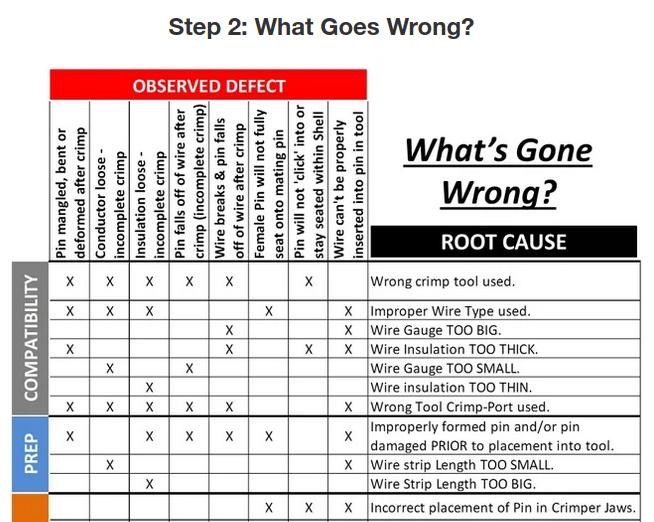
The absolutely golden detail that improved my success was making the connector jig out of a little bit of pin header. This made the process mostly repeatable and quite a bit faster. And the guide has some really helpful failure matrices:
I wouldn’t go out of my way to make Dupont connectors now — they’re still fiddly and slow — but now I have the tools, parts and skills to make less of a mess of them.

Updated: here’s a better one. Who knew that hp2xx had a gcode mode built in?
hp2xx -t -m nc -z 0 -Z 5 -f - file.hpgl | grep -v '^M0.' | sed 's/^G01/G0/;' | awk 'BEGIN {print "G21\nG90";} END {print "G0 Z5";} {print;}' > file.gcode
Aah, no: forget the stuff below.
hp2xx -t -m hpgl -f - phweeen.hpgl | sed 's/;/\n/g;' | grep -v '^SP' | grep -v PA | awk -F, 'BEGIN {print "G0X0Y0Z5";} /^PU/ {sub(/PU/, "", $1); printf("G0Z5\nG0X%fY%f\n", $1/40.0, $2/40.0);} /^PD/ {sub(/PD/, "", $1); printf("G0Z0\nG0X%fY%fZ0\n", $1/40.0, $2/40.0);} END {print "G0Z5";}' > ~/Desktop/phweeen.gcode
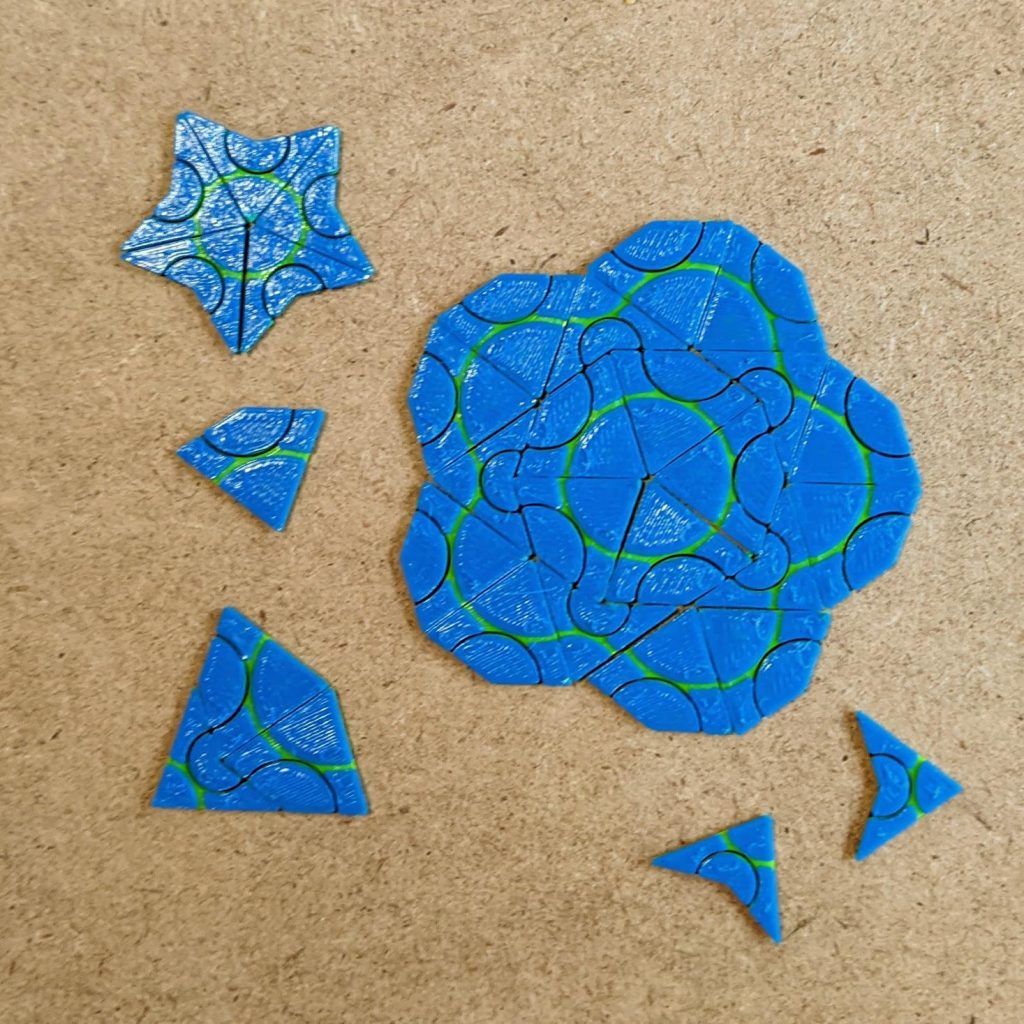
More details: Three-colour Penrose P2 tiles by scruss – Thingiverse.

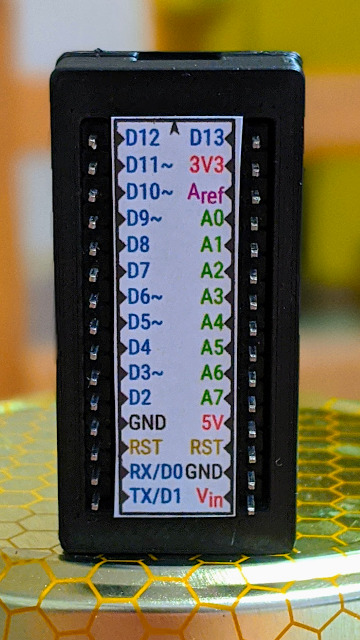
I like Arduino Nanos. They’re cheap. They work. They’re small. But they’re a bit fiddly, what with their breadboard legs and tiny pin labels. Wouldn’t it be nicer to use them as self-contained units, with Dupont wires coming from the pins?
This is where nspohrer’s Arduino Nano case with completely accessible pins comes in:
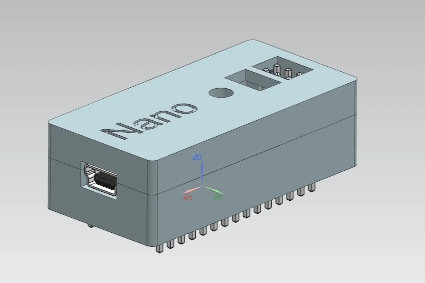
Flip it over, label the pins, and you’ve got a polished little microcontroller in a box. And do I have just the right label for you …
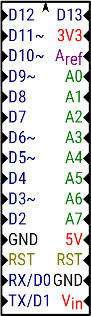
I’ve even included the original SVG so you can make custom versions. Please ignore the “micro” in the name … they are really for the Nano.
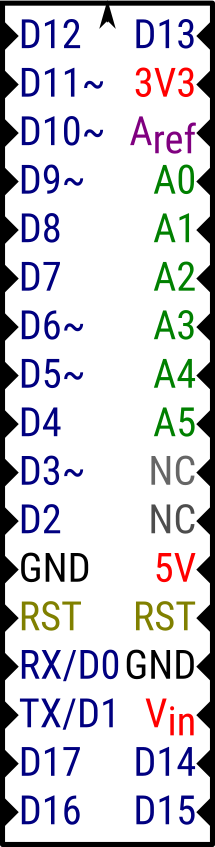
And PDF files, for ease of printing:
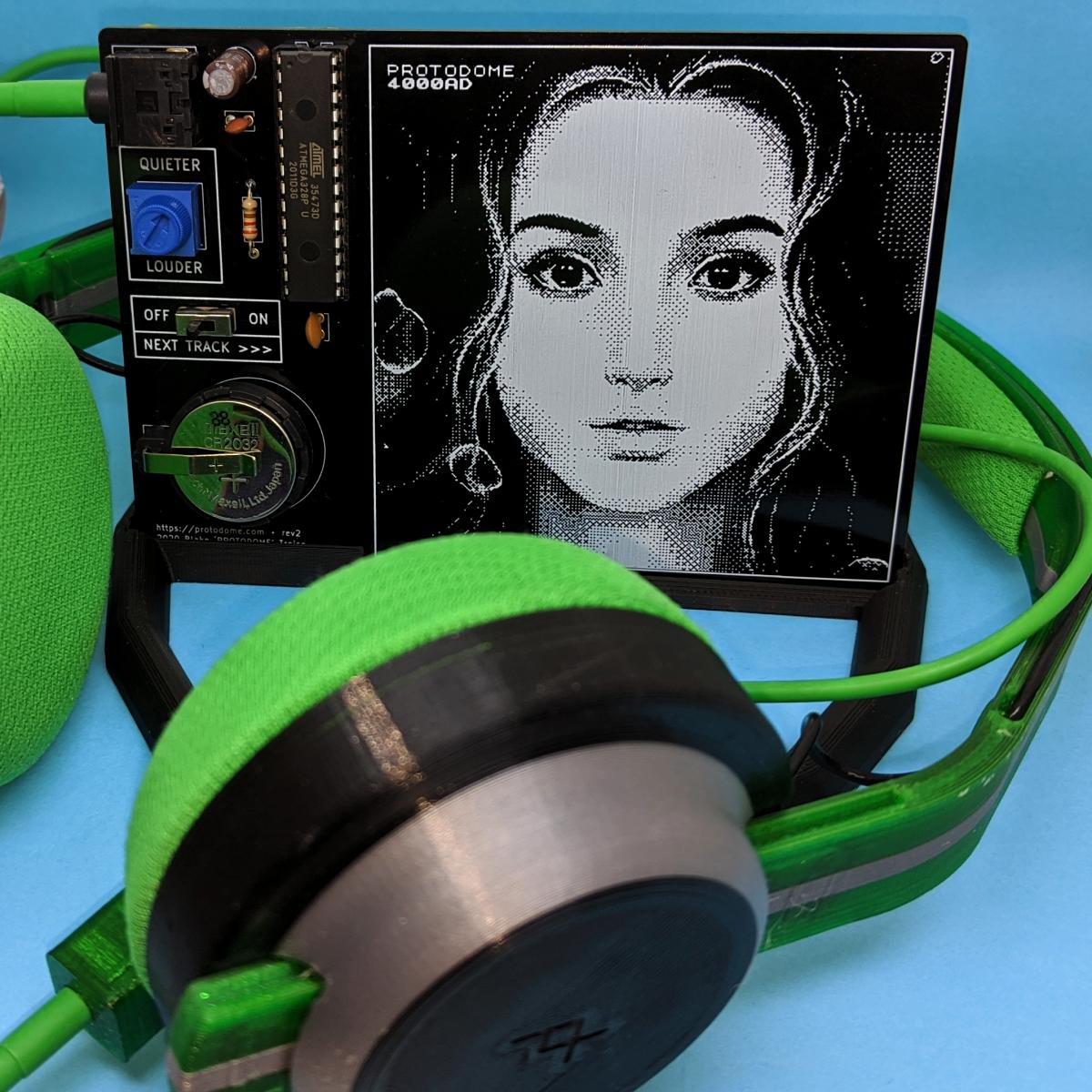
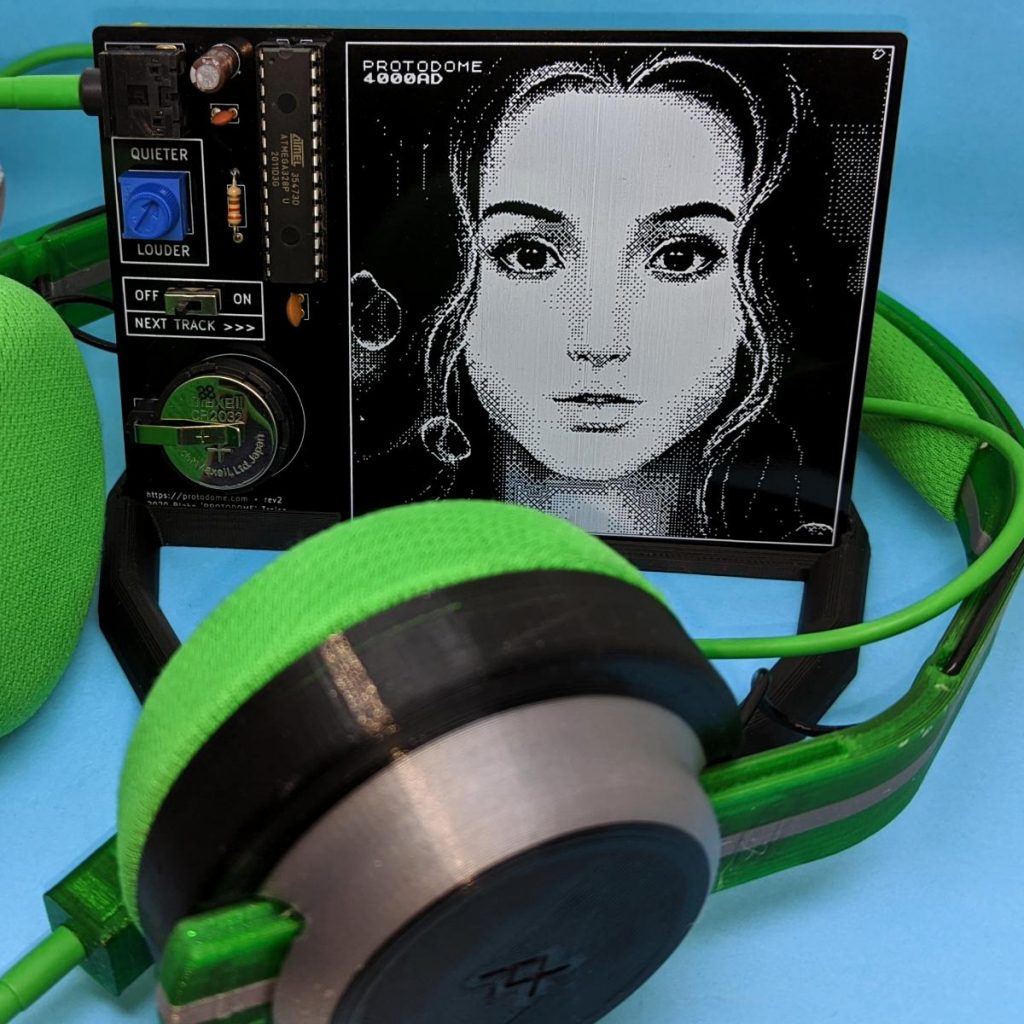
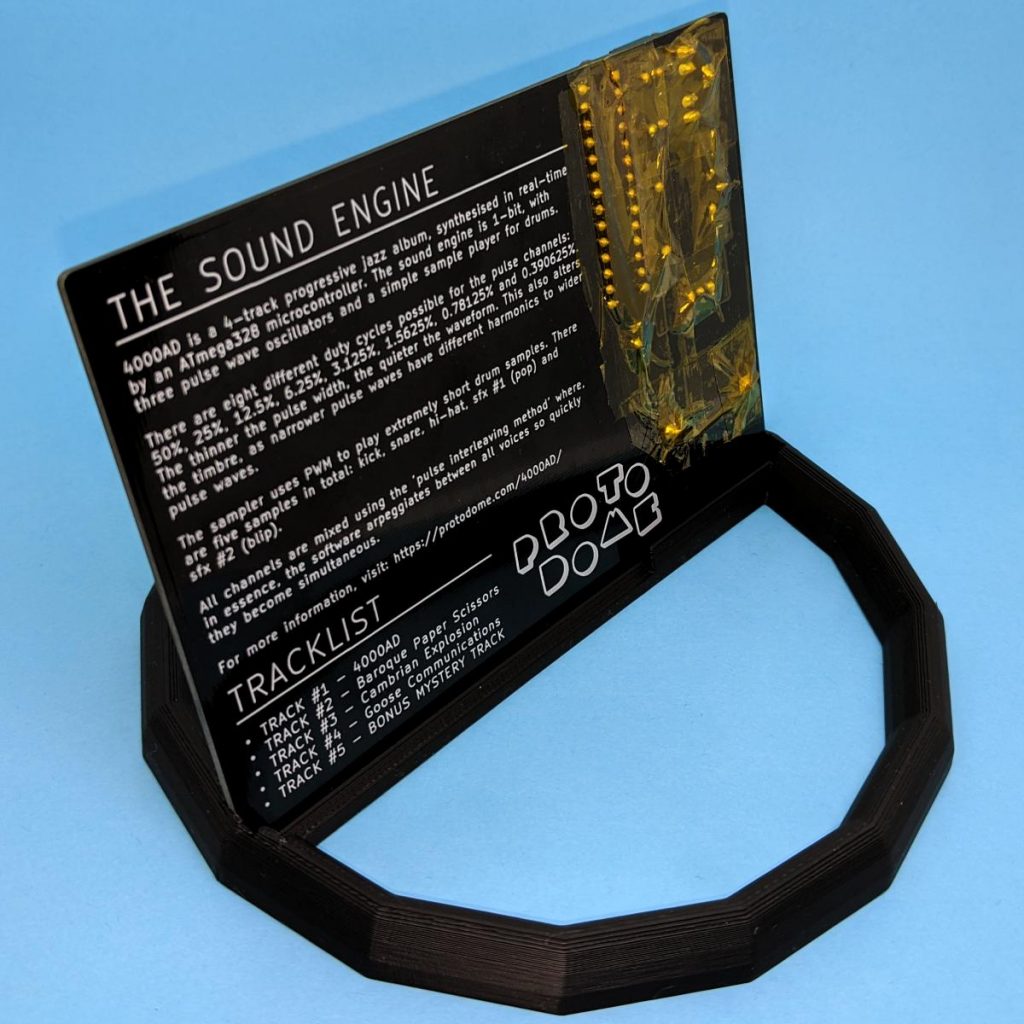
So Dr. Blake “PROTODOME†Troise (previously) made a chiptune album that’s entirely synthesized by an Atmel/Microchip ATmega328P microcontroller in realtime. And every chip needs a PCB, right? So Blake released the album as a physical device you can solder up for yourself.
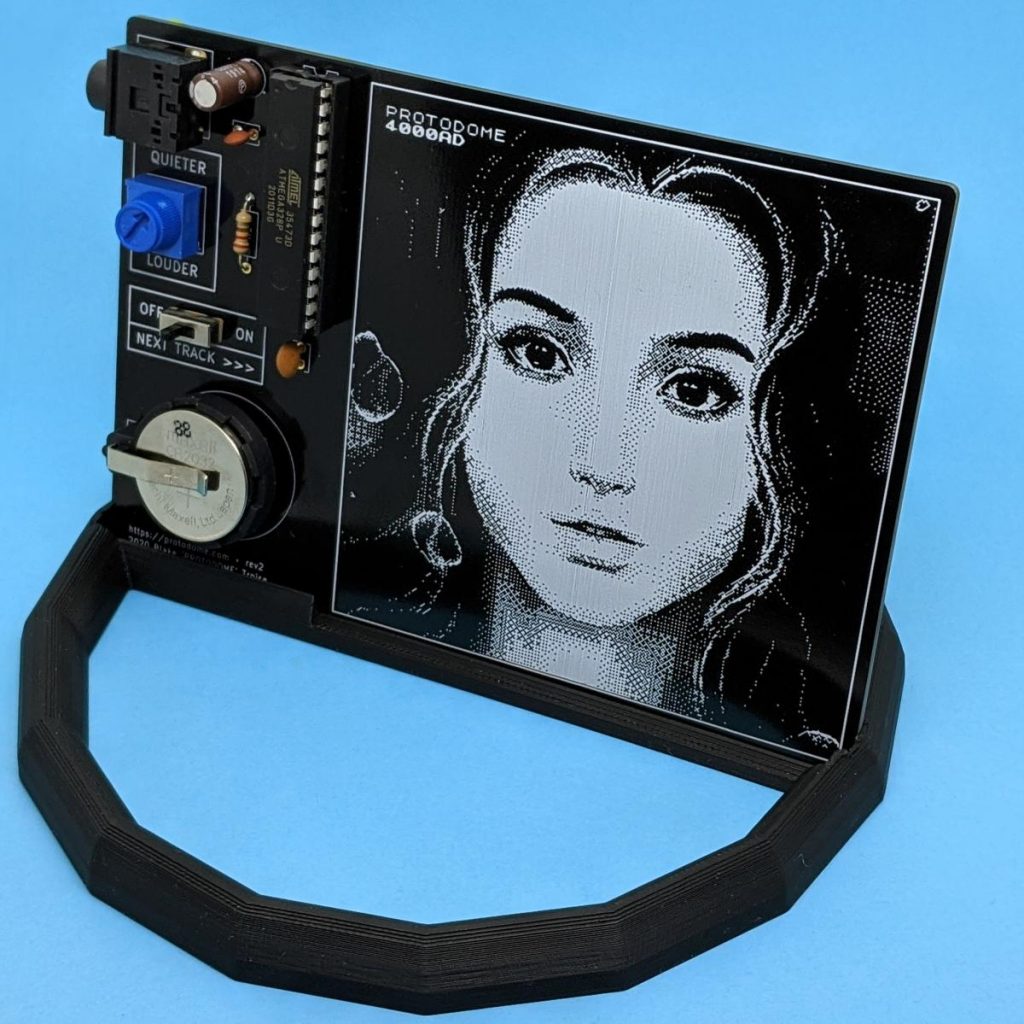
Of course, having the PCB lying flat doesn’t allow you to see Marianne Thompson’s great pixel cover art, or read the liner notes on the back — and risks having the circuit short out on random tinny things on your desk. (Maybe that’s just my desk, though.)
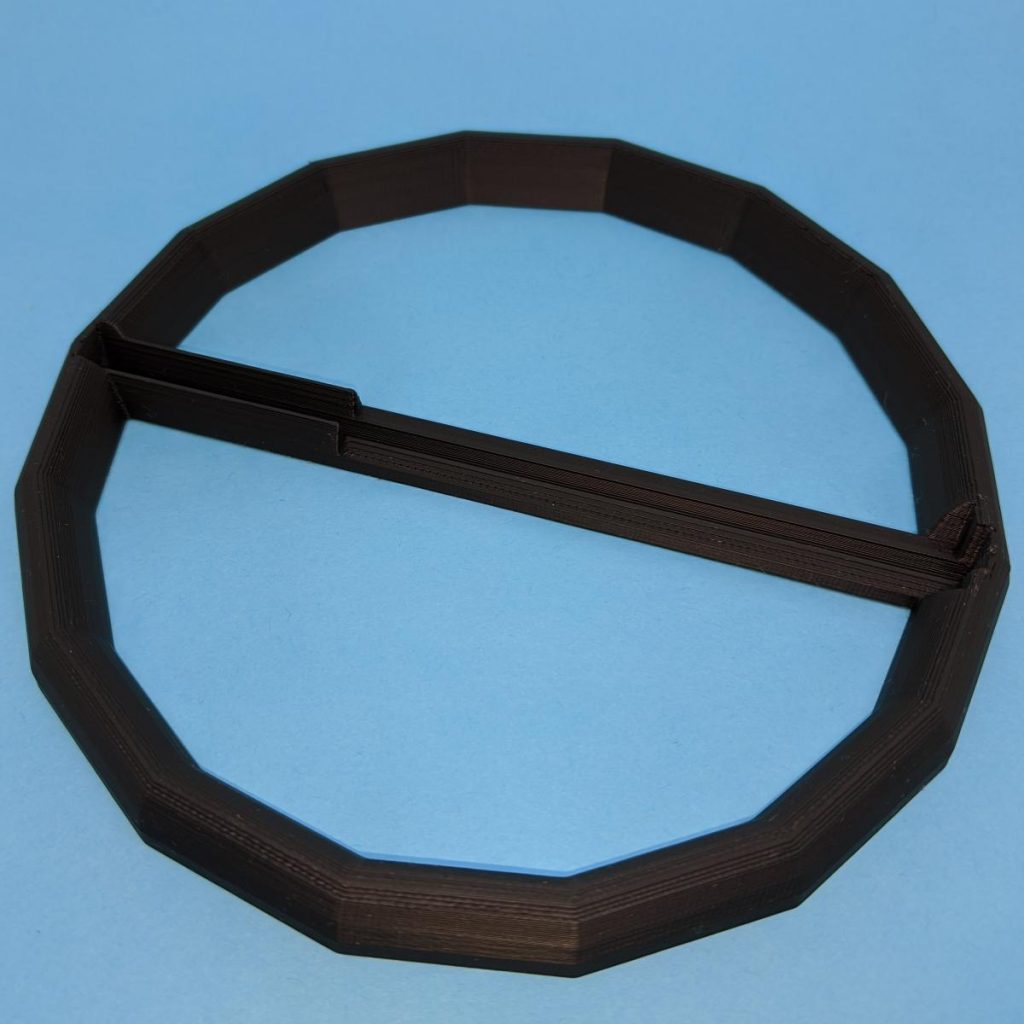
This stand allows you to display the board at a convenient 75° angle, but also allows the PCB to be flipped forward so you can read the liner notes comfortably. Yeah, I may have been a crate-digger at one time.
Links:
(or Thingiverse link: https://www.thingiverse.com/thing:4579706)

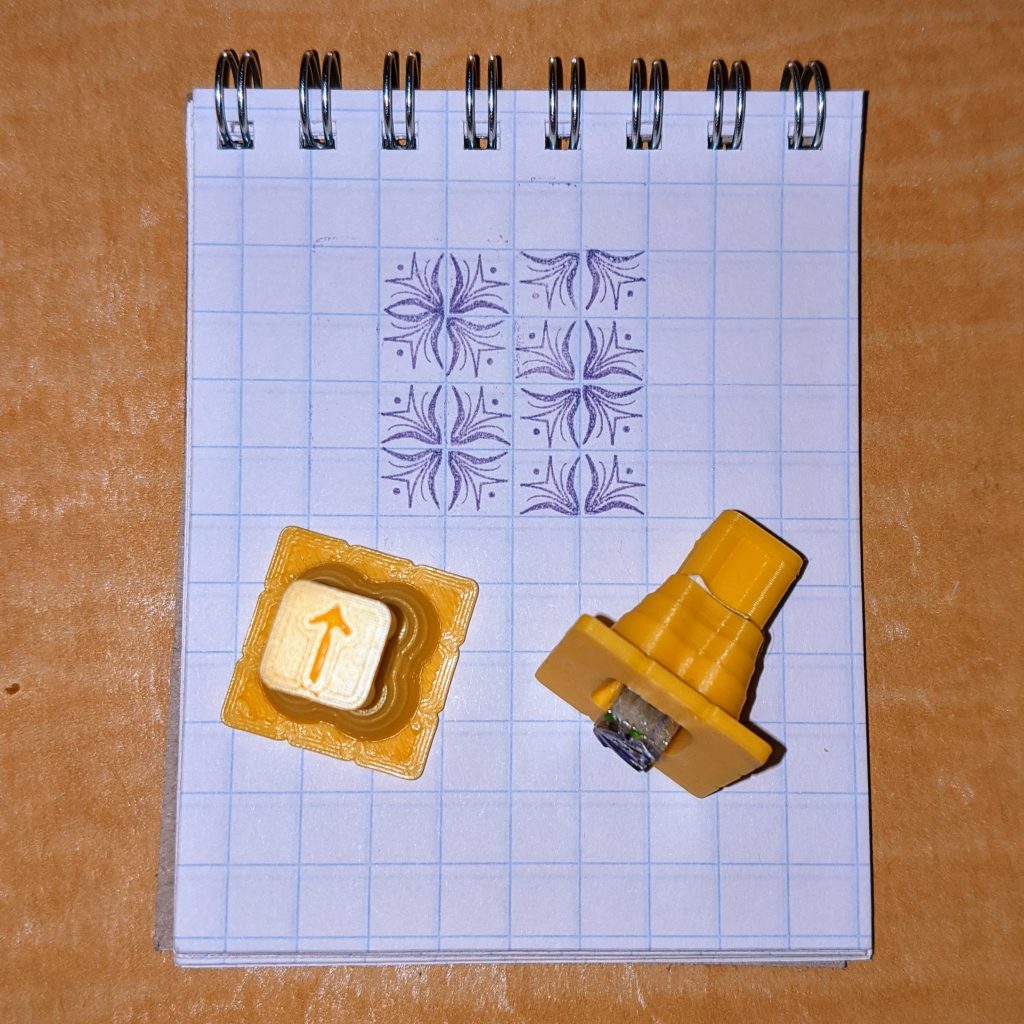
I’m really enjoying Elisabeth Fraser’s The Glint Game, a delightfully nerdy pattern diversion that uses real metal type.
For something to do with my head, I’m taking the RAC Advanced Ham Radio course. The exam uses a non-programmable scientific calculator. I thought that all my calculators were programmable, but we found this one lurking in the basement and it’s just perfect:
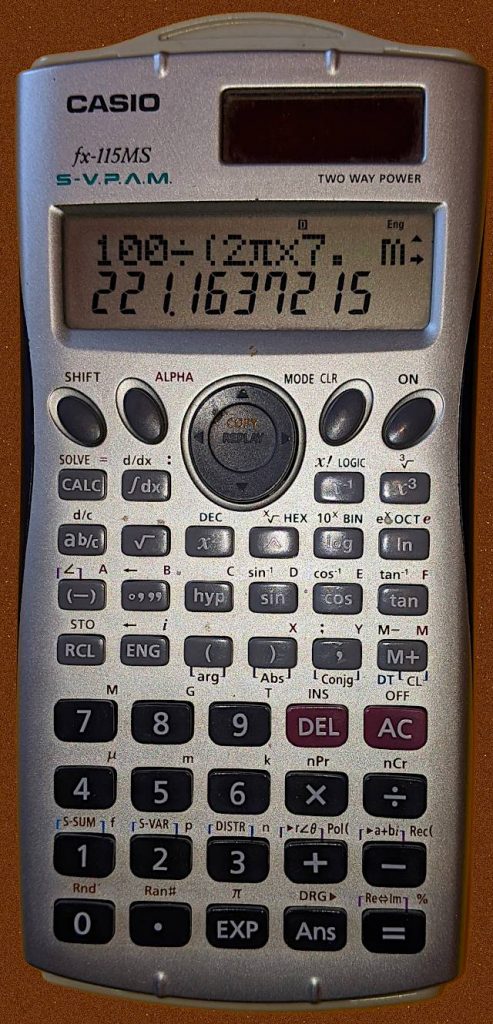
This is one of the few calculators I’ve seen that both displays and takes inputs in SI units. How to put it into SI engineering display mode is explained in this delightful (archived) site Casio fx-115MS.
Entering numbers with SI prefixes is simple: type the number, then Shift and hit the prefix. So to enter 300000, you’d type 300 Shift 4 to get 300 k.
You do have to be a little careful reading the display in this mode, though. The display above reads 221 × 10-3 (from the m at right), or 0.221.
I don’t see any calculator in Casio’s current range that offers this handy feature. Guess I’m lucky I found it before the exam!
Audio can be a bit dismal on a Raspberry Pi. Once you get a configuration that works, sometimes you’re not sure how you got there and you’ll do anything to keep that arcane setup going. It’s better than it was.
Speech synthesis or TTS adds an extra layer for potential failure. One of the popular Linux TTS systems, eSpeak, hasn’t seen much development in almost a decade and seems to only work through workarounds and hand-waving.
Thankfully, there’s a fork of eSpeak that is maintained: espeak-ng. Better yet, it’s packaged with Raspberry Pi OS and can be installed quite easily:
sudo apt install espeak-ng espeak-ng-data libespeak-ng-dev
In my simple tests, it output everything I expected of it.
eSpeak had a Python module that kinda worked, but espeak-ng’s is much more ambitious, and (mostly) does what it sets out to do. You can install it like this:
sudo pip3 install py-espeak-ng
py-espeak-ng has some documentation, but it’s still got some trial and error in getting it to work. The biggest issue that held me up was that the module needs to be initialized with a voice that espeak-ng already knows about. If you don’t specify a voice, or specify one that the system doesn’t know about, you won’t get any errors — but you won’t get any output, either.
Here’s a small Python example that you’ll probably want to try with no-one else within earshot. It repeats the same English phrase (a favourite of elocution teachers) in every English regional language that espeak-ng knows about. In addition, since I’m a dictionary nerd, it outputs phonetics too.
#!/usr/bin/python3
# -*- coding: utf-8 -*-
# an espeakng elocution lesson from scruss, 2020-07
#     I suffered this at school, now you get to as well!
# You will need to:
#     sudo apt install espeak-ng espeak-ng-data libespeak-ng-dev
#     sudo pip3 install py-espeak-ng

from espeakng import ESpeakNG
from time import sleep

# you have to initialize with a voice that exists
#   `espeak-ng --voices=en` will list English ones
esng = ESpeakNG(voice='en-gb')
esng.pitch = 32
esng.speed = 150

phrase = "Father's car is a Jaguar and pa drives rather fast. "\
    "Castles, farms and draughty barns, all go charging past."
print(phrase)
print()

for voice in esng.voices:
    if voice['language'].startswith('en-'):
        print('Using voice:', voice['language'],
              'for', voice['voice_name'], '-')
        esng.voice = voice['language']
        ipa = esng.g2p(phrase, ipa=2)
        print(voice['language'], 'phonetics:', ipa)
        esng.say(phrase, sync=True)
        print()
        sleep(0.1)
Be thankful you can’t hear the output. The IPA output, however, is a thing of beauty:
./espeakNG_test.py
Father's car is a Jaguar and pa drives rather fast. Castles, farms and draughty barns, all go charging past.
Using voice: en-029 for English_(Caribbean) -
en-029 phonetics: fˈɑËdaz kˈɑ͡əɹ ɪz a d͡ʒˈaÉ¡wÉ‘Í¡É™ and pËˆÉ‘Ë dɹˈa͡ɪvz ɹˈɑËda fˈaÍ¡astkˈaÍ¡asÉ›lzfˈɑ͡əmz and dɹˈaÍ¡afti bˈɑ͡ənzˈɔËl É¡ËŒoÍ¡ÊŠ t͡ʃˈɑ͡əd͡ʒɪn pˈaÍ¡ast
Using voice: en-gb for English_(Great_Britain) -
en-gb phonetics: fˈɑËðəz kˈɑËɹ ɪz É d͡ʒˈaÉ¡wÉ‘Ë and pËˆÉ‘Ë dɹˈa͡ɪvz ɹˈɑËðə fˈastkˈasə͡lzfˈɑËmz and dɹˈafti bˈɑËnzˈɔËl ɡˌə͡ʊ t͡ʃˈɑËd͡ʒɪŋ pˈast
Using voice: en-gb-scotland for English_(Scotland) -
en-gb-scotland phonetics: fˈa:ðɜz kˈaËr ɪz É d͡ʒˈaÉ¡waËr and pˈa: drˈa͡ɪvz rˈa:ðɜ fˈa:stkˈa:sə͡lzfˈaËrmz and drˈa:fte bˈaËrnzˈɔËl É¡ËŒoË t͡ʃˈaËrd͡ʒɪŋ pˈa:st
…
How many CPU hours did I burn in the early 1990s rendering bits of the Mandelbrot Set? A lot, mainly because I was doing it in BASIC on an unexpanded 8 MHz Commodore Amiga A500. The image below that Fraqtive rendered in almost no time would have taken me days:

But it turns out that the first rendering of what we now call the Mandelbrot set wasn’t produced by Benoit Mandelbrot, but by Brooks & Matelski a year or two earlier:
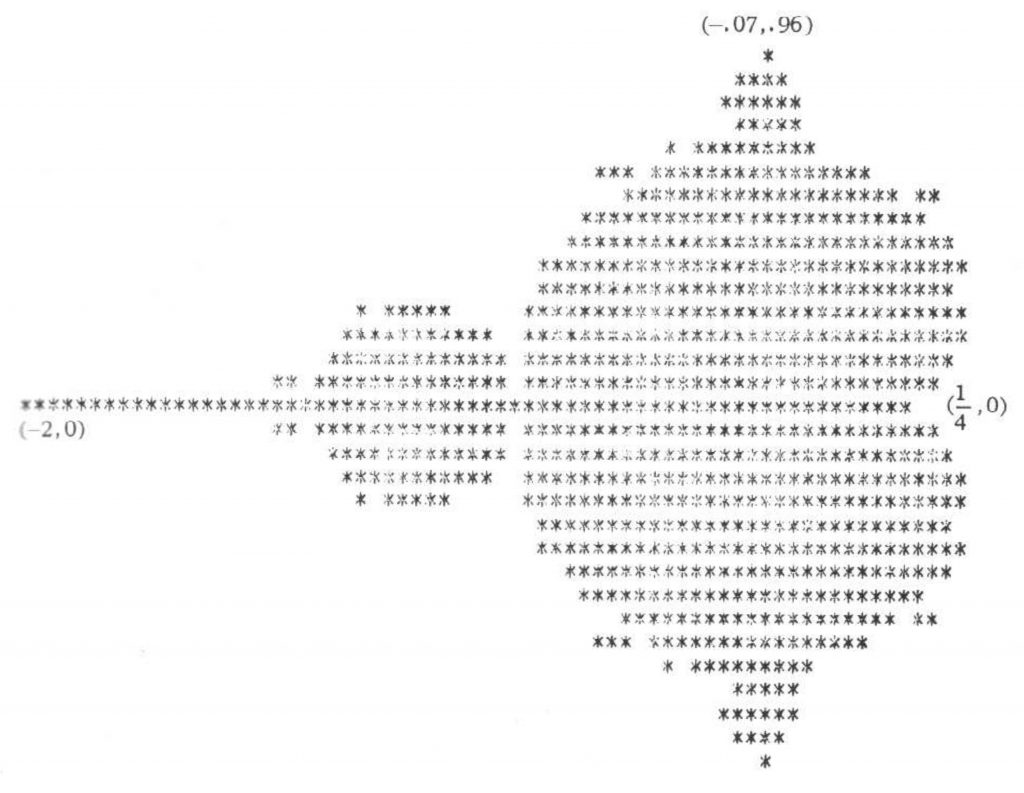
What I’ve done – and mostly thanks to tweaks by commenter nobody below – is create period-appropriate code to reproduce that graphic. Since the paper was presented in 1978, there’s a fair chance that the authors had access to a machine running FORTRAN-77 or a near equivalent. FORTRAN’s particularly good for this:
So here’s the code. It should compile on any Fortran compiler:
      PROGRAM BRKMTF
!     GENERATE FIGURE FROM BROOKS-MATELSKI PAPER C.1978
!     THAT EVENTUALLY BECAME KNOWN AS THE MANDELBROT SET
!     - SCRUSS, 2022-05
!     REF: BROOKS, ROBERT, AND J. PETER MATELSKI.
!     "THE DYNAMICS OF 2-GENERATOR SUBGROUPS OF PSL (2, C)."
!     RIEMANN SURFACES AND RELATED TOPICS: PROCEEDINGS OF THE
!     1978 STONY BROOK CONFERENCE,
!     ANN. OF MATH. STUD. VOL. 97. 1981: FIG. 2, P. 81

      REAL MAP, CR, CI
      INTEGER I, J, K, M, ROWS, COLS, MAXIT
      COMPLEX C, Z
      PARAMETER (ROWS=31, COLS=71, MAXIT=200)
      CHARACTER*80 OUT
      CHARACTER CH*1

      DO J=1,ROWS
         CI=MAP(REAL(J), 1.0, REAL(ROWS), -0.8715, 0.8715)
         DO I=1,COLS
            CR=MAP(REAL(I), 1.0, REAL(COLS), -1.975, 0.475)
            C=CMPLX(CR, CI)
            Z=CMPLX(0.0, 0.0)
            CH='*'
            DO 100, K=1,MAXIT
               Z = Z**2 + C
               IF (ABS(Z) .GT. 2) THEN
                  CH=' '
                  GO TO 101
               END IF
 100        CONTINUE
 101        OUT(I:I)=CH
         END DO
         WRITE(*,*)OUT
      END DO
      END

      REAL FUNCTION MAP(X, XMIN, XMAX, YMIN, YMAX)
      REAL X, XMIN, XMAX, YMIN, YMAX
      MAP = YMIN + (YMAX - YMIN) * ((X - XMIN) / (XMAX - XMIN))
      END
The results are spot-on:

Maybe Brooks & Matelski had access to an Apple II and wrote something in BASIC? I could be entirely period-accurate and write something in PDP-8 BASIC on my SBC6120, but not today.
It really is much easier using a language with complex number support when working with the Mandelbrot set. Here’s the same program in Python3, which bears more of a resemblance to FORTRAN-77 than it might admit:
#!/usr/bin/python3
# brkmtf - Brooks-Matelski proto ASCII Mandelbrot set - scruss, 2022-05
# -*- coding: utf-8 -*-

def valmap(value, istart, istop, ostart, ostop):
    return ostart + (ostop - ostart) * ((value - istart) / (istop - istart))

rows = 31
cols = 71
maxit = 200

for y in range(rows):
    ci = valmap(float(y + 1), 1.0, float(rows), -0.8715, 0.8715)
    for x in range(cols):
        cr = valmap(float(x + 1), 1.0, float(cols), -1.975, 0.475)
        c = complex(cr, ci)
        z = complex(0.0, 0.0)
        ch = '*'
        for k in range(maxit):
            z = z**2 + c
            if (abs(z) > 2.0):
                ch = ' '
                break
        print(ch, end='')
    print()
I found out about the Brooks-Matelski paper from this article: Who Discovered the Mandelbrot Set? – Scientific American. It’s none too complimentary towards Benoit Mandelbrot.
Update: see the comment from one of the authors of the original paper below.