Author: scruss

  • Creating secure digital QSL cards with your LoTW certificate

    Hams have sent out QSL cards since the hobby began. It may be less popular than it used to be, because mail seems slow now (especially when QSL bureaux are used), and there are online alternatives like eQSL, QRZ.com, and the ARRL‘s Logbook of the World (LoTW).

    LoTW has been criticized for being too complex. It uses an X.509 public key signature to verify your submitted log entries, and a QSL is confirmed when the other party sends in a matching entry. In a way, it’s rather elegant, as the LoTW server does the work of matching the entries, so QSLs “magically” appear in your log. You don’t get a fancy QSL card in the mail or on your screen, and I think a lot of users miss that.

    X.509 might be a bit unweildy, but props to ARRL for setting up a industry standard, robust (-ish; X.509 has its flaws), general purpose signing infrastructure. Since other file formats — notably PDF — support X.509 signing, you can use your LoTW certificate to make other data tamper-evident.

    Here I document a method of creating a digital QSL card that can be e-mailed, and subsequently verified by the recipient as being legitimate. Any alterations to the file will break the signature, and the file will just appear as a regular PDF (or not display properly). The process can be used to sign any other Acrobat file. There are probably more streamlined ways to do this, but I only came up with it last night as the beginning of a scriptable solution.

    You will need:

    • Your ARRL LoTW electronic certificate file. This is called callsign.p12; mine is VA3PID.P12
    • A means of making a QSL card as a PDF fill-in form. I used Scribus; it’s a free but powerful DTP system.
    • Pdftk, “the” PDF toolkit, to apply the QSL details to the PDF form. If you’re on Windows, you might want the Pdftk GUI.
    • PortableSigner, a java application for signing Acrobat files using an X.509 certificate.

    (Quite a bit of what follows was learnt from the two pages Your first PDF form with Scribus – Scribus Wiki and filling in forms with pdftk, so thanks to the authors of those for the guidance.)

    First, make your QSL card. Since you’re not going to print this, it can be any size you want, but postcard size is standard. At the very least, create spaces for the recipient callsign, the date, the time, frequency, mode used, and signal report.

    Under these headings, I’ve made six PDF text form fields. Scribus creates form fields like text frames/boxes. I used plain text fields (which are selected by this icon: ), centred text, and with the name of the field set from the PDF Options → Field Properties context menu. Each field needs a different name. I used callsign, date, utc, mhz, mode, and report.

    Save your QSL card as PDF. It might be an idea to check it to see if the form fields are really there and editable:
    Now it starts to get really nerdy. Adobe specified the Forms Data Format (FDF) to allow PDF form data to be slung around. FDF looks a bit like PostScript or raw PDF:

    %FDF-1.2
    
    1 0 obj
    <<
    /FDF << /Fields 2 0 R>>
    >>
    endobj
    2 0 obj
    [<< /T (callsign) /V (VE3KPK) >>
    << /T (date) /V (2011-10-02) >>
    << /T (mhz) /V (7.03581) >>
    << /T (mode) /V (CW) >>
    << /T (report) /V (499) >>
    << /T (utc) /V (2341) >>
    ]
    endobj
    trailer
    << /Root 1 0 R >>
    %%EOF

    If you think of the T & V values above as Tag and Value, you can see that the file defines callsign=VE3KPK, date=2011-10-02, mode=CW, and so on. This step can be easily scripted. If you’re not sure what the fields are called, pdftk has a “dump_data_fields” option that spits out the field names as plain text.

    pdftk is also used to put the data from the FDF file into the PDF template. It’s a slightly hairy command line:

    pdftk QSL-blank.pdf fill_form VE3KPK.fdf output QSL-VE3KPK.pdf flatten

    Here the source file is QSL-blank.pdf, the FDF data is VE3KPK.fdf, and the output is to QSL-VE3KPK.pdf. The flatten option turns the pdf form into regular, uneditable PDF. (These details are from a real QSO, by the way, and by utter coincidence I’m writing this in a hotel in Ken VE3KPK’s home town in Northern Ontario.)

    Checking that this worked in Adobe Reader:

    For many people this is probably enough (or perhaps, too much already!) but I really want to have a digital QSL card that will stand up to some scrutiny. This is where your LoTW certificate file comes in.

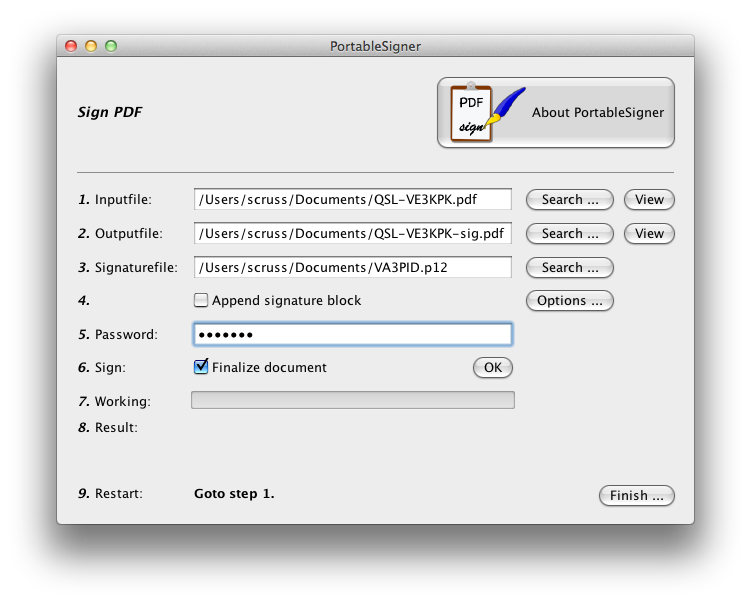
    PortableSigner is a java application for signing PDF files. It seems quite happy signing the files made in this workflow. It can run from the command line, or as a windowed application:
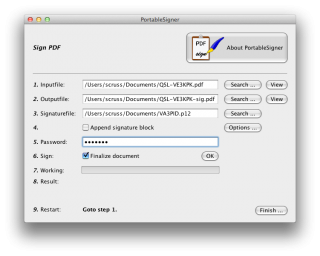
    You use your .p12 signature file and its password to sign the PDF. Once the file is signed, you can send it to your contact, and they can prove (and hopefully, any certification/contest agency will agree) that the contact was confirmed.

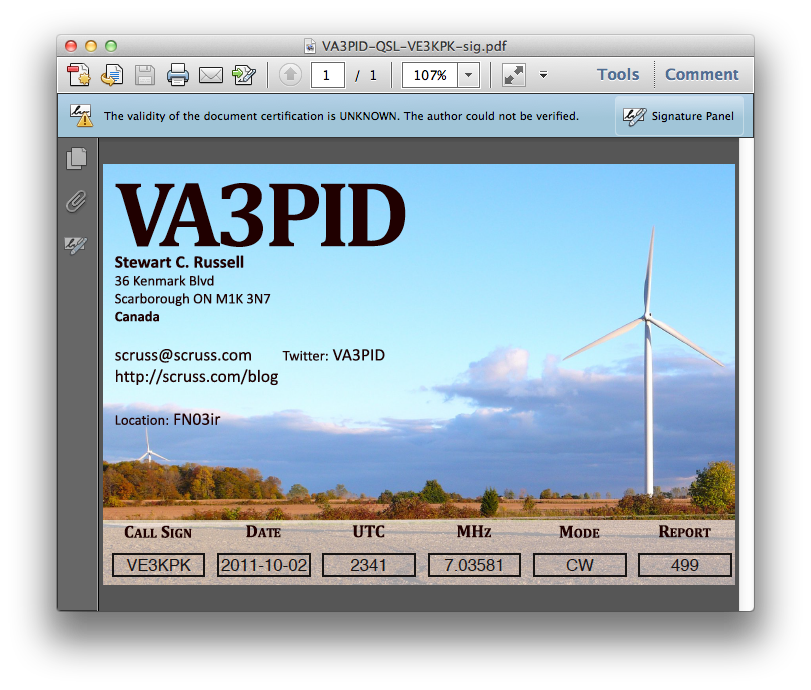
    Viewing the signed document is deeply unimpressive:
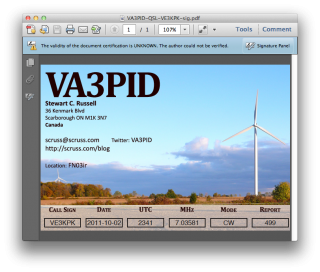
    It’s not such a big deal that Reader says that “the validity of the certification is unknown”. It’s just that Adobe doesn’t have the ARRL’s certificate loaded into everyone’s reader (what!? mock outrage!) and so it doesn’t match a certificate it knows about. You have to dig a bit deeper into the signature panel to check out who is responsible for this.

    Well, that’s a start; at least it was signed by someone with my e-mail address. There’s more under Show Signature Properties:
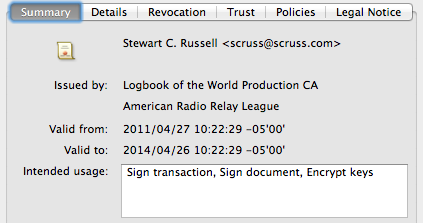
    There’s the ARRL signature in there. Buried deep in another properties tree is my callsign; can’t find it today, but I saw it in there last night. Either way, the digital QSL PDF is now signed and certified that it came from me, as an ARRL LoTW user.

  • not your dad’s multimeter

    I’d been surviving on a series of sub-$50 multimeters for years. They’d give an approximation of a reading,then fail miserably in a variety of stupid ways. The last one, a rip-off of an Extech, decided to show me how its wires were connected to the probes. “Barely” is a fair description.

    So I thought I’d buy a decent meter. One that had heft and gravitas, like the Avo 8 that my dad used to bring home from work. The Avo — seemingly constructed from bakelite, glass and lead — didn’t just take readings, it told you The Truth on its mirrored scale.

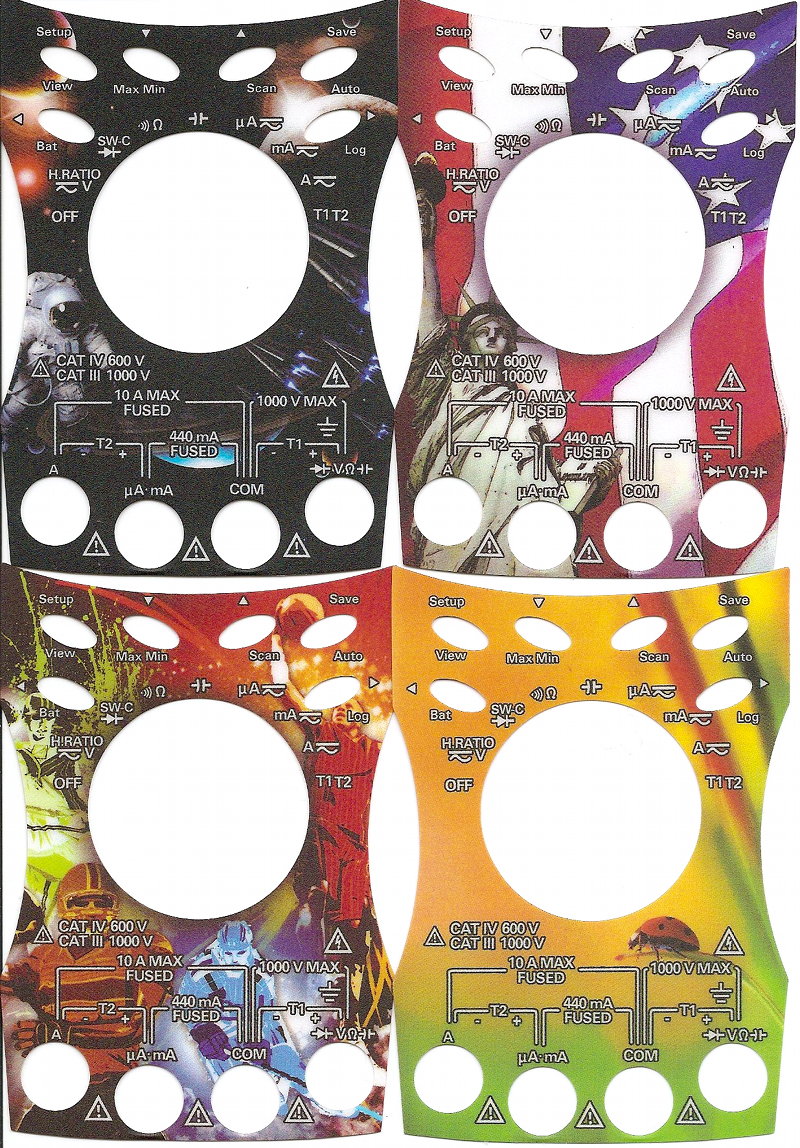
    So I bought an Agilent. Reliable company, all the right features, beeps politely only when required; a very, very sensible meter. Then I found these in the package:

    Dude, what?! Skins on a meter? Meters aren’t toys. Meters are sensible things used by sensible people. We don’t want our work distracted by thoughts of Space!, America!, Sports!, or Some Kind of Bug Thing Eww Squish It Squish It! If you were able to get “skins” for the Avo 8, they would be about Wisden, sheds, and the TSR2.

    Despite the sticky nonsense, it’s a good meter. I also managed to catch a Handheld Digital Multimeter Cash Back Offer, so it’s cheaper than competing Flukes and Extechs.

  • K3NG Keyer complete

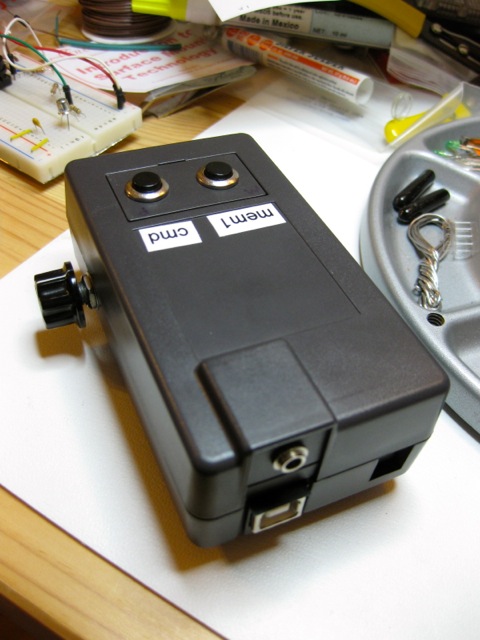
    I finally build K3NG’s Arduino CW Keyer and put it in a nice box. Here’s how it looks:

    K3NG Arduino keyer, complete

    That’s a SparkFun Arduino Project Enclosure with two buttons (one command, one macro), a CW speed control potentiometer, and a simple 3.5mm audio jack for keying the transmitter.

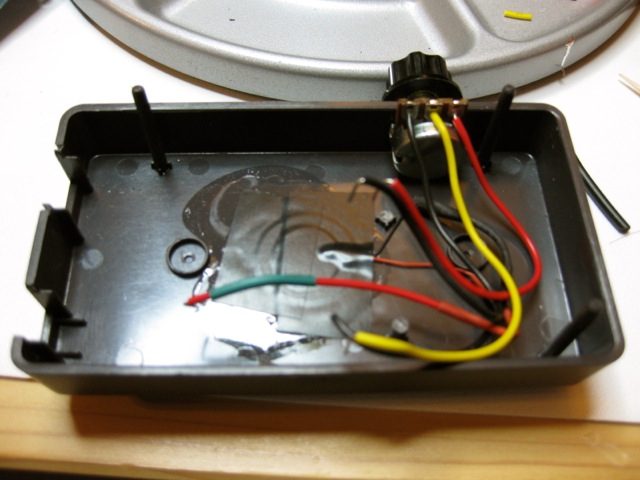
    Enclosure base, showing piezo and potentiometer

    I’ve glued a cheapo piezo (UHU All Purpose glue is my piezo glue of choice; cyanoacrylate is too brittle) onto the base, and cut a hole in the side for the speed pot. The piezo gives a clear enough side tone that I can copy CW (or Hellschreiber, as before) with audio output into Fldigi. The beeper’s got a fierce third harmonic, but that’s part of its charm. K3NG has a more complex speaker circuit, but this is simple and self-contained.

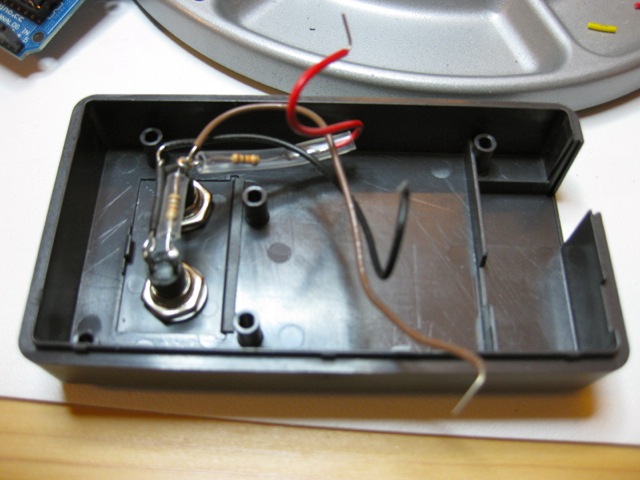
    Enclosure lid, with buttons and resistors

    Two momentary switches ($2 from Active Surplus) make up the control interface.

    Arduino+Protoboard, and the magic of a 2N2222 switch

    The clever bit is an Arduino Duemilanove Uno (my oldest board; it deserves a proper useful home which doesn’t seem to have the serial startup problems my Duemilanove had) with an Adafruit Proto Shield on top. The only “clever” componentry on that is a solitary 2N2222 switching transistor.

    It works pretty well. The only thing that doesn’t seem to be stable is the memory button; it seems to choose randomly from any of the first four memories, so I might accidentally send an SK when I meant a CQ. For now, until I work out what’s wrong, I’ll stick to keyboard input of the macros.

  • oh i wish that citrix would stop changing its product names

    Hey Citrix, just quite changing your product names, willya? How are we supposed to find your ^(*(&&*^(&$# plugin if it’s called something different this week from last. At the one place I’ve worked, it was initially called “ICA Client”, then the mysterious “Xen”, and now it’s called bloody “Receiver“. Good word choice there. Not like “receiver” has ever been used for anything else before. Gah!

    Anyway, now I’m a bit calm, if you are trying to connect to a Citrix server from OS X Lion, this worked for me: Citrix Receiver for Mac 11.4. Yes, you’ll need to register to download it, which is a royal pain in the bum. And for all of Citrix’s “o we are TEH SEKYOOR and care deeply about ur securitee“, they send your password in plain text, by e-mail. Gits. They should be forced to watch the eye-painting guy video (tnx regretsy) five times for this crime.

    I guess my ancient post  When you really haven’t chosen not to trust: Citrix, Mac OS X, and Entrust certificates can get retired now, though it still gets a ton of hits. The vast number of semi-irrelevant links in this post is in no way an attempt to make up for that. Oh no.

  • Futile Devices

    I was struck last week by the realization that I hadn’t done long division in decades. When the Casio FX (can’t remember which; it was small and solar) hit my life, the need to do long division vanished. So it’s probably around 30 years since I last had to do it.

    My first attempts to remember how were dismal. Then I remembered the whole bit about “bringing down the units”, and it all clicked. I made the following animation to show how I did it:

    This might be a slightly odd way of doing it, but it’s the way we were taught.
  • nice bike facilities

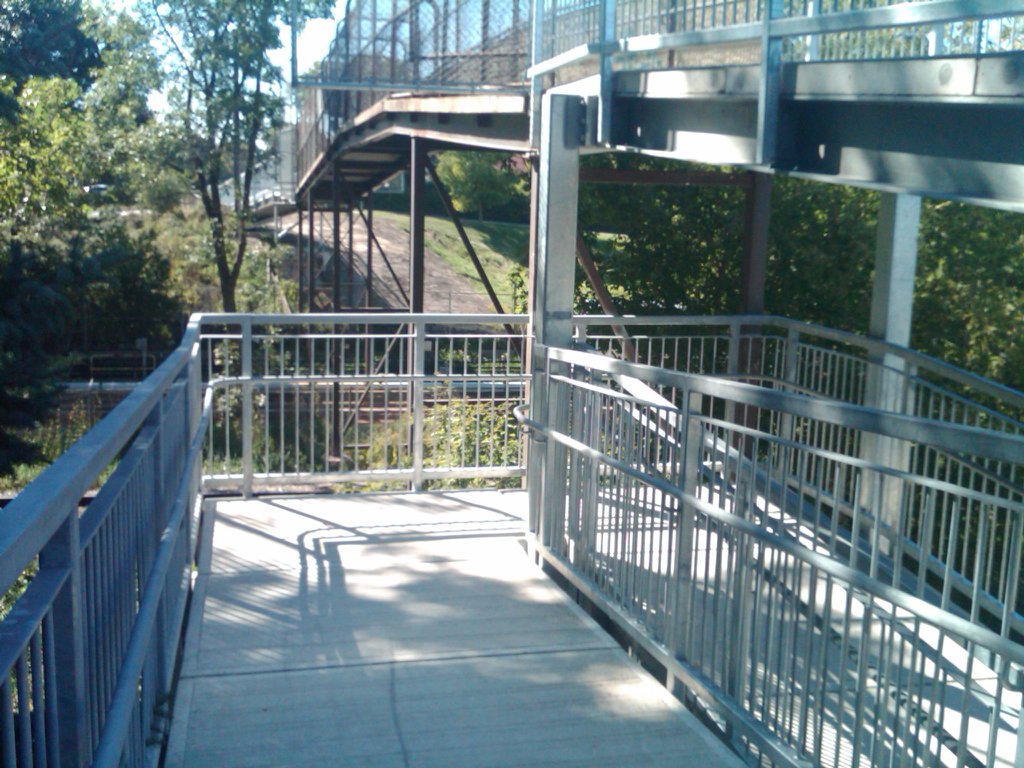
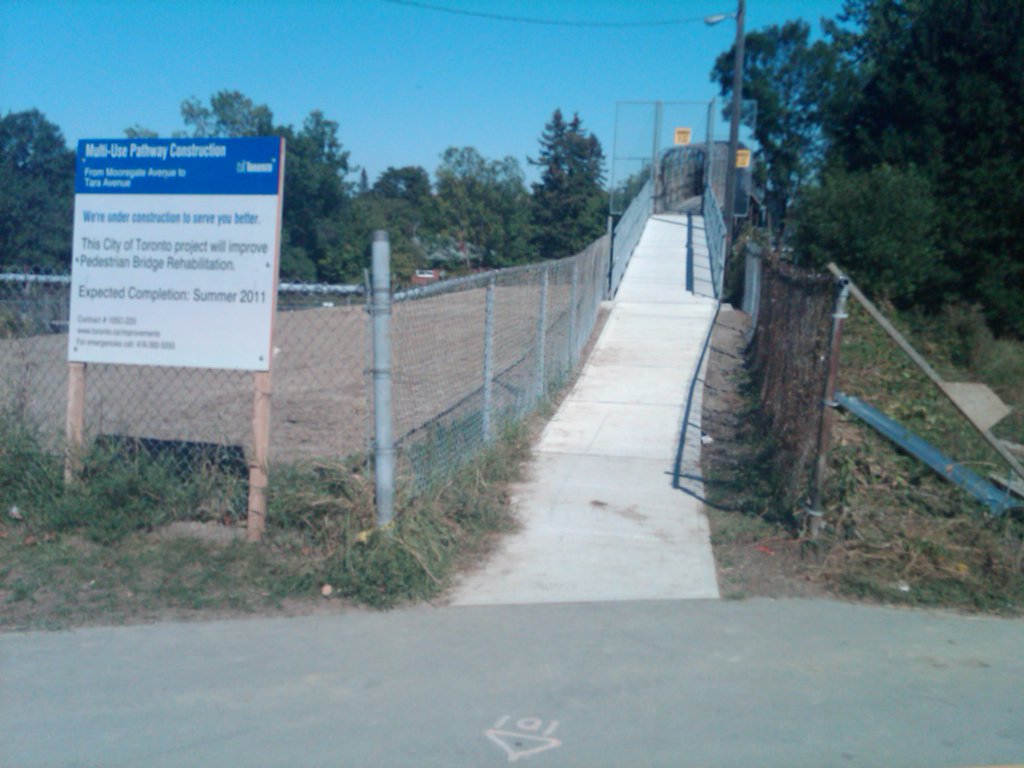
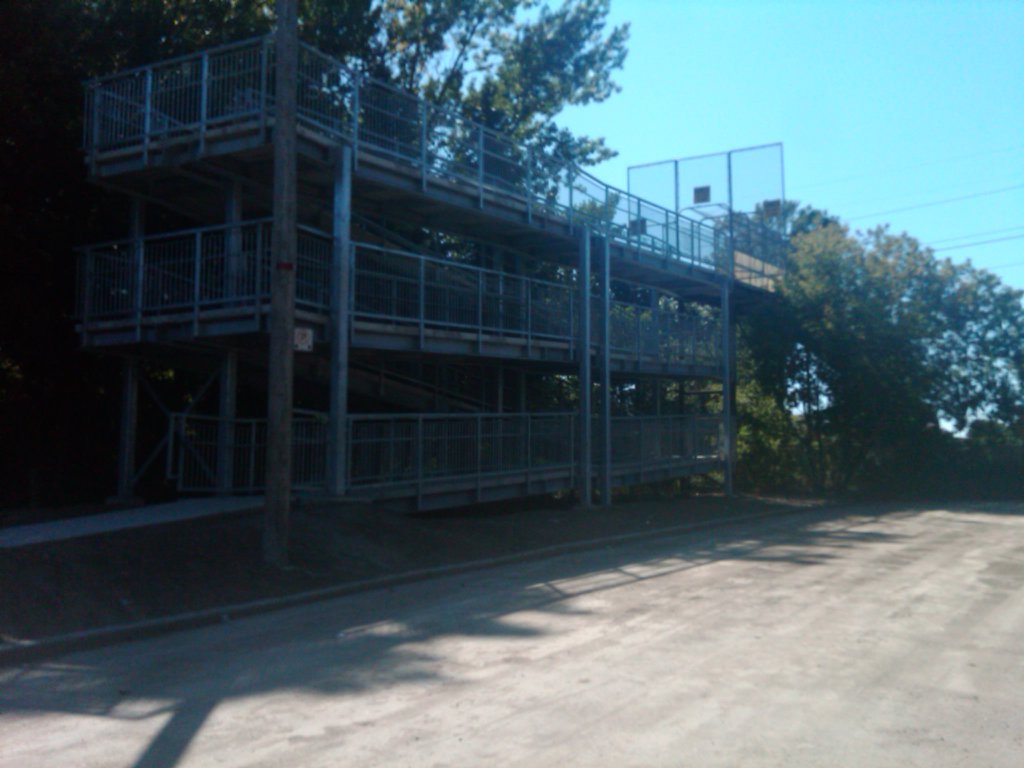
    I’d seen that the city had been working on the path over the train tracks at Lord Roberts Wood, but hadn’t seen the completed project. What was formerly a real slog to lift a bike (and especially a sensible bike) up these steps now can be ridden without dismounting. Yay Toronto!

    (apologies for picture quality. My Blackberry is in perma soft-focus)

    If you want to see how they looked last year, there are some automatic photos from my Canada Day post: sd790-20100701-161516, sd790-20100701-161535, and sd790-20100701-161614. A great improvement has been made.

    If I must kvetch (and I must: cyclo, ergo kvetch), the turns in the ramp are just a little too narrow to navigate a bike round. I can make most of them if I crawl round it, but I usually have to dab a foot down.

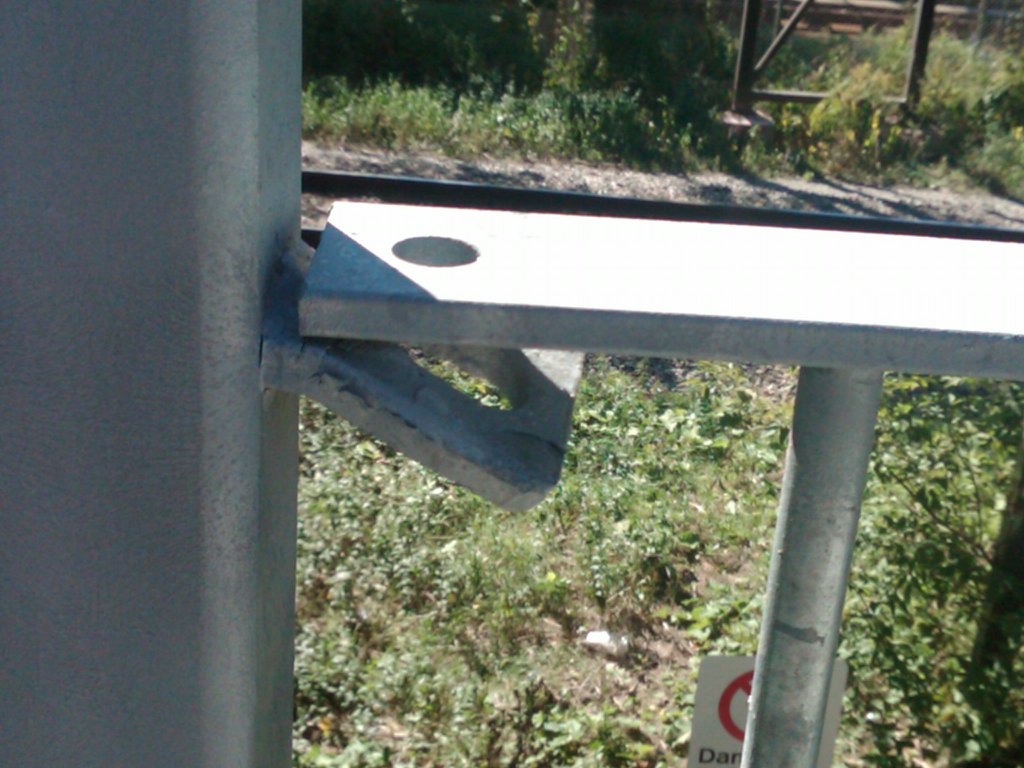
    There’s also no lighting. I’m not sure how welcoming this facility would be to use at night. Also, some of the handrails look as if they should either be welded or bolted in place, but are neither. Some have half-hearted tack welds, but they look as if they were done straight onto the zinc galvanizing so were destined to end badly.

    Still, much better than it was.

  • K3NG Arduino Keyer

    I’m pretty amazed that the above image is even vaguely readable. It’s Hellschreiber, generated by Anthony K3NG Good’s Arduino CW Keyer. What you’re seeing, though, is Hellschreiber from the keyer’s sidetone generator being fed through a piezo glued to a paper cup (and not just any paper cup) being picked up by Fldigi on my laptop’s microphone. This isn’t what you’d call a quality signal path, and it’s a tribute to the mode’s robustness that it can be made out at all.

    Anthony has packed an absurd amount into this keyer. There isn’t enough memory on a stock 32K Arduino for all the features to be enabled. I’m planning to use it as a CW keyer alongside Fldigi as the decoder. Despite all the features that can be built in, I’d just be using it as a serial to Morse converter, with perhaps a couple of memory keys for calling CQ and the like.

    I do have a slight problem with it while it’s breadboarded, though. The wiring’s so sensitive that the control circuit triggers if I put my hand near it, let alone touch the command button. I’ll have to do something about that. I can’t breadboard for toffee.

  • a shortt detour

    MetaFilter‘s Ownâ„¢ TimTypeZed — aka Tim Shortt — is incredibly modest about his talents in person, but his artwork speaks for itself:

    "Rob Ford – Lingerie Football", by Tim Shortt

    Tim’s my nearest neighbour on MetaFilter, and I’ve met him at a couple of meetups.

  • it lives!

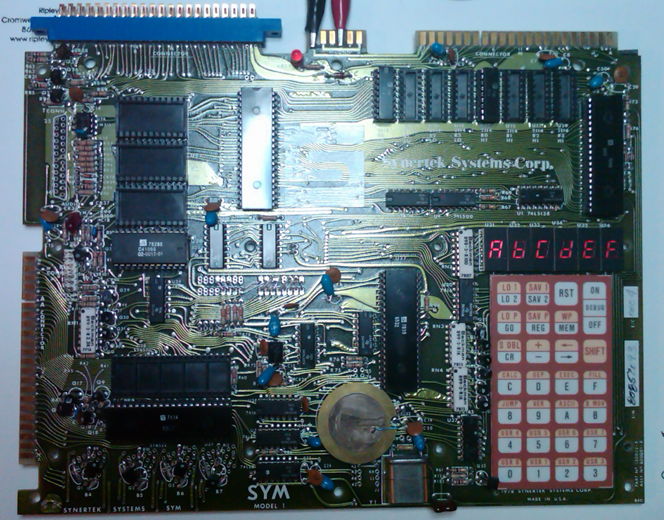
    After being used as a wall-hanging for approximately 20 years, then surviving an intercontinental trip in my luggage, the Synertek SYM-1 is running. I think a few segments of the display are iffy, but it responds to the keyboard and beeps. Next step is to hook up the serial port.

    These single boards sure do produce a lot of RFI. Waving the almost exactly ten year old radio near it produces howls and churrs.

  • Scottish Animation Genius

    Swatrick Payze sure is the greatest thing since the last.

    http://www.youtube.com/watch?v=vCZyl30qrSw

    (via)

  • randomly remembered from the UK trip

    • The M8 through Livingston is now tree-lined, with no sign of the buildings behind. I remember when all of it was scrubby shrubs and boxy buildings.
    • The A174 between Saltburn and Whitby is perhaps the world’s most gratuitously wiggly road in the Z-axis.
    • You can actually get an amateur radio magazine in most newsagents: Practical Wireless.
    • Driving to Fala to join the A68 from North Berwick has extreme XY wiggliness.
    • S. Luca of Musselburgh make very good ice cream, and their purple Mini-based truck is quaint.
    • Either the routing database from the UK is weird, or the Garmin nüvi 760 can’t route for toffee.
    • Eyemouth is much more fun than I expected. Oblò is a great wee restaurant.
    • With a £20 O2 SIM and an unlocked GSM phone, I had calling ability for the trip.
    • Kirkintilloch has a marina! Southbank Marina is quite spiffy.
    • The Quayside in Whitby has fab fish and chips.
    • I actually heard someone use the expression “fandabidozi” in a non-ironic setting in Glasgow
    • Yum yums aren’t as good as I remember them being.
    • Walking barefoot on a Scottish lawn is an exquisite pleasure.

    Pictures later.

  • I miss British advertising copy …

    This charming bit of rubbish on a bottle of Innocent orange juice scored in Eyemouth:

  • for mac-owning light sleepers

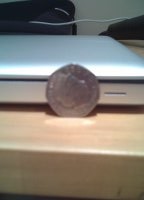
    A UK 50p coin is just perfect for blocking the snooze light on a MacBook:

    Those seven sides stop it rolling away.

  • UncleWiki

    For the last few weeks, I’ve been working on UncleWiki, a wiki about the Uncle books, by J. P. Martin. It’s a very rough framework right now, but I’m adding content as I go. Please join in!

  • Cheapo CW key

    Cheapo morse key (an Ameco K-4, $20 from Ham Radio Outlet) mounted on a $4 piece of wooden moulding.