Author: scruss

  • Installing the Pimoroni OnOff Shim the hard way

    Hey! This process permanently modifies your Raspberry Pi and may prevent it from working with many HATs and add-ons … It also has some really fiddly soldering. If in doubt, don’t.

    Pimoroni’s OnOff SHIM adds what the Raspberry Pi should have had all along: a power button. While there are lots of soft power switches out there, the OnOff Shim adds circuitry to cut power to the Raspberry Pi after shutdown.

    While the shim comes with a 12-socket header, that prevents you from using any other device that uses the leftmost GPIO pins. I wanted access to all the pins, and not have the shim create an unsightly bump on the pins. So this is what I did …
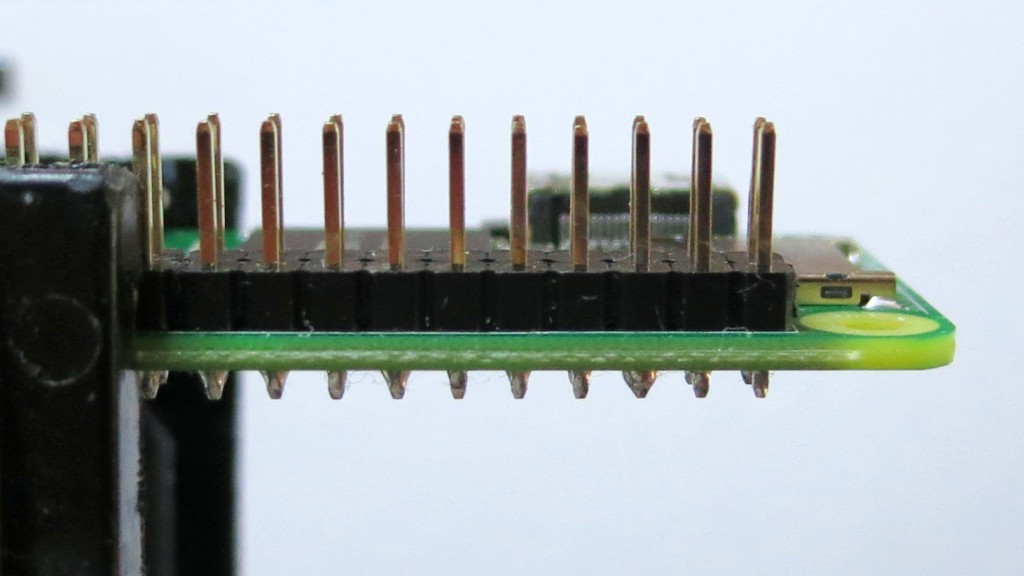
    Regular GPIO header in place on a Raspberry Pi Zero W
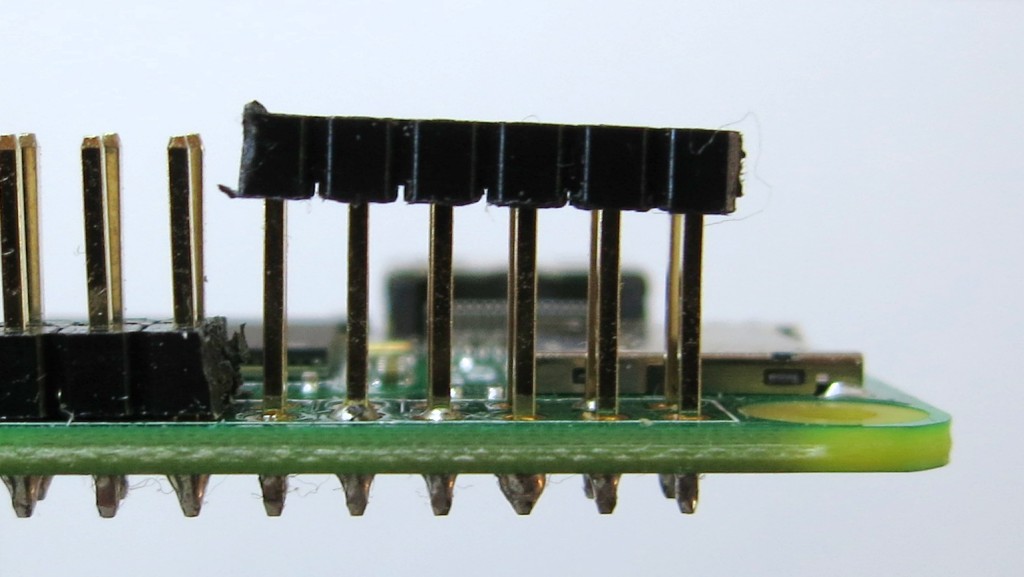
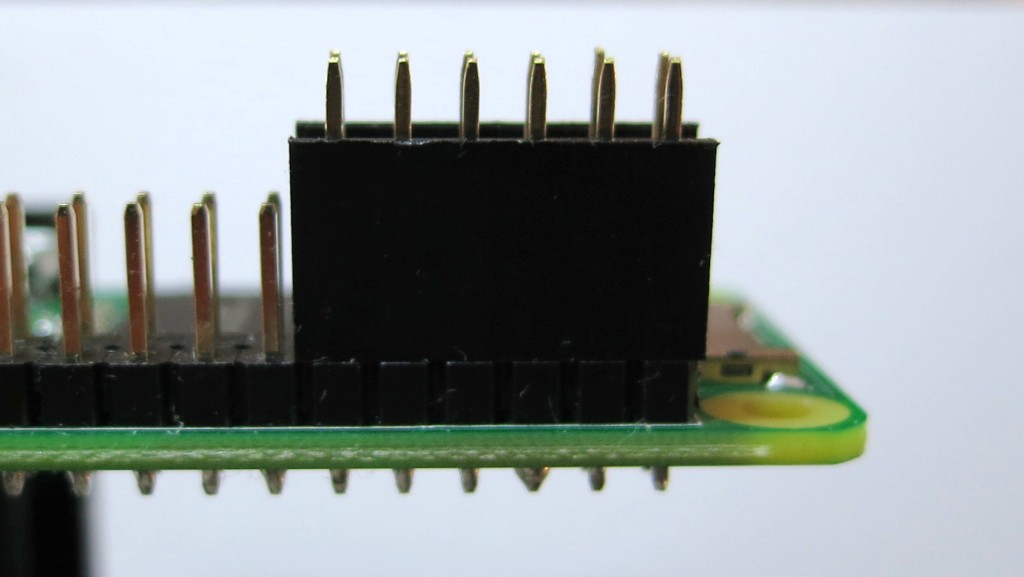
    Test-fit the socket header to mark where you’re going to cut the pin support block
    Very carefully, cut the pin support block between (physical) pins 11-13 and 12-14. I used a mix of a sharp craft knife and nibbling with fine diagonal cutters. Try not to bend the GPIO pins either as you cut the block or lever the block out of the way
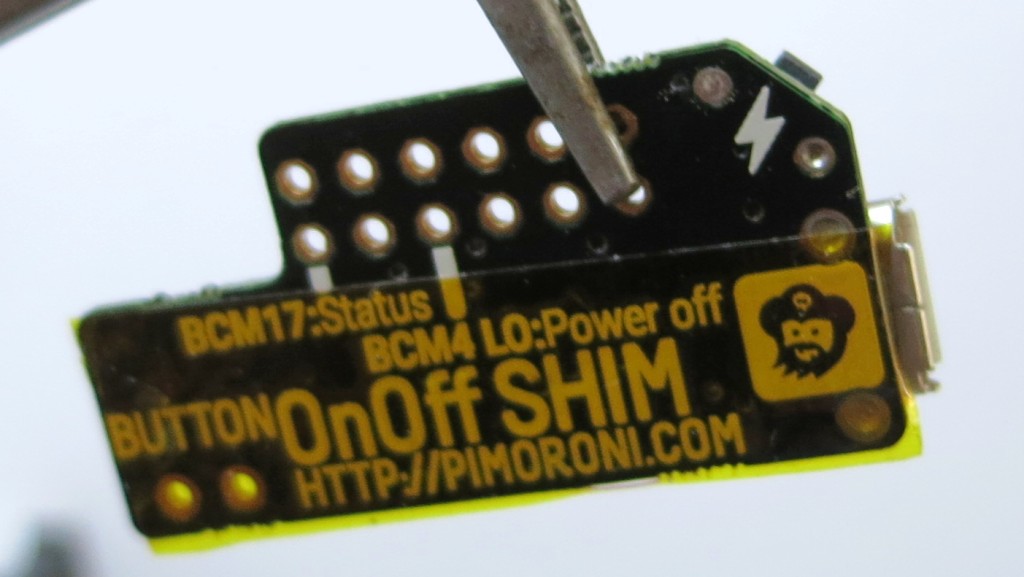
    Apply non-conductive tape to the back of the OnOff Shim. I used Kapton, but electrical/insulating tape will do. Just make sure you don’t block any of the GPIO holes
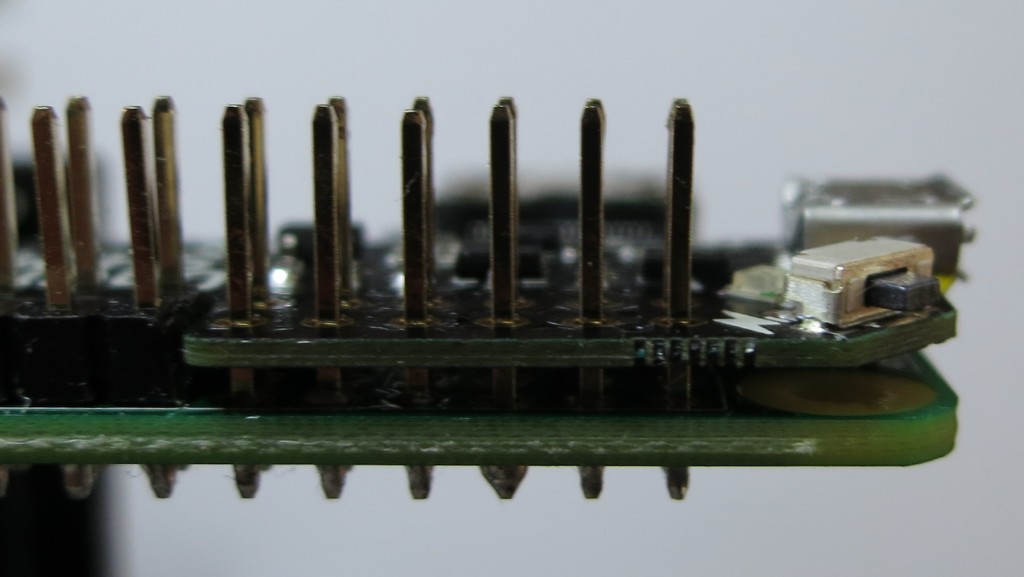
    Test-fit the shim. You may have to pare away at the support block a bit to get it to fit level with the rest of the pins
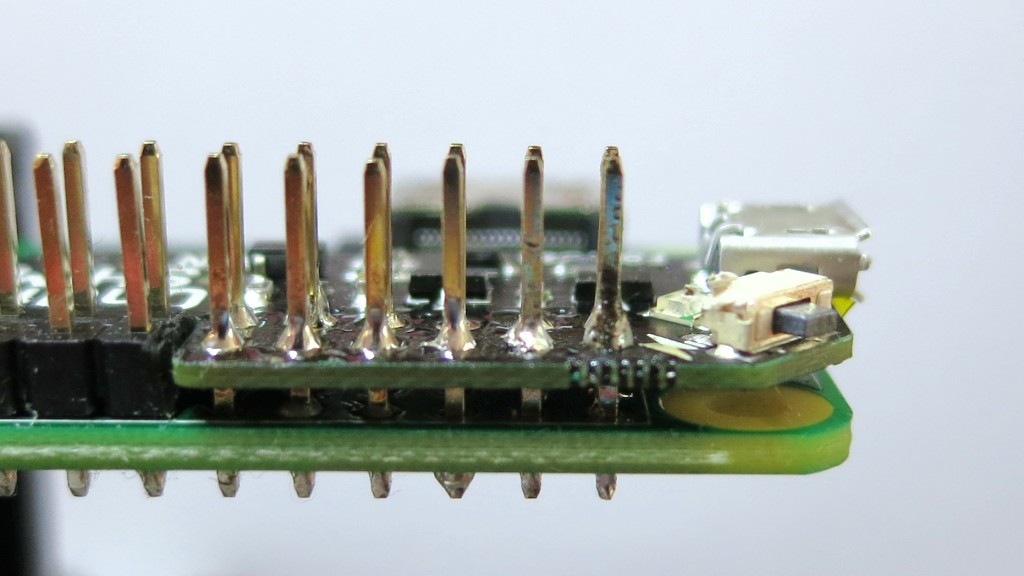
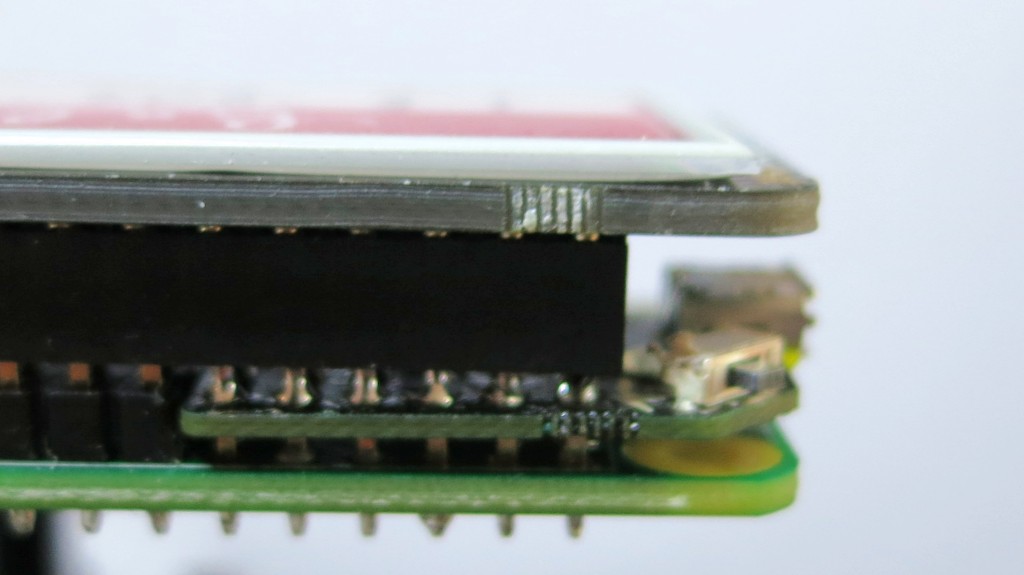
    Now solder the shim in place. You want the solder joints as small as possible. I used extra liquid flux and very fine silver solder to just fill the pin holes. Too much solder left on the pins will stop HATs and socket headers fitting, so you may have to desolder as I had to do on the rightmost pin
    Example HAT fitted with OnOff shim underneath. Note that his particular HAT — the Pimoroni Inky pHAT — will not work with this shim.

    The OnOff SHIM uses GPIO pin BCM 17 (physical pin 11) as the power button sensor and BCM 4 as the power off signal. Any device that also uses BCM 17 (and possibly BCM 4) will likely cause the reset process to be triggered. This means that I can’t use the shim with my Inky pHAT EPD. You would have thought that Pimoroni might’ve considered that, since they made both. Consulting pinout.xyz suggests that 41 boards that likely may not work with the OnOff shim: Cirrus Logic Audio Card, Display-o-Tron 3000, DOTs, Enviro pHAT, ESP IoT pHAT, Explorer HAT, Explorer HAT Pro, Flex, GertVGA 666, High-Precision AD/DA Board, Hyperpixel, Inky pHAT, IoT pHAT, LEDBorg, MotoZero, Navio2 Autopilot, PaPiRus HAT, PaPiRus Zero, Piano HAT, Pibrella, Picade HAT, Pi Cap, PiGRRL Gamepad, Pi-LITE-r, Pi-mote, Pi PoE Switch HAT, PiStep2 Dual, PiStep2 Quad, Pi Stop, Propeller HAT, RoboHat, RTK Motor Controller, Servo PWM Pi Zero, Skywriter HAT, Ultimate GPS HAT, Voice HAT, Witty Pi, Witty Pi 2, Zero2Go, Zero LiPo and ZeroSeg.

    While I like the OnOff SHIM, check carefully that it will work with your application.
  • Installing the Versatile Commodore Emulator (VICE) on Raspberry Pi

    Updated 2020-11-28: thanks, Ennio! Should now build after new Raspberry Pi OS and Vice changes

    As requested on our local Commodore user group mailing list, how to install VICE on a Raspberry Pi running Raspberry Pi OS:

    sudo apt install autoconf automake build-essential byacc dos2unix flex libavcodec-dev libavformat-dev libgtk2.0-cil-dev libgtkglext1-dev libmp3lame-dev libmpg123-dev libpcap-dev libpulse-dev libreadline-dev libswscale-dev libvte-dev libxaw7-dev subversion yasm libgtk3.0-cil-dev xa65 libsdl2-dev libsdl2-image-dev libgtk-3-dev libglew-dev
    
    mkdir -p src
    
    cd src
    
    svn checkout https://svn.code.sf.net/p/vice-emu/code/trunk trunk
    
    cd trunk/vice
    
    ./autogen.sh
    
    ./configure --disable-pdf-docs
    
    make -j4
    
    sudo make install

    This was freely adapted from the build docs, Linux-Native-Howto.txt, which has more info if you get stuck.


    If you’re feeling fancy and want nice GUI controls and sound recording and menu stuff, try

    ./configure --disable-pdf-docs  --enable-lame --with-mpg123 --enable-shared-ffmpeg --enable-x64 --enable-native-gtk3ui --enable-desktop-files

    This will give you desktop icons too. I’m not sure in the apt line is quite right, though — but I’ve had my doubts about all those CIL entries, ‘cos I think they pull in Mono/.Net, and who would want to use that?

  • BASIC on the 6502 badge

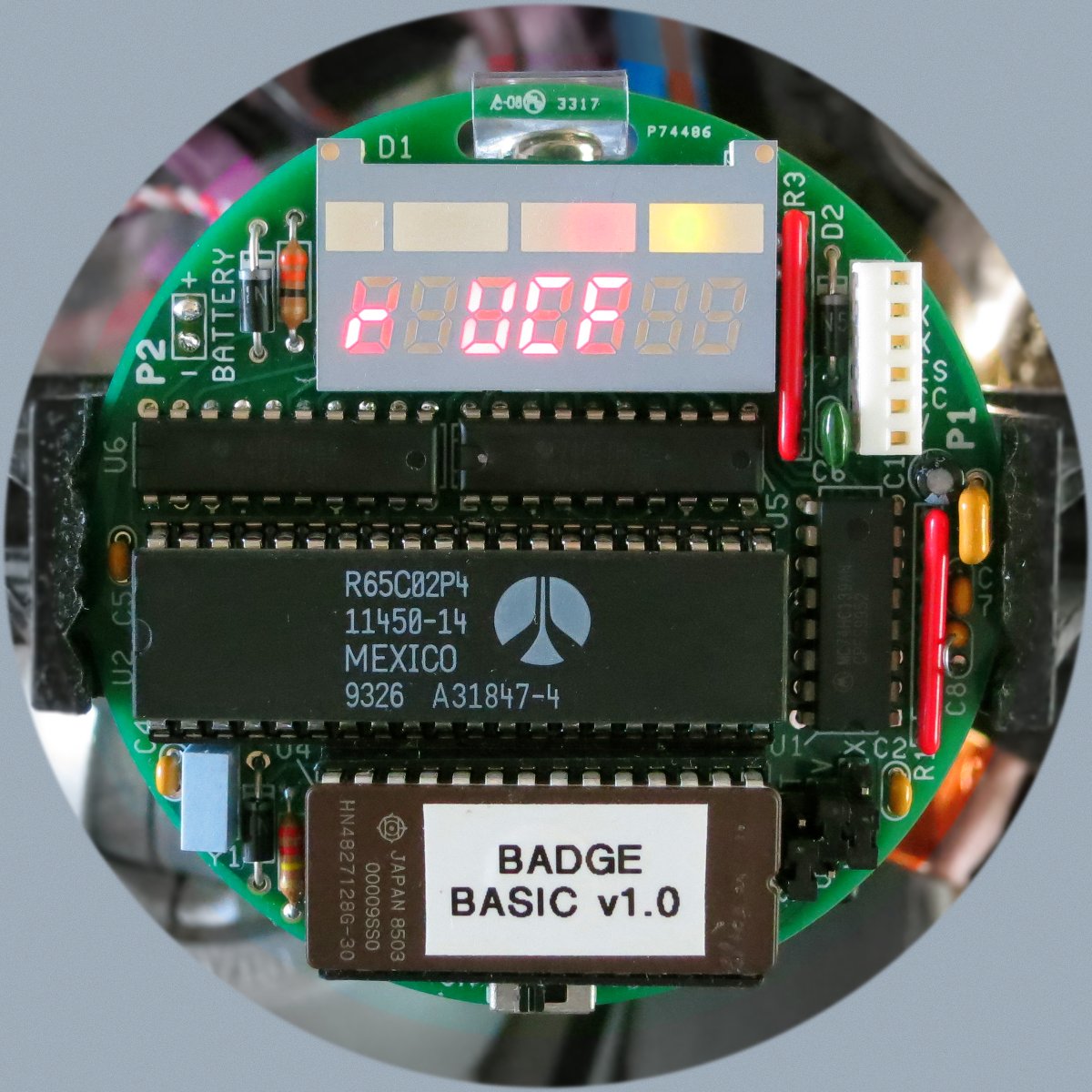
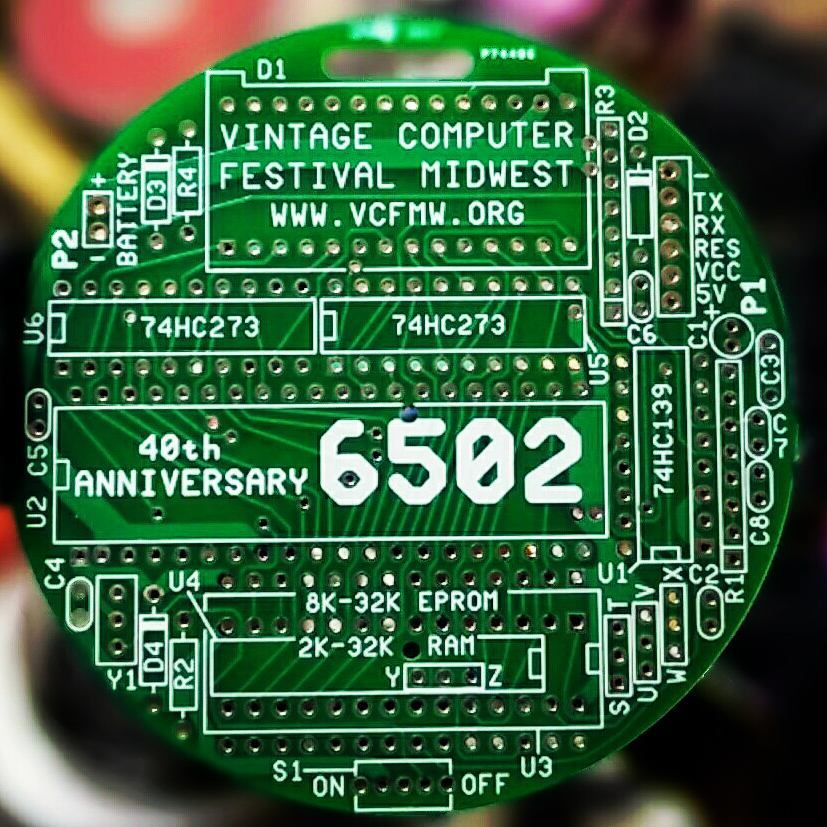
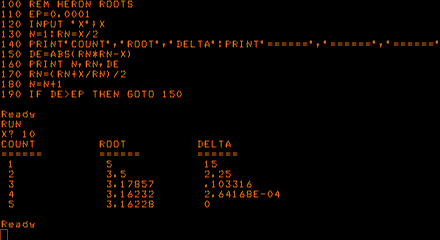
    As if it weren’t nerdy enough, the 6502 40th Anniversary Computer Badge runs Lee Davison’s EhBASIC. There are 1024 whole bytes free for your programs, so it’s not exactly spacious. It’s got useful floating point support, though:

    Yup, that’s the second most boring BASIC example program, after the quadratic root finder.

    100 REM HERON ROOTS
    110 EP=0.0001
    120 INPUT "X";X
    130 N=1:RN=X/2
    140 PRINT"COUNT","ROOT","DELTA":PRINT"======","======","======"
    150 DE=ABS(RN*RN-X)
    160 PRINT N,RN,DE
    170 RN=(RN+X/RN)/2
    180 N=N+1
    190 IF DE>EP THEN GOTO 150

    Update: Josh got my badge working again (it wasn’t, for $reasons …) and I re-ran this code. If you try the code for X=100000 and larger, it won’t converge. You might want to add:

    185 IF N>25 THEN PRINT "EPSILON TOO LARGE, EXITING":END

    so that the loop will exit after 25 times. Alternatively, make the value of EP depend upon the size of X. Aren’t numerical analysis and floating point foibles fun?

  • 6502 badge is go!

    Yes readers, I built one:

    All of 2 KB RAM, but the form factor can’t be beat. I’m sure I’ll be the hippest cat on the block when I pair it with my happening 2012 Hamvention lanyard …

    Thanks to Josh Bensadon for bringing a 6502 40th Anniversary Badge back from VCF Midwest. Josh also got my Apple //e going again by replacing RAM chips: I can’t thank him enough for that, too!

    VCF-MW 2017 6502 badge, with almost everything socketed

    I did make some minor mods to the build:

    • I socketed the main chips. The 6502 is in 2× cut up 20-pin narrow sockets. Under the EPROM is the 2K×8 SRAM, socketed too. This means that the EPROM is in two stacked sockets and sticks out far too far. But at least it’ll allow me to upgrade the RAM
    • I used real pin-header jumpers and links for RAM and EPROM size selection instead of solder links. This meant a horrible kludge for the RAM selector under the SRAM chip involving angled and bent headers, a filed-down chip socket and a hand-knotted wire jumper (artisanal af!)
    • Even though there’s no mention of it in the manual, I stuck the battery pack on the back
    • One bad mod: the HL-340 RTS mod suggested in the manual is much harder than it looks. I trashed the supplied USB adapter, but I have others …
  • I do believe the expression “crazy delicious” is in order

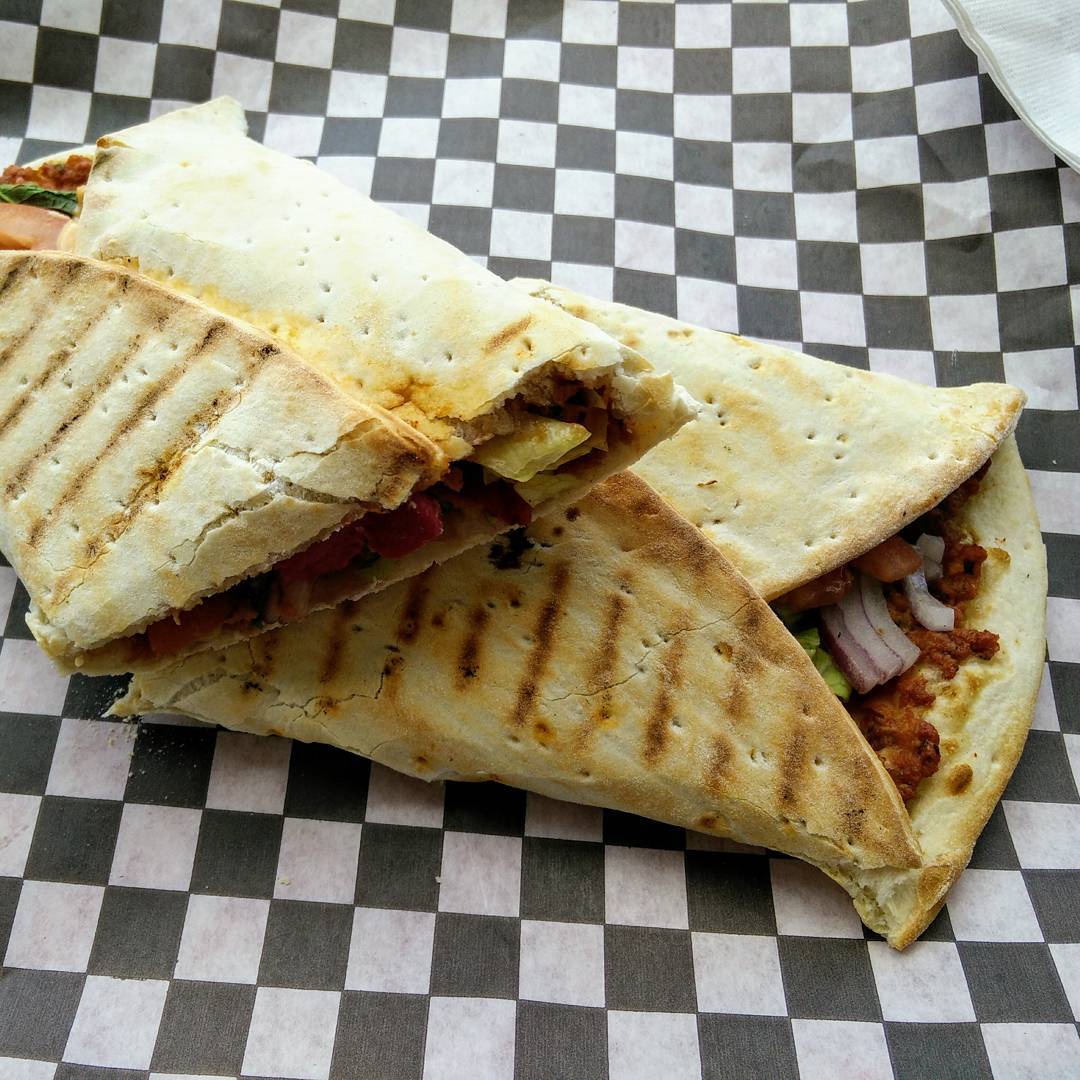
    I do believe the expression “crazy delicious” is in order

    I do believe the expression “crazy delicious” is in order

    Instagram filter used: Normal

    Photo taken at: Mamajoun Armenian Pizzeria

    View in Instagram ⇒

  • Not mockup #edgelit

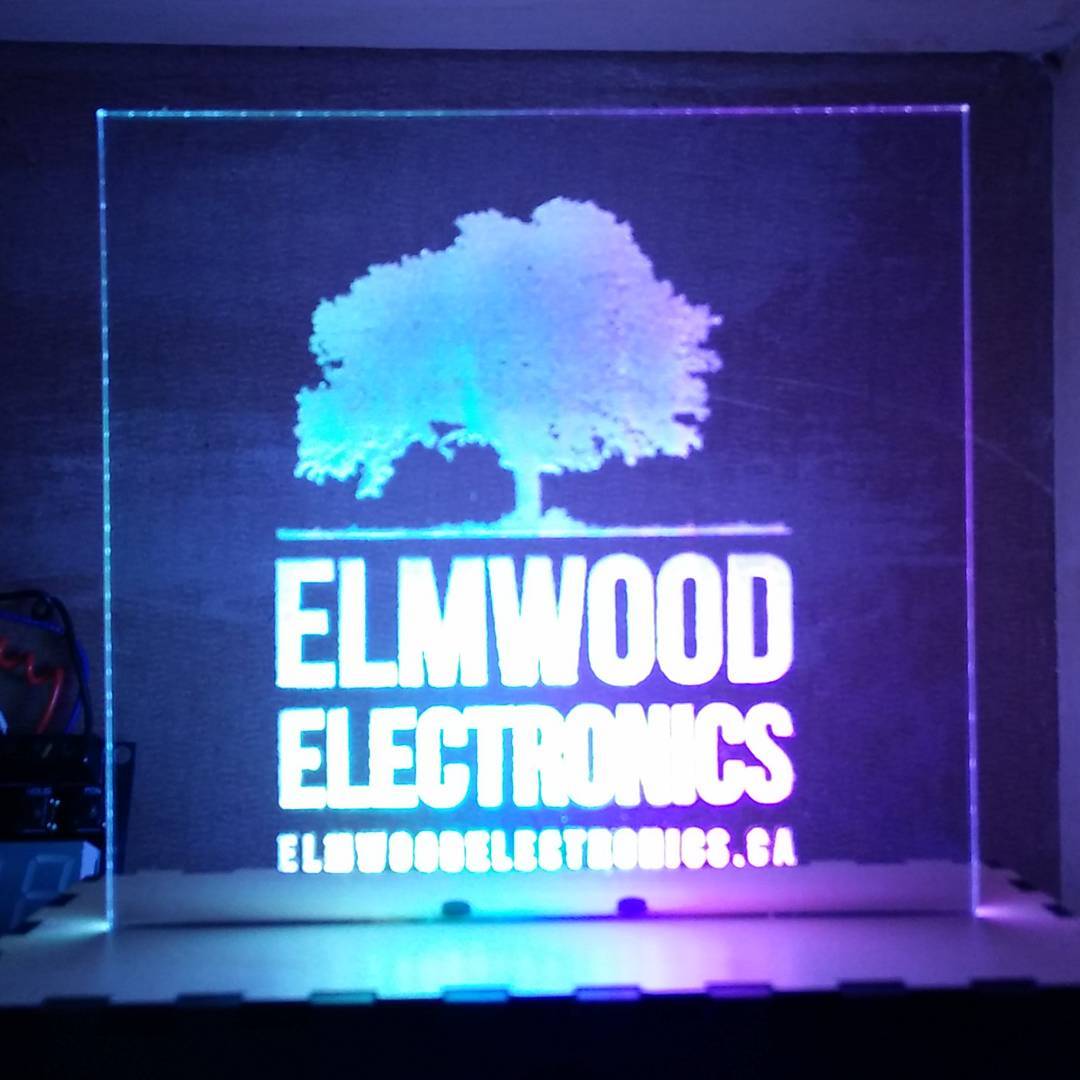
    Not mockup #edgelit

    Not mockup #edgelit

    Instagram filter used: Normal

    View in Instagram ⇒

  • Mockup

    Mockup

    Mockup

    Instagram filter used: Normal

    View in Instagram ⇒

  • importing Applesoft BASIC programs on the Apple IIe

    Just what no-one has needed since about 1979 or so …

    BASIC on the Apple II has no easy way to import text as a program. When you LOAD a file, it must be in Apple’s tokenized format. While Apple DOS has the EXEC facility to run script files as if they were typed from the keyboard, it’s very picky about the file format:

    1. There must be a carriage return character (CR, ASCII 13) before the first line
    2. All line numbers must have an extra space before and after them
    3. All tokens must be in upper case
    4. All tokens (keywords and functions) must have a space after them.

    The right way to do this conversion would be to write a tokenizer that spits out the correct binary file. But you can (kinda) fudge it with this shell command, operating from BASIC source PROG.BAS:

    sed 's/^[0-9][0-9]*/& /;s/^/ /;1s/^/\n/;s/$/ /;s/[:()]/ & /g;' PROG.BAS | tr '\n' '\r' | ac.sh -p EG.dsk PROG T

    ac.sh is the command line version of AppleCommander, and the file EG.dsk referred to above is an Apple DOS 3.3 image created with

    ac.sh -dos140 EG.dsk

    It still needs work, as there are functions that will mess this up, and Applesoft’s parser makes a mess of code like IF A THEN …, turning it into IF AT HEN ….

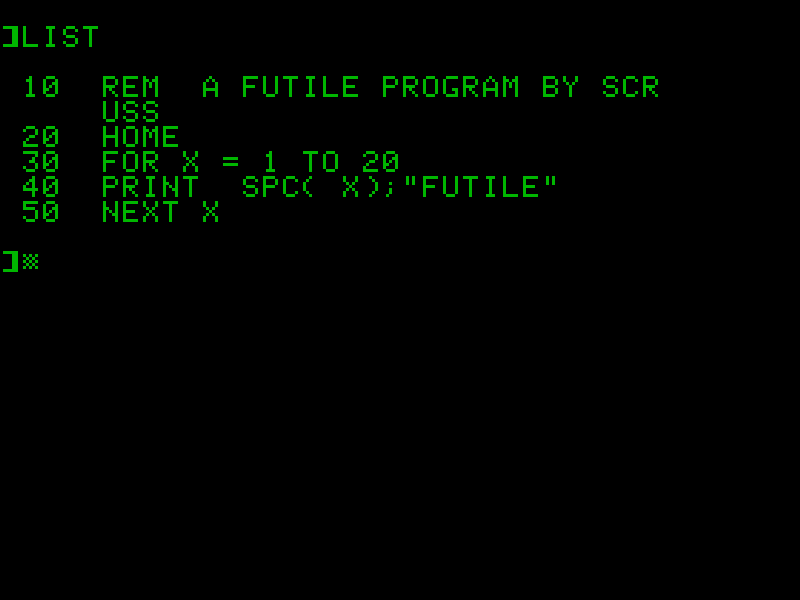
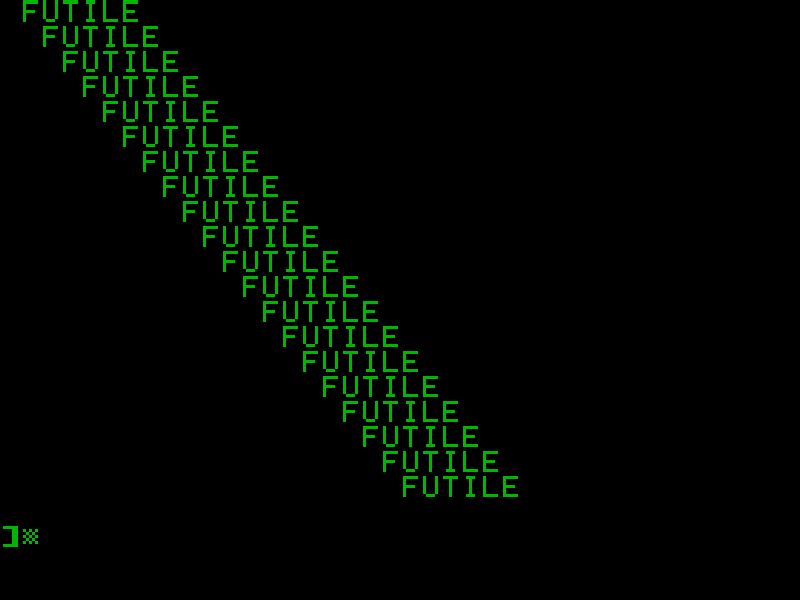
    So if I wanted to import the following futile program:

    10 REM A FUTILE PROGRAM BY SCRUSS
    20 HOME
    30 FOR X=1 TO 20
    40 PRINT SPC(X);"FUTILE"
    50 NEXT X

    Run through the script (but before EOL conversion) it would look like this:

     10  REM A FUTILE PROGRAM BY SCRUSS 
     20  HOME 
     30  FOR X=1 TO 20 
     40  PRINT SPC ( X ) ;"FUTILE" 
     50  NEXT X

    Make a disk and put the modified program text on it:

    ac.sh -dos140 futile.dsk
    sed 's/^[0-9][0-9]*/& /;s/^/ /;1s/^/\n/;s/$/ /;s/[:()]/ & /g;' futile.bas | tr '\n' '\r' | ac.sh -p futile.dsk FUT T

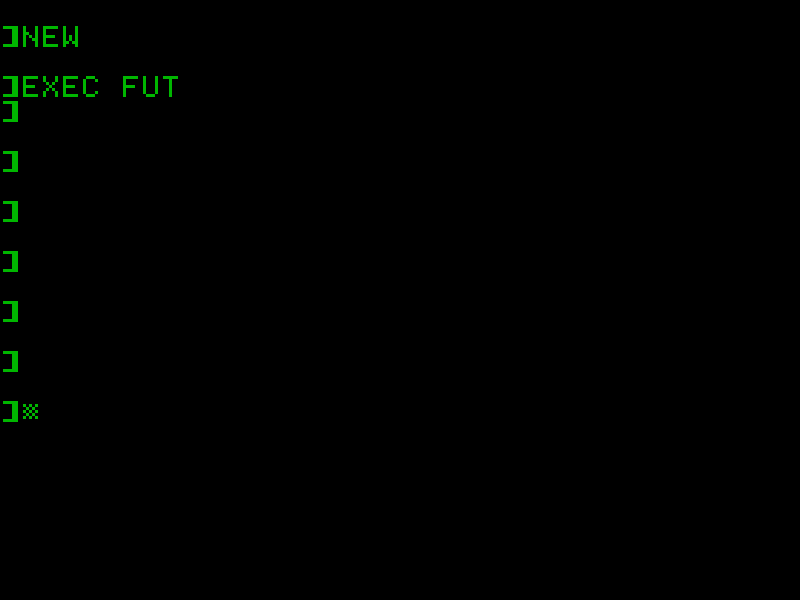
    Load the disk into your Apple II, clear out the init program, and import the code with EXEC FUT:

    If all you get is ] cursors printed and no syntax errors, then something might be working. List it:

    Run it:

    Disk image: futile-AppleII-dsk.zip, containing:

    $ ac.sh -l futile.dsk
    
    DISK VOLUME #254
     T 002 FUT 
     A 002 FUTILE 
    DOS 3.3 format; 134,144 bytes free; 9,216 bytes used.
  • The first of many … Logic Apple II library disks

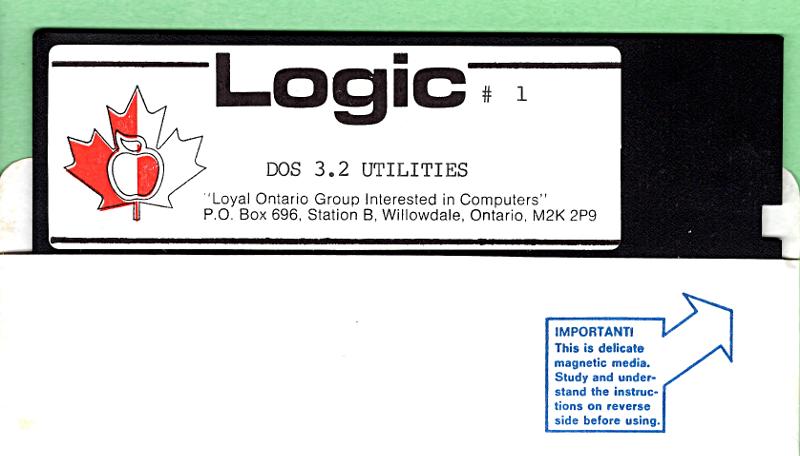
    Floppy disk label from LOGIC Apple computer user group

    TL;DR Update — The disk images are here: creator:”LOGIC (“Loyal Ontario Group Interested In Computers”)”

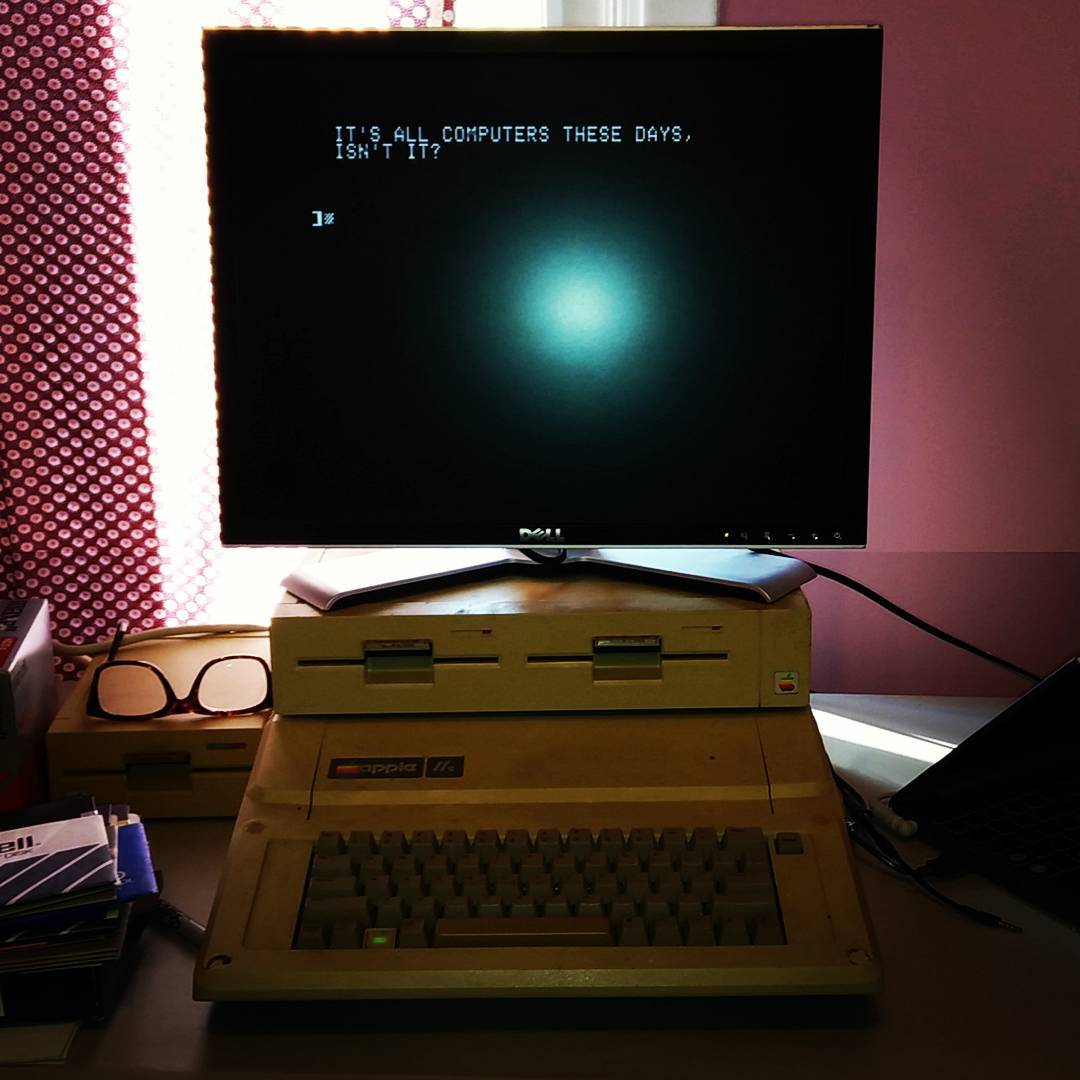
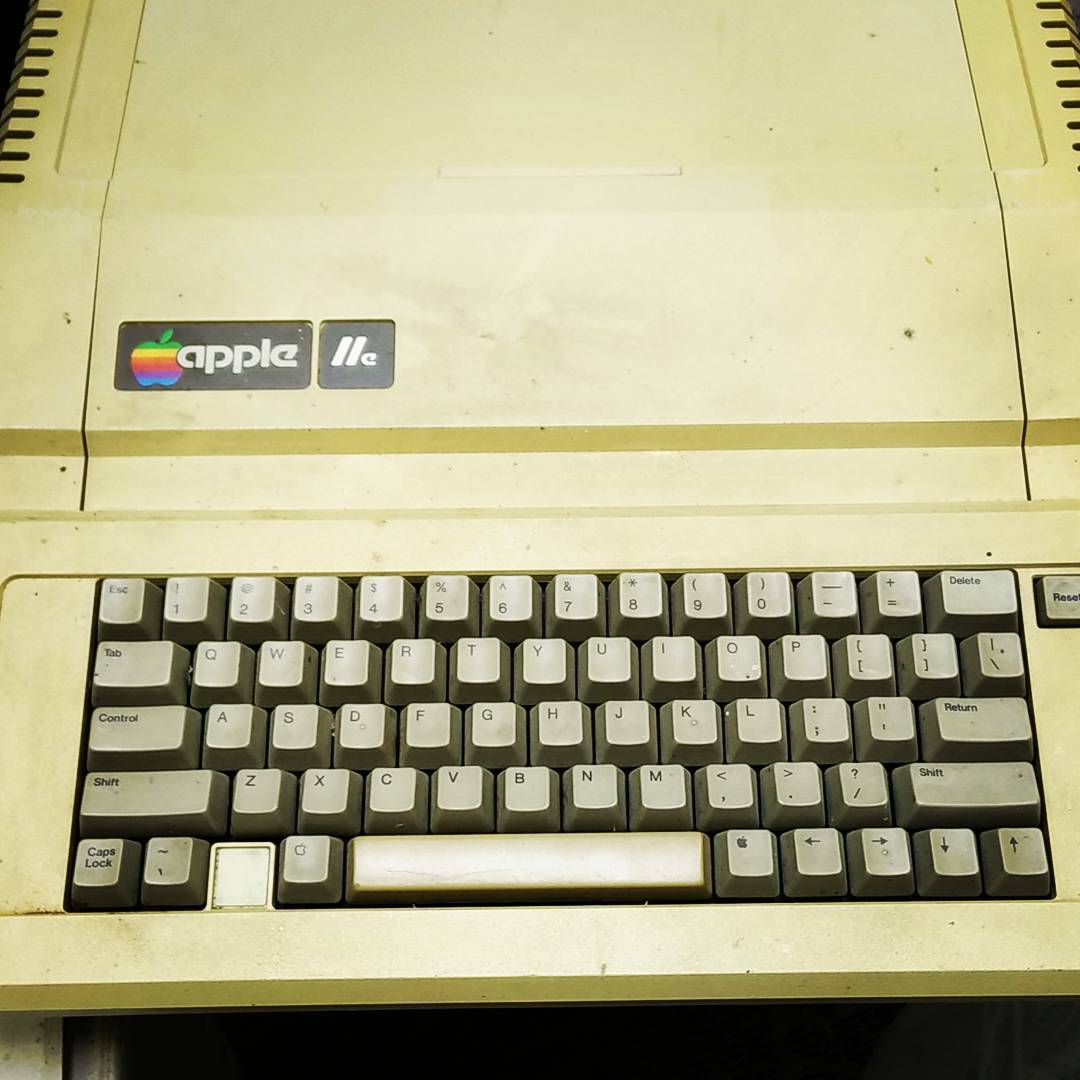
    The Apple II post from the other day wasn’t as random as it might seem. Through a friend, I got given not just the Apple IIe previously pictured, but also an Apple IIgs and the almost-complete disk library from a local Apple user group.

    Logic (“Loyal Ontario Group Interested In Computers”) appears to be defunct now. The Internet Archive has 20+ years of their website logicbbs.org archived, but the domain no longer resolves. It’s a shame if they are completely gone, because user groups contain social history. Once it’s gone, well … never send to know for whom the CtrlG tolls; it tolls for thee.

    I’m going to archive as much of the Logic disk library as I can. I’ve been chatting with Jason Scott, and he’s keen to see that the disk images are preserved.

    I’d never used an Apple II before. They’re quite, um, different from anything else I’d used. Sometimes hideously low-level (slot numbers!), sometimes rather clever (I/O streams from any of the cards can control the computer). Since nothing but an Apple II can read Apple II disks, I’ve got the IIgs running ADTPro sending images via serial to a Linux machine. It’s pretty quick: a 140 K disk image transfers in around 25 seconds, an 800 K image in just under two minutes. I’m marshalling the images with AppleCommander and trying to keep everything intact despite having little idea what I’m doing.

    (Apple II annoyance: searching for the term is harder than it needs to be, as people will try to use the typography of the time and refer to it as “Apple ][”, or “Apple //”. Even though the Unicodely-correct representation should be “Apple Ⅱ”, nobody uses it. I’m going to stick with the two-capital-eyes version ‘cos it’s easier to type.)

  • teh future!!!!1!

    teh future!!!!1!

    teh future!!!!1!

    Instagram filter used: Lo-fi

    View in Instagram ⇒

  • Glowforging …

    Glowforging …

    Glowforging …

    Instagram filter used: Lo-fi

    View in Instagram ⇒

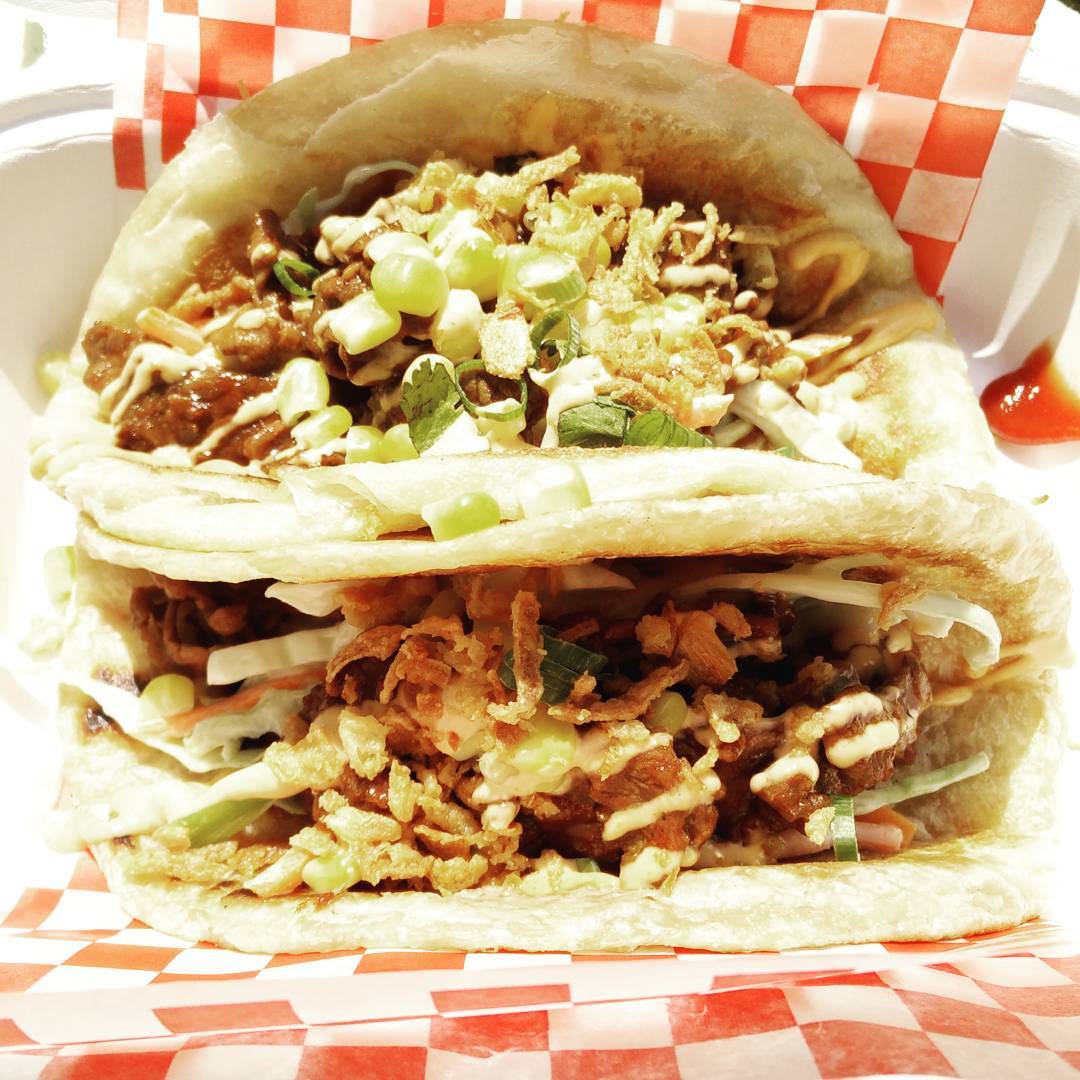
  • They’re Paratha Roti Beef Bulgogi Tacos, of course

    They’re Paratha Roti Beef Bulgogi Tacos, of course

    They’re Paratha Roti Beef Bulgogi Tacos, of course

    Instagram filter used: Juno

    Photo taken at: Scarborough Arts

    View in Instagram ⇒

  • Oh hai …

    Oh hai …

    Oh hai …

    Instagram filter used: Lo-fi

    View in Instagram ⇒