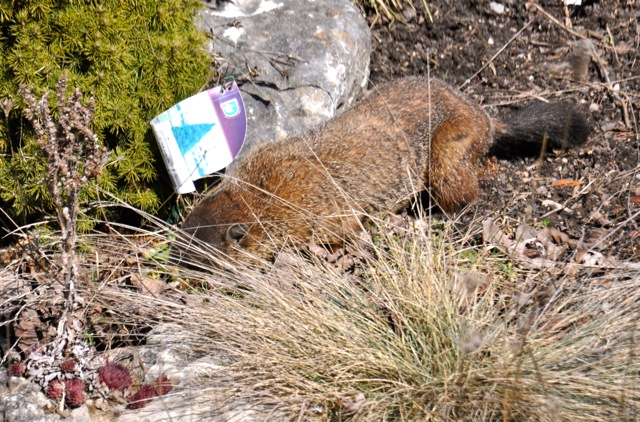
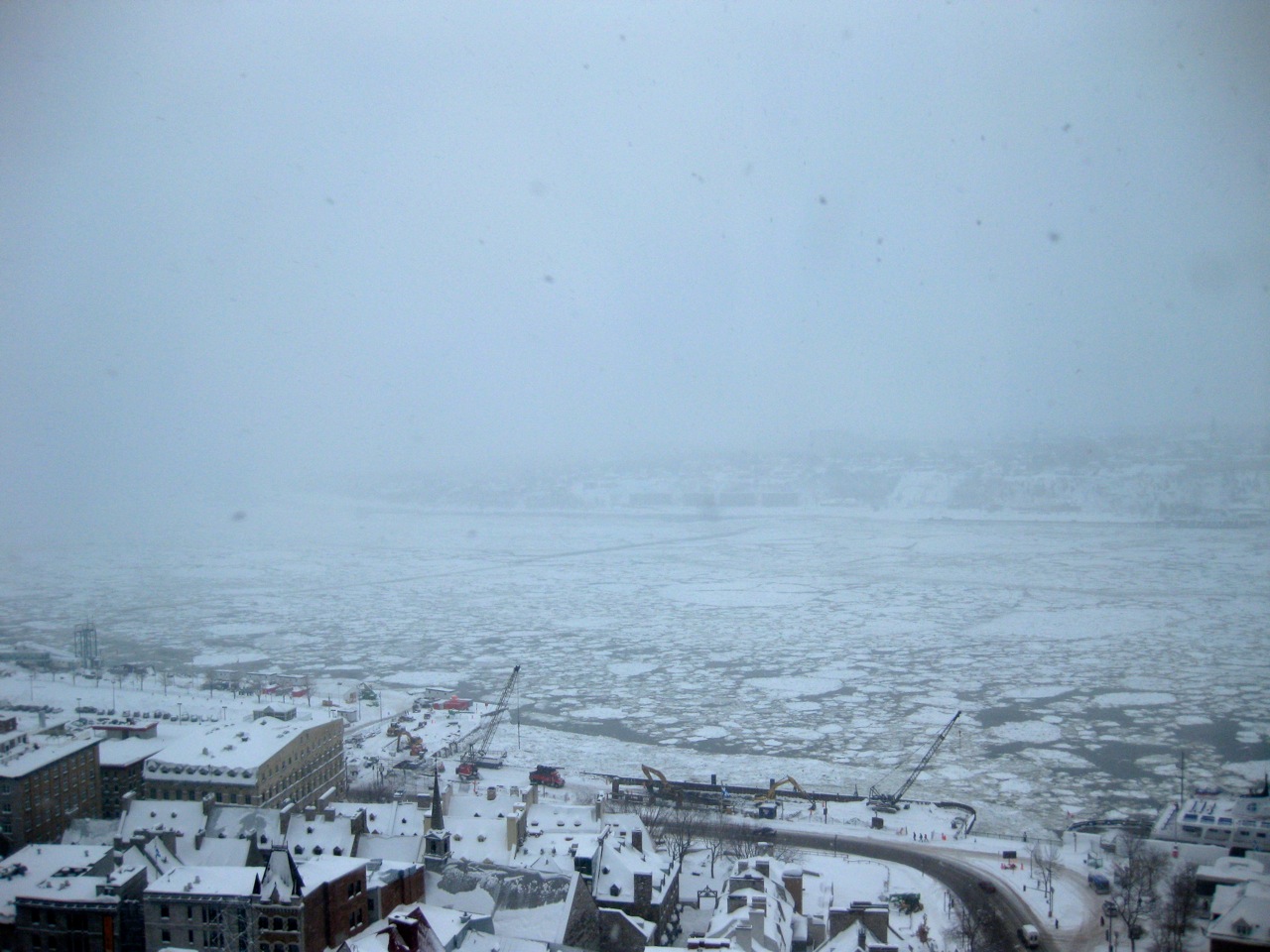
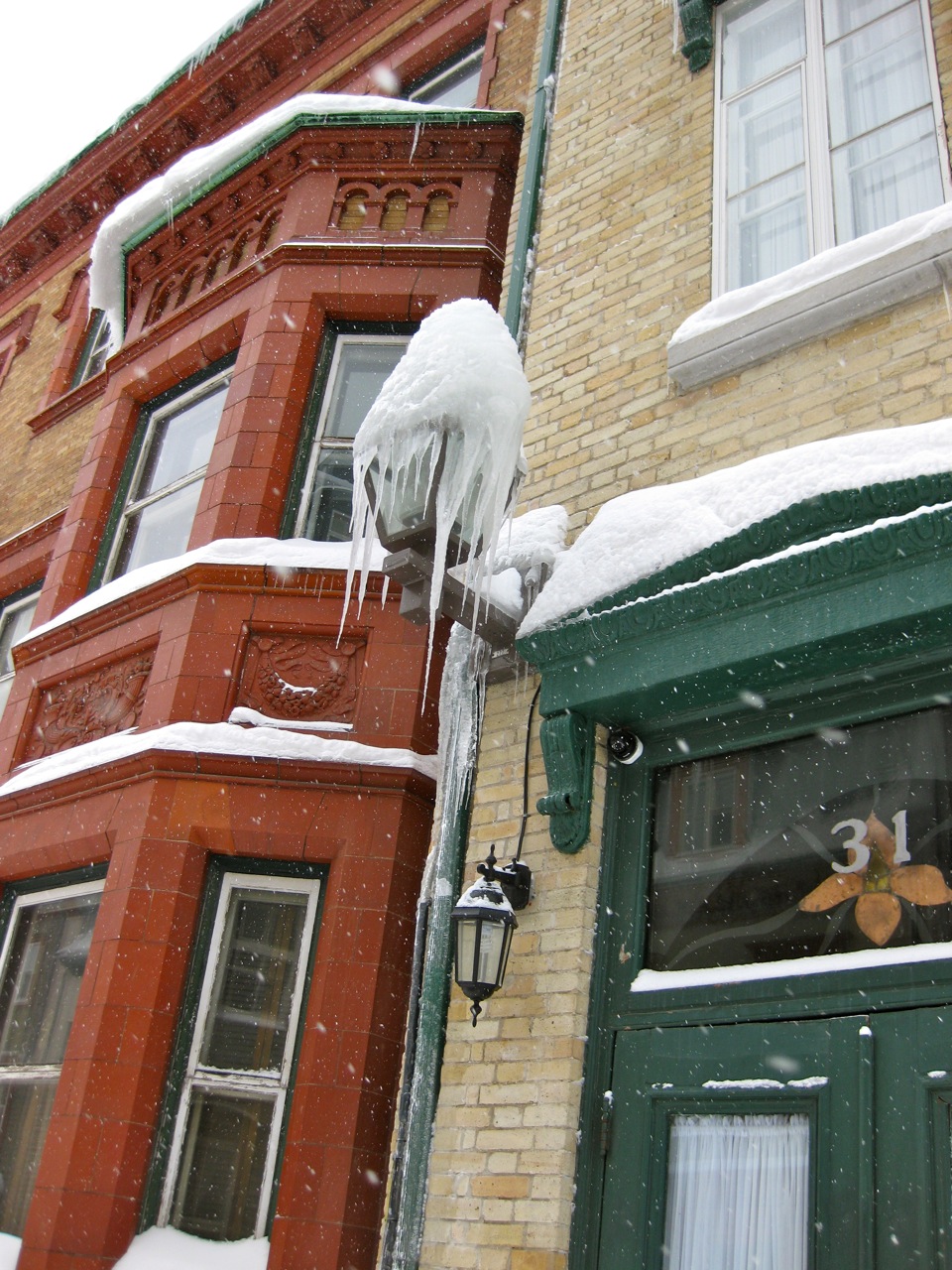
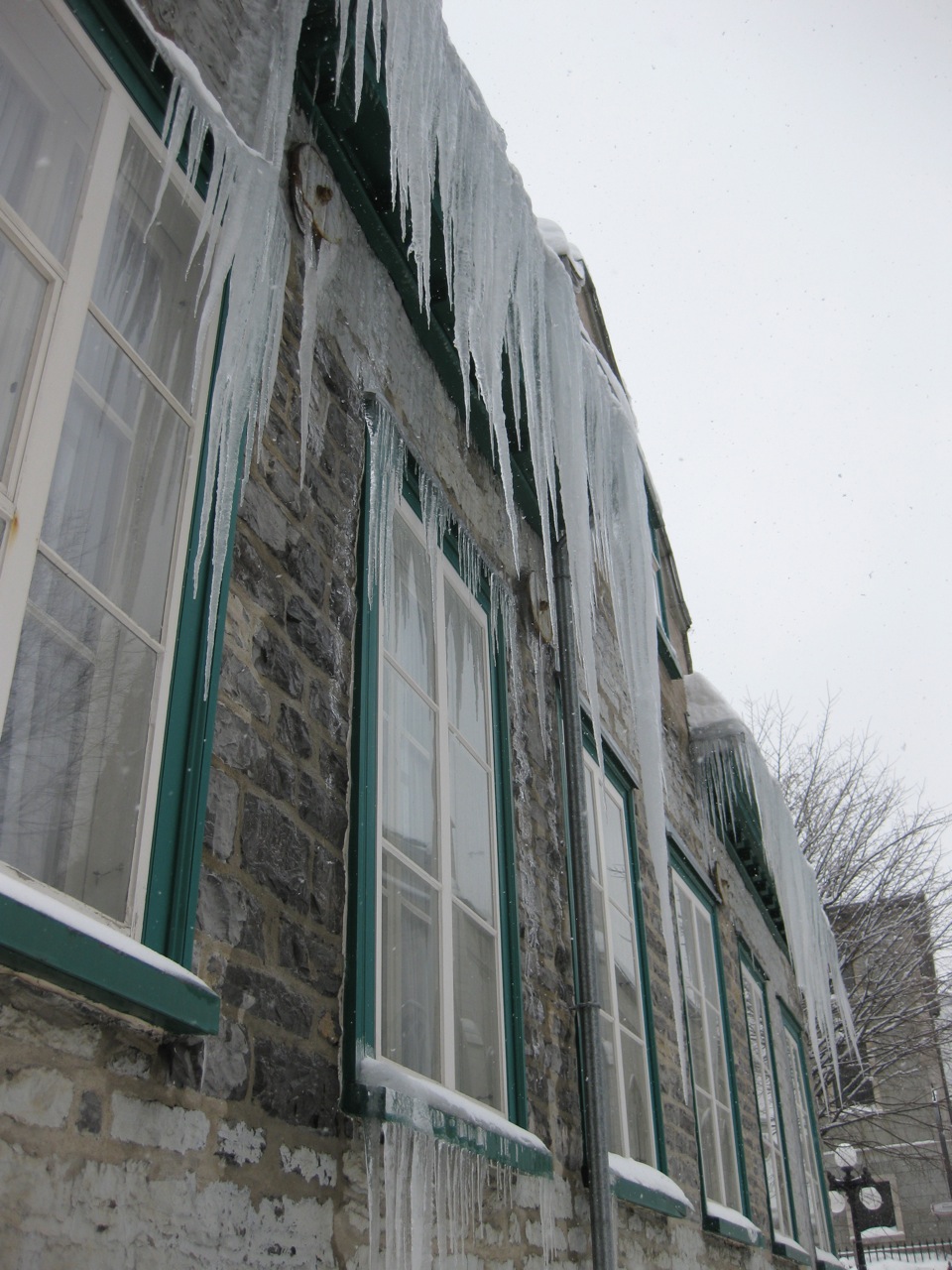
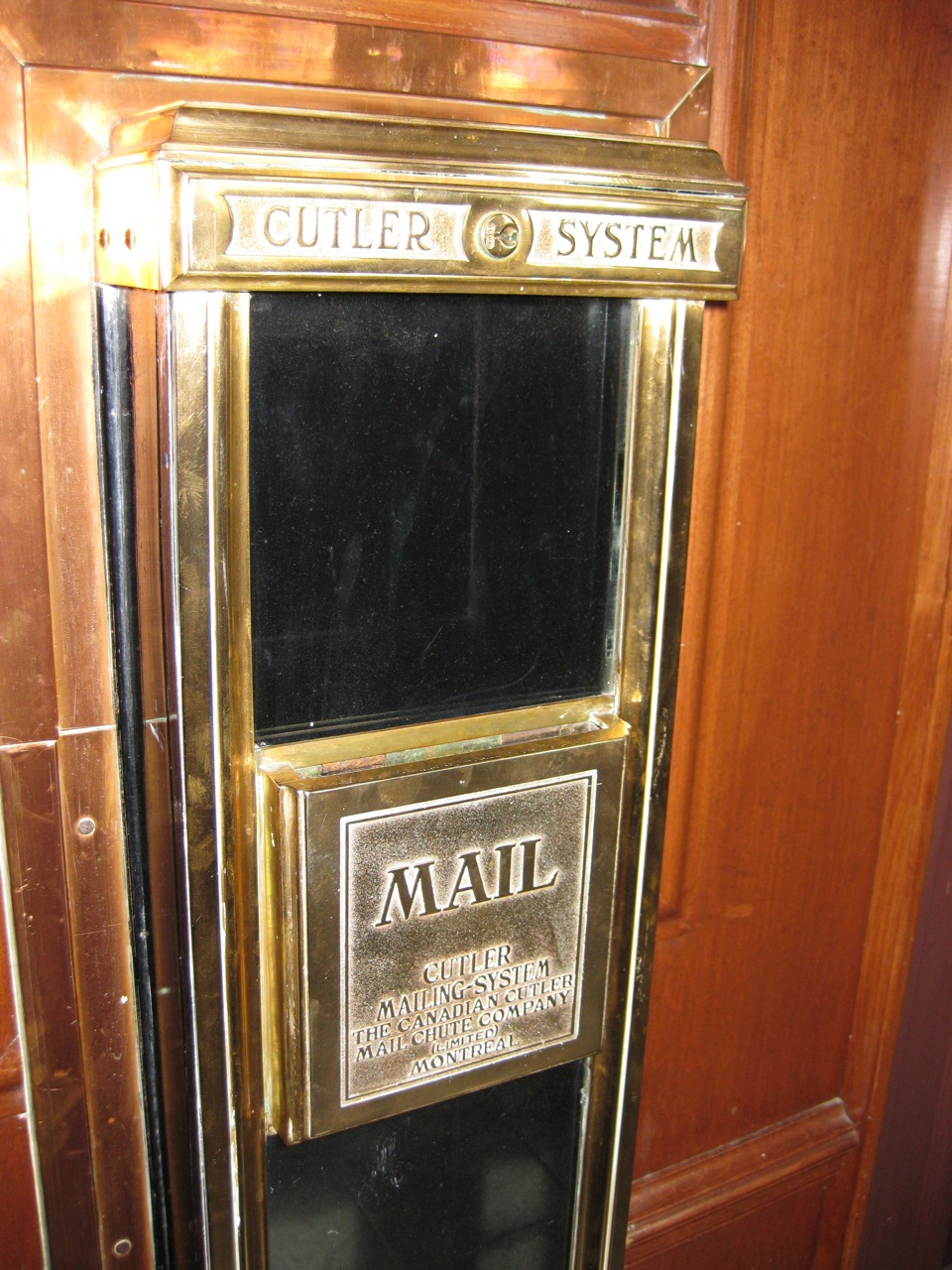
It’s back, merrily wreaking havoc with the new green shoots, but I’m just happy that it’s there.
Author: scruss
-
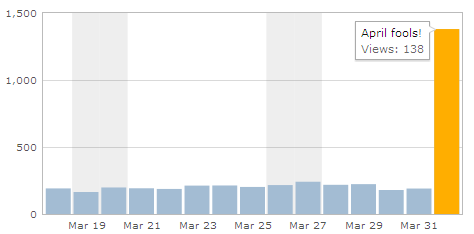
Jetpack, you should know better …
Jetpack, don’t you know that if you fool after noon, you’re the fool? -
the silence of the hams
It’s highly likely I’m doing something wrong, but I’m getting nothing on the 2m & 70cm bands in eastern Toronto of an evening. After a week of dedicated listening, I’ve stumbled upon a couple of nets (one of which I briefly participated in), heard one morning commute chat, noted a couple of dudes talking about power supplies in Portuguese, and managed to key up a repeater which said hello back to me. That’s it.
I’m not expecting the airwaves to be crackling with witty repartee all the time, but most of the time there seems to be no-one out there. Calling CQ on simplex VHF might as well be shouting into a hole.
I know I have a cheapo rig and a flimsy aerial, but I must be able to contact people within the neighbouring kilometres … must I?
-
ExPlace Turbine Shutdown for Service
I noticed this in my twitter feed the other day:
windshare: ExPlace Turbine Shutdown for Service http://wp.me/p11wfW-8T
From what the linked news release said, it looks like the turbine has had a major mechanical component failure. The replacement part will take several months to arrive, then needs a crane to replace it. The turbine is structurally sound, and is even yawing to follow the wind, but can’t generate.
This is a shame, as the volunteers at WindShare had just got the turbine operating at very close to commercial availability. There are also a couple of usefully windy months before the summer for which co-op members will lose revenue.
Update: a very watered-down news release went up on April 3rd: Turbine Technology Update.
-
chroma key screen grabs
Oddly-shaped windows are a pain to screen grab. Netpbm to the rescue!
- Make a blue (or green, or whatever isn’t used in your window) image larger than the window, like this:
ppmmake blue 800 600 | pnmtopng > ~/Desktop/b.png
- Display the image, and arrange your program in front of it.
- Take a screenshot.
- Crop the image, and set the background transparent.
pngtopnm Screen\ shot\ 2011-03-27\ at\ 10.12.52\ .png |\ pnmcrop |\ pnmtopng -transparent blue > ICP-2007.png
Ta-dah!

(and yeah, this is a Windows program running under Wine on OS X …)
- Make a blue (or green, or whatever isn’t used in your window) image larger than the window, like this:
-
a ham i am!
I just got my amateur radio license. If you’re unlucky enough to be on the 2m and 70cm bands around Toronto, you may just find me as VA3PID. The 3 is, of course, silent …
I guess that (so far unsuccessfully) futzing around with the small digital transceivers with Arduino made me look up some radio things, then I read this article on MetaFilter. It made me realize that unless new hams get on the air, the hobby will die, and the radio spectrum will be reallocated.
Passing the test wasn’t that hard, but did take a bit of dedicated reading. No morse code is required for the Basic Amateur Radio Operator Certificate, and if you get more than 80% in the multiple choice test, you can use the HF frequencies below 30 MHz. Since the pass mark is 70%, I thought it worth the extra effort.
I slightly overbought on the study materials. I got:
- HamStudy Basic, plus the RAC Operating Manual (plus a year’s membership to the RAC)
- Canadian Amateur Radio Basic Qualification Study Guide
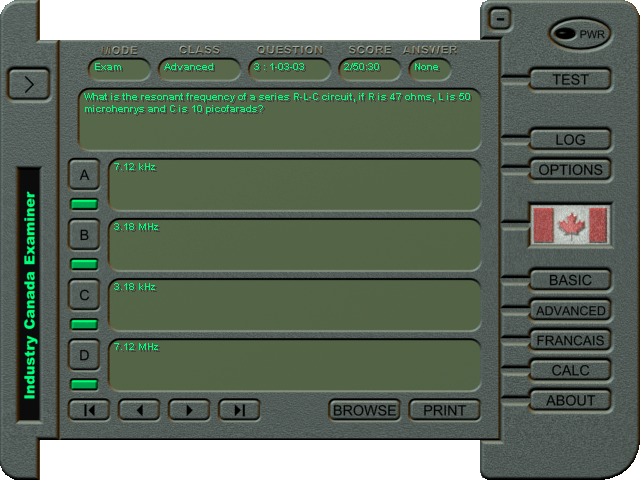
While it’s possible to download the question bank from Industry Canada, or use the quaint Windows-based examiner program, I thought I’d work from a book. Both will likely do pretty well, but neither is perfect:
- Both books need to work on their proof-reading.
- Mathematical symbols, superscripts and subscripts are easy to typeset these days. Don’t miss them out.
- They need to be fully metric, as trying to remember weird factors to convert fractions of a wavelength to feet is annoying. I’m a mid-career engineer, and I’ve never had to use anything but metric.
I passed the exam on Tuesday night, and had my callsign listed by Friday. I have a cheap but adequate Wouxun dual band HT. This should be fun.

Quaint, huh? Industry Canada's Windows-only examiner software -
bike locker
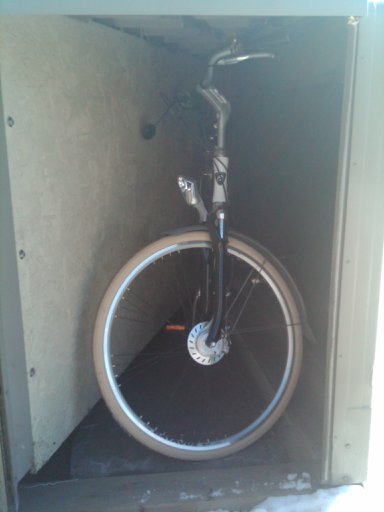
I’ve got a bike locker. You can have a bike locker too. It’s $10+tax a month.The bike just fits in. It isn’t tall enough for my ill-fated bike mirror (which doesn’t fit in my own shed, so is likely soon to be removed). The locker tapers towards the back, so I’m not sure I can reach the nurse’s lock on the frame.
My locker hadn’t been used for a while, so I had to attack the mechanism with spray lube before it would reliably lock and unlock.
-
pity the lobster requirement
It appears that my musical choice has this effect on people, as this just happened on a collaborative jukebox I’m aware of:
- (07:50) The Lobster Requirement has left
- (07:49) Playing Freeing Song for Reindeer by The Music Tapes from Music Tapes for Clouds & Tornadoes
- (07:49) Finished playing French Toast Man by Fred Lane & Ron ‘Pate’s Debonairs from From The One That Cut You & Car Radio Jerome
- (07:48) The Lobster Requirement has joined
Oh well.
-
ready to roll
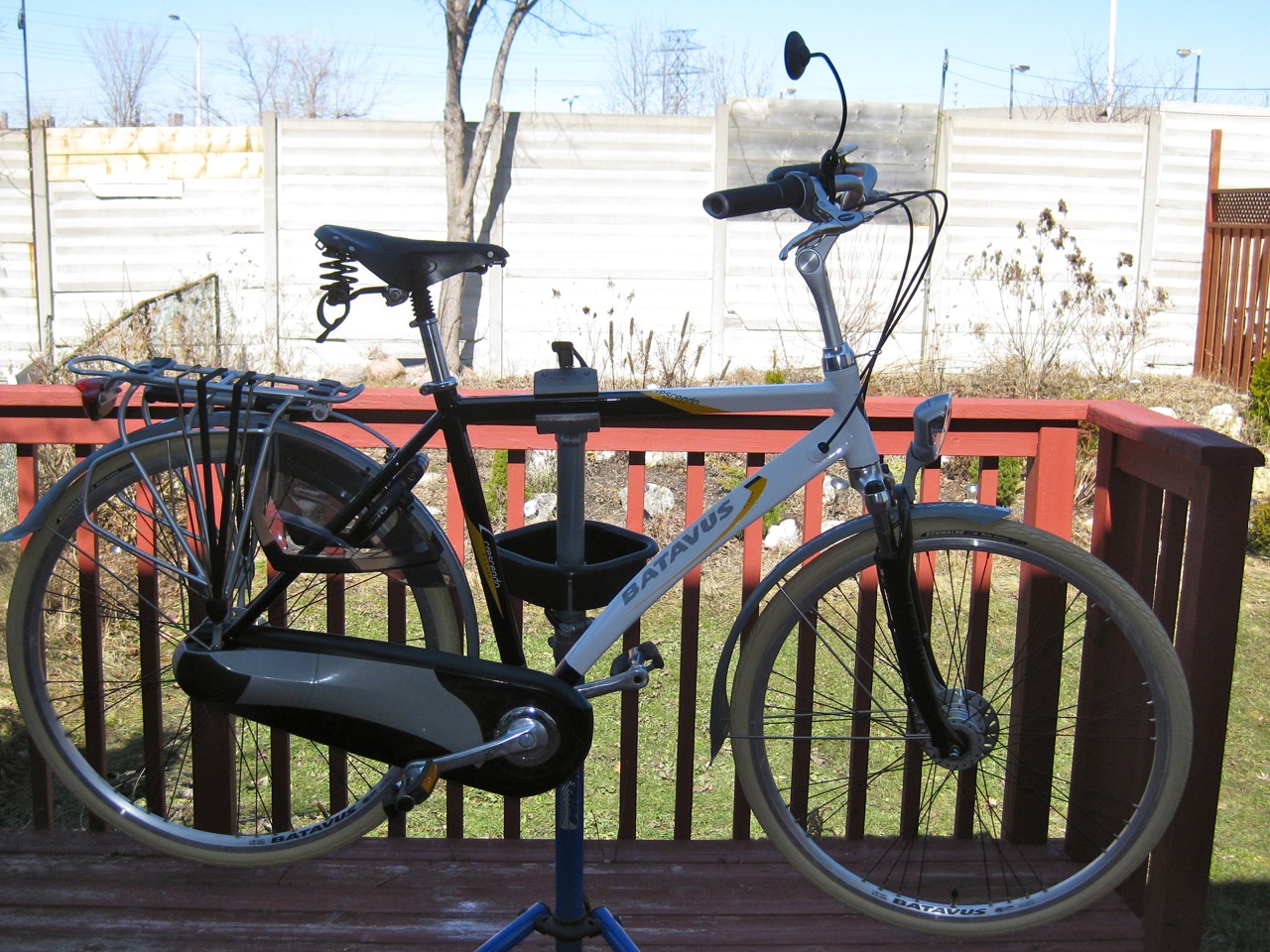
Creme Delta Cruisers? Check. Conti tubes with presta valves and adaptors? Check. B&M CycleStar mirror? Check. Frankly unnecessary but very very pretty Sögreni brass bell? Check (ding!). The Batavus is ready for riding (and more importantly 30 Days of Biking).While the ingenious Batavus chain-guard comes off quickly once you know the trick (it’s all held together by the section over the hub; pop that open, and everything else comes apart in a simple manner), removing and replacing the rear wheel was one of the fiddliest things I’ve ever done. The Shimano Nexus 8-speed hub with roller brake (model SG-8R31, if you care) makes things difficult enough by having a brake reaction arm and a gear cable to remove, but Batavus’s own dropout adjuster/wheel keepers are a pain.
I suspect these little stainless steel clasps (not pictured, as to see them would have me swearing at them again) are in fact impossible to reinstall with the bike in a stand. With the bike upside down, the weight of the wheel seems to spring them open a bit, placing the axle into the dropout smooth like buttah.
(I blame Lovely Bicycle! for the cream-coloured tyres obsession.)
-
roti frenzy, part II
After several months closed, the Jamaican restaurant at 224 Adelaide St W has reopened as Caribbean Taste. It’s the same folks (Robert & Wendy, from Tropical Desires on Old Weston Rd) cooking as before, and it’s still able to provide a life-changing roti experience. -
Main Steak House Deli
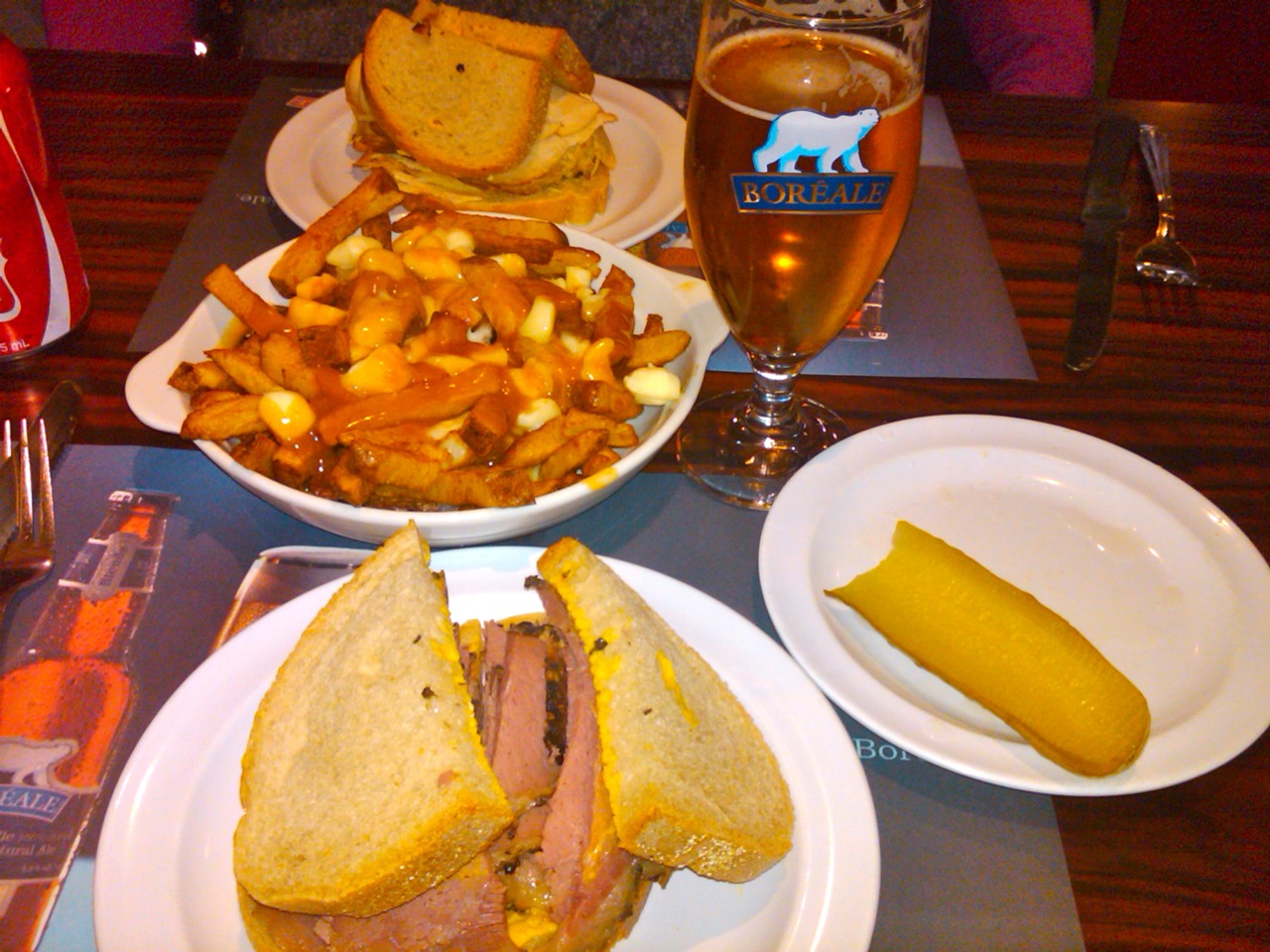
We’d been to Schwartz’s before, and the line and the crush and the noise just wasn’t worth it. Across the road is the Main Steak House Deli, which was supposed to be as good, and way less crowded. So we went in …
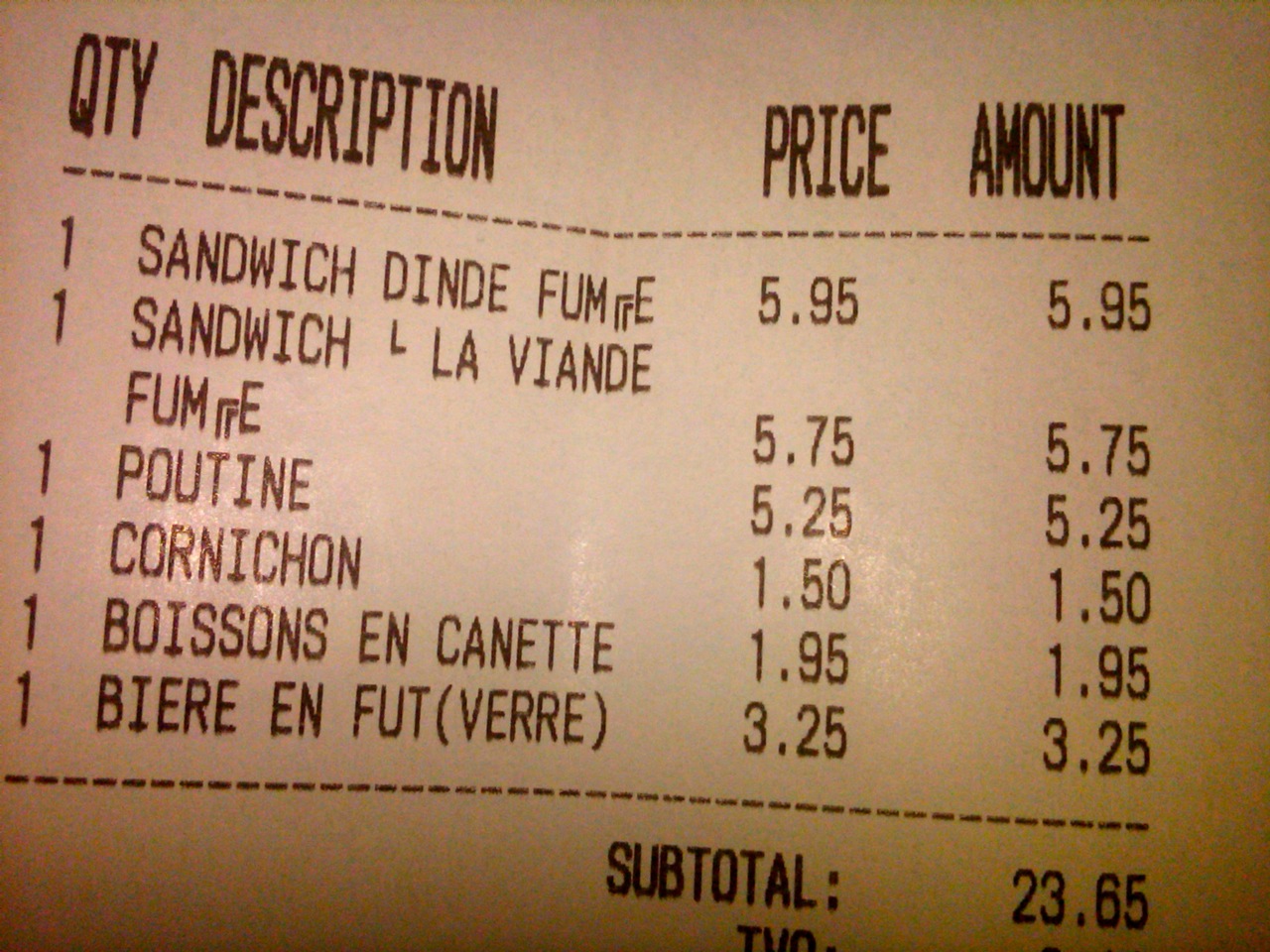
Whoa! Tender peppery meat, killer poutine, crispy pickles and cold beer. We ordered in hesitating French, then the server yelled the order in English to the kitchen.Looks like not everyone’s billing workflow understands accents:
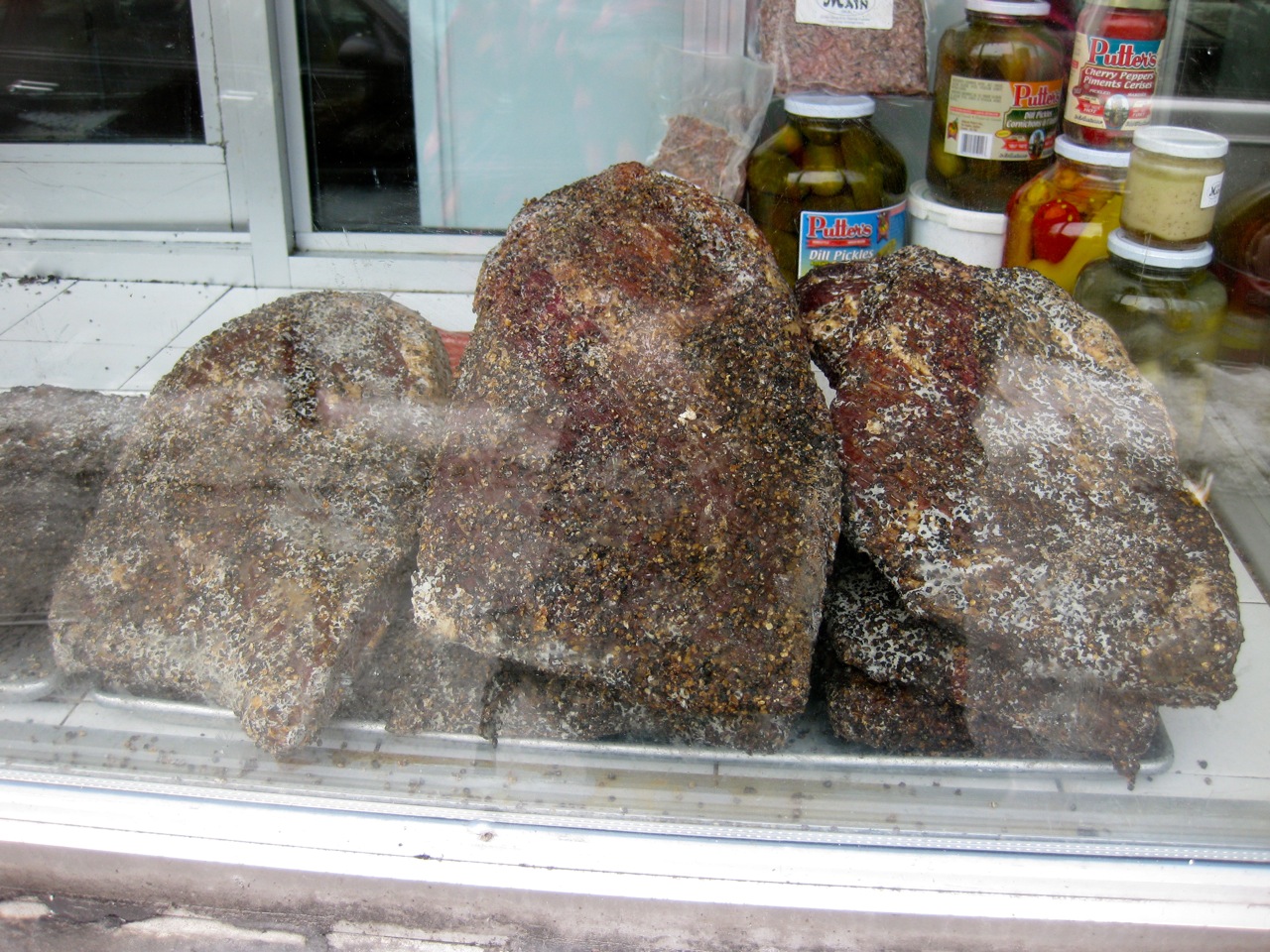
Outside, we saw meat resting in the window, bejewelled with peppercorns: -
hats off to Canada Computers!
Canada Computers are entirely awesome. In the last week, they:
- without fuss (but a trivial restocking fee) took back RAM that wouldn’t work with a Toshiba laptop. bloody wrongly-specified devices, grar.
- Had in stock a rather obscure ThinkPad battery in their charmingly cluttered Pacific Mall store.
-
Donating Rob Ford’s $60 bribe
So I got my vehicle tax refund cheque yesterday. In a city that’s gridlocked, if anything is a blatant attempt to buy votes, this $60 “refund” is the worst possible way to reward voters. I think that the Toronto Coalition for Active Transportation could use the money better than me.
-
on the trail of the elusive Power Cost Monitor signal
Catherine probably thought I was acting no more strangely than usual last night, when I was holding the Power Cost display unit in one hand, frobbing the electric stove control with the other, all the while watching a digital clock and cackling gently to myself.
All this makes me think I’m a bit further on with getting something from the Power Cost Monitor. Previous attempts using cheap wireless units (and cluelessness on my part — never forget that) got nothing, so I caved and bought the rather expensive but nice Parallax 433 MHz RF Transceiver from Solarbotics.
The Parallax unit adds an analogue output that’s proportional to the instantaneous signal strength. I hooked up the output to the trusty sdfatlib analogue logger, set the logger to sample every 50ms (figuring that, every now and again, it’s going to see part of a transmission) and this is what I saw:
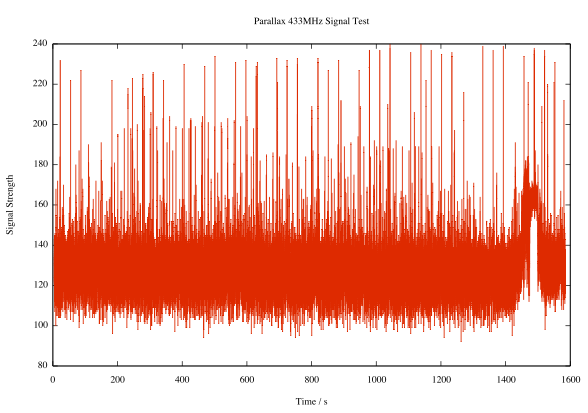
Pretty noisy, I know. But look, there are regular peaks:
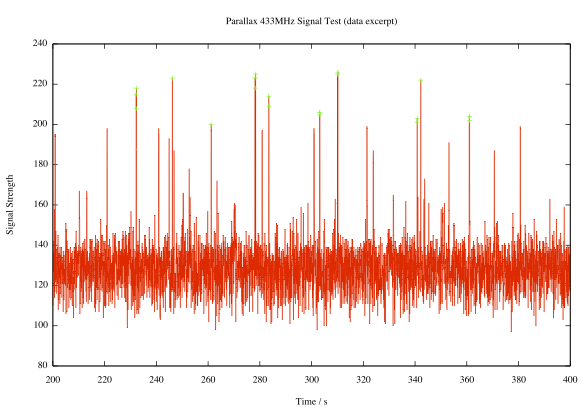
Here I’ve highlighted all the peaks with signal strength ≥ 200 (in arbitrary units, where 1024 would be full scale). It’s pretty regular; the largest peaks come in a shade under every 32 seconds, or a multiple thereof. If you need additional decimal places to validate your worldview, I’m thinking the period’s around 31.86s.Observations made during last night’s frobbing and cackling episode seem to confirm that the display updates about every 32s. If you adjust the load mid-cycle, nothing changes until the update. If the display misses an update, it’ll refresh in 64 or 96 seconds.
I don’t yet know what bitrate the data comes through at, or the protocol. I’ve logged some data recorded at various rates: 433mhz_powercost_data. The file names give a hint at the data rate; L1200V04 was recorded at 1200bps, for example. I’m guessing that there’s some kind of sync header, then the total value and the current temperature (which was around/below freezing at the time). I need to work on that.
Update: I rewrote the logger to use the Arduino’s internal UART, since — lovely though NewSoftSerial may be — it causes millis() to report wildly inaccurate times at low bit rates. I recorded a bunch more data (powercost-arduino2.zip) in a slightly more useful text format. It has three columns:
- the time, in milliseconds, at which the record was recorded
- the time difference between this and the previous record, in milliseconds. Maybe not as useful as it could be. If adjacent records are about 31860ms apart, they’re transmissions from the meter.
- 120 bytes of data recorded at the current bit rate (given in the file name) encoded in hex.
I’ve also included the Arduino sketch, which could be better documented.
-
♡
(Arduino + LoL Shield + hand drawn 14×9 GIFs [
,
, and
] + this) -
Life with Ardweeny
I’m pretty new to Arduino, and electronics in general. Sure, I used to wire up sensors to a bunch of dataloggers, but there wasn’t much variation or application of theory. I made up a bunch of Ardweenies, mostly to practice soldering skills, but now I’ve made them, I might as well use them.

ardweeny, breadboard, USB programmer and PSU The Ardweeny is a tiny broadboard-only Arduino-compatible microcontroller board. It needs both a power supply and a means of programming it. Solarbotics’ own Breadboard Voltage Regulator Kit provides the juice, while a SparkFun’s FTDI Basic Breakout handles the USB serial programming. The FTDI breakout board can supply power, so I turn the power off to the board at the regulator when programming it. You can’t use shields with the Ardweeny, but it’s small enough that you can have a simple project on a small breadboard. It communicates with the Arduino IDE as if it were a Duemilanove.
The Ardweeny has pins clearly (if tinily) marked by function. To power it, you need to feed GND and +. The familiar A0-A5 and D0-D13 are present, if not quite where you’d expect them. There isn’t room to mark the digital pins capable of PWM.For no particular reason (perhaps that spring finally looks like it might be warming things up around here) I wanted to make a a temperature sensor that would sample the temperature at start up, then warn if the temperature got more than 2°C hotter or colder.
I used an LM35 as the sensor. These are a bit noisy, so I added some smoothing (nicked, with little grace, from the Arduino – Smoothing tutorial). The temperature is indicated by three LEDs: red for ≥2°C over, amber for within ±2°C of the starting temperature, and green for ≥2°C under. I also wanted all the LEDs lit while the system was working out starting temperature. Here’s how it runs:

starting up, showing all LEDs 
showing normal temperature 
warmed by a finger, showing ≥2°C over normal 
chilled by a frozen cayenne (!), showing ≥2°C below normal I put the LM35 on A0, and the red, amber and green LEDs on D5, D6 & D8. The only reason I didn’t use D7 was that I didn’t have the right length jumper wire. 680Ω resistors are used to limit current through the LEDs.
Here’s the code:
/*  lm35_plusminus - read temperature at startup then light  leds if over or under   lm35 - analogue 0   red led - digital 5  amber led - digital 6  green led - digital 8   scruss - 2011-02-17  */ #define REDPIN 5 #define AMBERPIN 6 #define GREENPIN 8 #define TEMPPIN 0 // analogue #define DELTA 2.0 // amount +/- from start to warn #define READINGS 15 //declare variables float tempC, start_temp, array[READINGS], total; int val, i; void setup() {   pinMode(REDPIN, OUTPUT);   pinMode(AMBERPIN, OUTPUT);   pinMode(GREENPIN, OUTPUT);   // signal start of test by lighting all LEDs   digitalWrite(REDPIN, HIGH);   digitalWrite(AMBERPIN, HIGH);   digitalWrite(GREENPIN, HIGH);   // read initial values   for (i=0; i< READINGS; i++) {     delay(500/READINGS); // just so initialization is visible     val = analogRead(TEMPPIN);     array[i] =  (5.0 * (float) val * 100.0)/1024.0;     total += array[i];   }   start_temp = total / READINGS;   // test off, lights off   digitalWrite(REDPIN, LOW);   digitalWrite(AMBERPIN, LOW);   digitalWrite(GREENPIN, LOW);   i=0; // just to initialize } void loop() {   // some cheapo smoothing copied from the Smoothing example   // in the playground   total -= array[i];   val = analogRead(TEMPPIN);   tempC = (5.0 * (float) val * 100.0)/1024.0;   array[i] = tempC;   total += tempC;   i++;   if (i>=READINGS) {     i=0;   }   tempC = total/READINGS;   if (tempC - start_temp >= DELTA) {     // we're hot !     digitalWrite(REDPIN, HIGH);     digitalWrite(AMBERPIN, LOW);     digitalWrite(GREENPIN, LOW);   }   else if (tempC - start_temp <= -DELTA) {     // we're cold !     digitalWrite(REDPIN, LOW);     digitalWrite(AMBERPIN, LOW);     digitalWrite(GREENPIN, HIGH);   }   else {     // we're just right !     digitalWrite(REDPIN, LOW);     digitalWrite(AMBERPIN, HIGH);     digitalWrite(GREENPIN, LOW);   } }
Despite the smoothing, the LEDs flicker briefly as they turn on. I kind of like the effect, so I made no attempt to change it.
What I like about Arduino is that — within the limits of my sensor knowledge — the programming language does what I expect. The above program worked first time; worked, that is, save for me putting one LED in the wrong way round, so it didn’t light. I know I could probably replicate the same function with a few linear devices and other components, but it would take much more time and effort. It may not be the most elegant, but it does work, and gives me the satisfaction of the desired result quickly.
-
the white details on a white background are a bit hard to make out …
A house down the road does these very intricate snow sculptures: