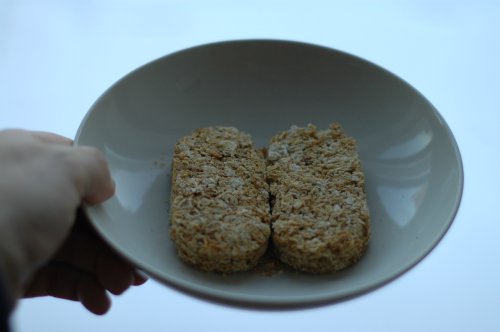
for Kieran …
GTAbloggers tonight. Is there any coincidence that it was absolutely baltic last time, and there aren’t exactly that many brass monkeys hanging around today?
Well, I talked myself hoarse (must learn to project!), and I think it went well; no-one feigned death or sudden illness.
The ATI Remote Wonder performed flawlessly. It may be ugly, but it works.
I’m giving my wind talk to the Lambton Chapter of the PEO tonight: Wind Energy for the Perplexed.
If all goes well, I’ll be able to use my ATI Remote Wonder to control the slides, as I found an OS X driver for the Remote Wonder. Yay!
I’m writing this during a blackout. Our little enclave, just southeast of Kennedy and Eglinton, can have the power out when the nearby streets are fine. I can see that the (formerly derelict) Coffee Time has power, as has the block the other side of Kennedy. I wonder what makes us so special?
This is really part of a route suggested by Google Maps:
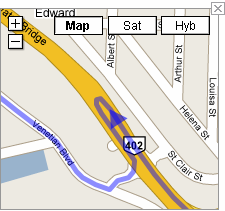
6. Take the exit onto HWY-402 W toward Sarnia (102 km)
7. Make a U-turn (0.3 km)
It should be noted that the 402 is a large highway, and u-turns are not exactly recommended.
Much as I like my NSLU2, it has a serious problem when it loses power; its share information often goes kablooey. There’s a not very elegant way of fixing this.
Say, f’rinstance, you had a share called Files on Disk 2. Sometimes you’ll find that this has gone, or migrated to the wrong disk, and there’s invariably a share called Files~1, usually on Disk 1. To fix this:
Your share should be back. I find that it sometimes usually changes the user permissions, so you may have to fiddle with ownership and group membership. You can fix this:
You can then save the configuration to allow you to quickly restore the settings. Nope, the reboot that’s carried out on restore makes the whole problem come back again – aargh!
Things I Saw in Vancouver – and yes, there are flowers in bloom. Beware of the cute sea otters, though they’re not quite up there with the Oh Noes! otter.
