Ubuntu on the Samsung Series 7

My Late 2008 MacBook was getting a little slow, so I went laptop shopping. I ended up with the Samsung Chronos 7 (NP700Z5CH). Under my budget, but met my spec in every way.

Installing Ubuntu was a minor trial, but it works, and has preserved the Win 8 (blecch!) dual-boot. If it helps anyone, the procedure I followed was:

  • Updated the BIOS, made a recovery DVD and shrank the Windows partition using the DISKPART app (which reminds me so much of the old VMS admin tools).
  • Broadly following the UEFI instructions, I got the 64-bit Linux-Secure-Remix ISO and wrote it to a USB stick with UNetbootin.
  • In the BIOS (F2 when the Samsung logo shows), I disabled Secure Boot and Fast Boot, but kept EFI on, as Win8 won’t work without it. I also disabled (temporarily, with Shift+1) the HD and Windows Boot Manager from the boot sequence, moving USB boot up to first place.
  • After trying Ubuntu from the LiveUSB, I installed it. Once it had finished and rebooted, I re-enabled HD and Windows Boot Manager in the BIOS.
  • Ubuntu would work fine from here, but to restore Win8 to a usable (?) state, I had to reboot with the LiveUSB image and run Boot-Repair as suggested in the UEFI documentation.

The fan maybe runs a little more than it should, but everything I’ve tried works. There’s clearly been a lot of work done on Samsung/UEFI support recently, as any of the web tutorials I found from even 8 months ago recommended really arcane stuff I didn’t actually need.

(abstracted from my Reddit query: Linux-friendly future-proof MacBook replacement [13-15", CA, $1600] : SuggestALaptop)

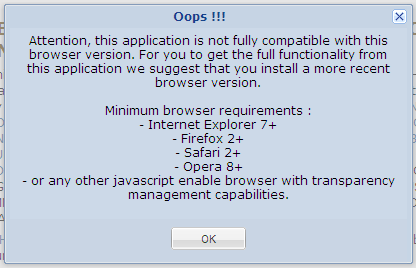
you know your work browser is out of date …

… when a federally run website doesn’t work

To be fair, it is the new Toporama Prototype site, so it does do some slightly clever things. But still, being at an IE6 shop at work is ever amusing.

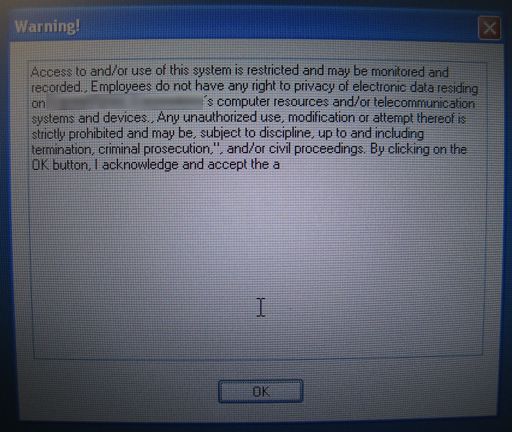
I think it has problems. Someone should tell Pine Hills Cemetery that it’s mostly underwater:

“Open”, “Save” or “Save As” dialog box default settings – Windows XP

“Open”, “Save” or “Save As” dialog box default settings – Windows XP
Open a common dialog box, change the view to the one you want, and then hit Ctrl/Cancel. Yes, it’s counterintuitive, but this solution is in Ed Bott’s book “Windows XP Inside and Out” and it works.

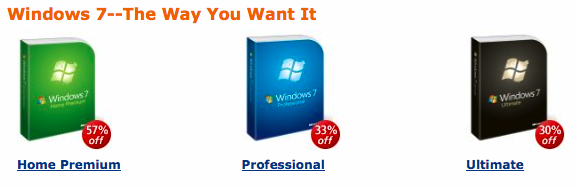
Yes, it does. Mostly. It’s got all the consistency for which Windows is justly famous.

dual monitor + virtuawin = 13,312,000 virtual pixels of awesome

VirtuaWin adds joy to my desktop: using my 1280×800 laptop with a Dell 1920×1200 flat panel with four workspaces, I’ve got over 13 million pixels at my command. I have the laptop screen dedicated to my Vestas Online Busines SCADA session, so by making the SCADA window sticky, it’s always visible as I move from workspace to workspace on my big screen.

Shame the underlying OS blows pickled pineapple, though.

not my favicon

I’m trying to make Firefox on Windows XP like Firefox with the GrApple theme on OS X. I don’t have to have it look the same, just compress all the bookmarks in the toolbar into the width of the screen.

This is how I want the bookmarks toolbar to look:

os x

And this is how it looks right now on Windows:

bar on windows

I can find any number of links about only showing the favicon, but none about turning it off to save space. Aargh!

so-called wizard

Windows has just spent the last 15 minutes searching for a driver for my Garmin GPS. Y’know, the one I use with the computer a lot. It’s claiming it’s new hardware, but in the words of Syd, “I’ve had it for months”. Oh Windows, you really are very stupid. In fact, you are a silly wizard.

can’t get here from there

I was trying to send a largish promotional image to our marketing department yesterday. It was too big for e-mail, so I put it on the department share, assuming that marketing could read it. Nope. Moved it to a company FTP site. User has no access to ftp. In the end, I had to send it on a CD, even though I’m pretty sure it originated somewhere inside the company.

I also had to point an (internal) reviewer to an engineering report on our servers. Again, it’s on a share – you know, those things that people are supposed to be able to, y’know, read. No dice. I think the reviewer ended up requesting hardcopy from the original consultant, even though I know the file’s on a server in the very same building as the reviewer. Aagh!

If one company that spends a truckload on IT can’t get communications right, there is no hope for us.

a small form of happiness is

… a USB key with the irritating U3 software uninstalled.

Seriously, U3 is a major annoyance if you:

  • use Mac
  • use Linux
  • work on a PC with locked-down permissions
  • work on a PC with a one-letter drive gap (like having D: and F:, but no E:); U3‘s read-only system will appear in the gap, but your data won’t be accessible.
    (It’s not really U3‘s fault. The fact that Windows still has drive letters amazes me; why don’t they go for the whole 70s thing and have punch cards and gargantuan 5MB hard disk packs?)

All four of the above apply to me, so u3 uninstall.exe is my friend.