Forward to Libraries: Toronto Public Library added

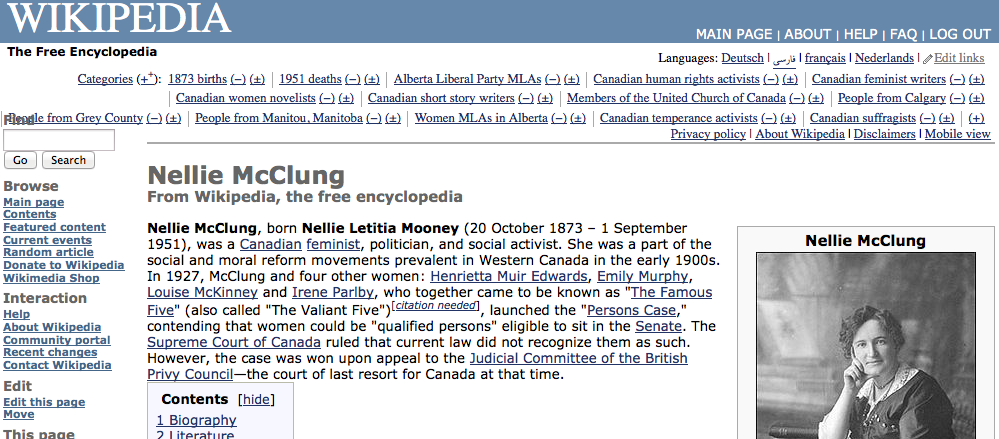
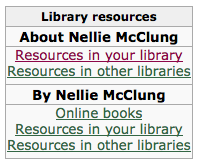
If you’re starting your research on Wikipedia, you’ll need to see what books are available on a subject for further study. Previously, you’d need to trawl the references manually, but John Mark Ockerbloom‘s Forward To Libraries (FTL) service makes that a whole lot easier. What FTL does is allow you to reach into nearly any library’s catalogue search from a subject link on Wikipedia.

John’s been getting some great press on this service, so I asked him to add Toronto Public Library to FTL. Here’s how it works:

Pretty neat, huh? Try other articles, like Pierre Trudeau, Arduino or the Canadian Shield.

It’s not actually that hard to add Library resources boxes to Wikipedia articles. There’s a tutorial in the Template:Library resources box page that shows you how. Researching the locator is the most difficult part, and that gets a lot easier the more you add.

take it or leave it

I got Daniel Quinn’s Ishmael from the library on a friend’s recommendation. I tried, but I don’t feel the love for the psychic gorilla.

It’s not that the wise protagonist is a psychic gorilla. I can get past that. It’s just that the conclusions are so pat. I wonder how many readers come away with the romantic notion that they’re the only Leaver in a Taker society? (they’re wrong, of course; I’m the only one to which this applies …)

I also didn’t get the “Takers need prophets” deal. if you decide to follow the ideas in the book, what is Ishmael but a prophet? A not-for-prophet?

Writers like Jared Diamond (though flawed) and Julian Cope (though fried; but at least can play mellotron) wrote it better. Ain’t but the one way, as the Drude sang.

What I did like about the library copy that I borrowed was that it had clearly made an impression on a previous reader. Crabbed on every page in tiny, infra-neat madperson handwriting was a seemingly endless thesis about something. What, I can’t tell; the diligent guardians of the Toronto Public Library erased almost every word, so I couldn’t tell if a worldview had been shattered or affirmed. Maybe it was the wisdom of the ages. Who can tell?

big boy’s book of big things

Christmas came early. With money from Carlyle, I bought a reproduction of Knight’s American Mechanical Dictionary, a three-tome work from the 1870s which catalogued mechanisms, devices and machinery known at the time. It’s the ultimate nerd read.

You can browse two electronic versions online:

  • at UMich; large page images.
  • at Princeton Imaging; in DjVu format, this is a little easier to read if you have the right plugin.

I have to say, though, that the dead tree version is a splendid read.

Here do books lurk

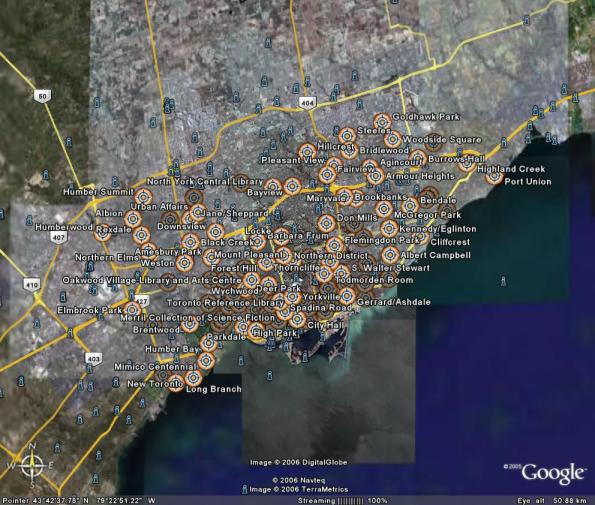
Catherine has a project involving Toronto’s libraries, and so I, for no particularly good reason, compiled a geocoded list of the Toronto Public Library system: libraries.gpx
Google Earth display of all of Toronto's public libraries

You can thank MapSource for the bloated GPX file. It quadrupled in size when I changed the symbols to look like buildings.

batch renaming iTunes directories

In partial response to the Ask Metafilter question “How can I rename my music folders on my Mac based on ID3 tags?“:

#!/bin/bash
# itunes_sanity.sh - fix dir names created by iTunes
# only works for mp3s, and not actually tested on a Mac
# created by scruss on Sun Sep 4 22:05:00 EDT 2005

find "$@" -type d -mindepth 1 | while read directory
do
  artistdir=$(dirname "$directory")
  firstfile=$( find "$directory" -type f -iname '*.mp3' | head -n1 )
  year=$( id3info "$firstfile" | egrep ' TYE ' | sed 's/=== TYE (Year): //; s/[^0-9]*//;' )
  album=$( id3info "$firstfile" | egrep ' TAL ' | sed 's,=== TAL (Album/Movie/Show title): ,,;' )
  echo mv \'$directory\' \'$artistdir/\[$year\] $album\'
done

So if you were in the terminal, in your music library (one up from the individual artist directories), and you did:

itunes_sanity.sh Dan\ Jones Tripping\ Daisy

you’d get:

mv 'Dan Jones/Get Sounds Now' 'Dan Jones/[2005] Get Sounds Now'
mv 'Dan Jones/One Man Submarine' 'Dan Jones/[2003] One Man Submarine'
mv 'Tripping Daisy/Jesus Hits Like the Atom Bomb' 'Tripping Daisy/[1998] Jesus Hits Like the Atom Bomb'

If that looks okay, run the output through the shell:

itunes_sanity.sh Dan\ Jones Tripping\ Daisy | sh

and all should be well.

You’ll need id3lib, which is probably most easily installed from Fink. Also, this only works for mp3 files; I can’t grok the tag info for AAC files. And finally, this might go seriously screwy on weird characters in filenames. You know my feelings on that …

importing mail from Mozilla Thunderbird on Linux to Mac

How lucky that Thunderbird uses the same text mail format for storing messages. All I needed to do was scp individual server directories from under .thunderbird to ~/Library/Thunderbird/Profiles/saltname.default/Mail — that did the job!

I didn’t use the shared global inbox that Thunderbird uses by default. If you do what I did, you probably shouldn’t either.

book no fair

I thought I might’ve had a couple of books waiting for me at the library yesterday, but all of these holds were waiting for me:

  • Banvard’s folly : thirteen tales of renowned obscurity, famous anonymity, and rotten luck / by Collins, Paul
  • Been brown so long it looked like green to me : the politics of nature / by St. Clair, Jeffrey.
  • Hey Rube : blood sport, the Bush doctrine, and the downward spiral of dumbness : modern history from the sports desk / by Thompson, Hunter S.
  • Mutants: on genetic variety and the human body / by Leroi, Armand Marie.
  • The pencil : a history of design and circumstance / by Petroski, Henry.

Looks like I’ve got a lot of reading to do in the next three weeks …