“… The moral of the story is, is we’re here on Earth to fart around …”
 — Kurt Vonnegut.
I’ve had a full billing cycle go through epost now, and would like to note that:
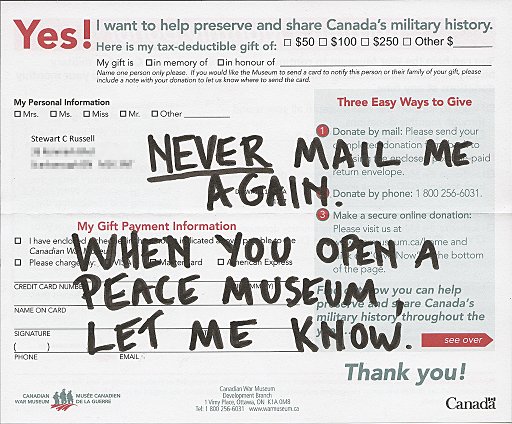
… goes to the Canadian War Museum. I’m just an average white poppy wearing guy, so I replied thus:
And this is why I do ham radio:
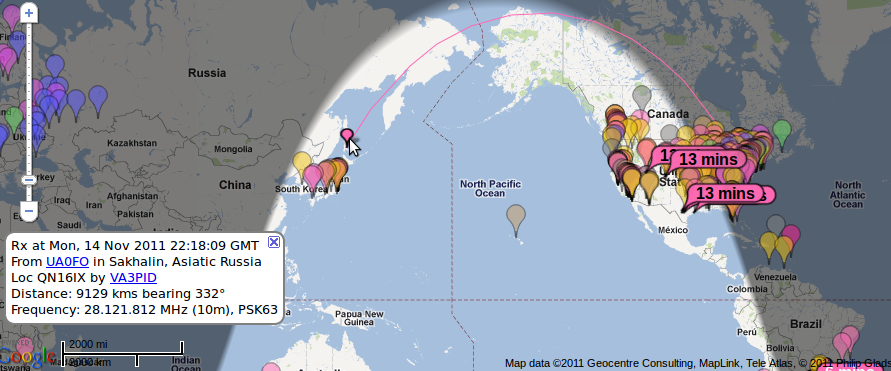 Worked a pileup on UA0FO, Sergey on Sakhalin. Yeah, those islands just north of Japan … y’know, the whole part of the world my antenna doesn’t even point near.
(picture from Philip Gladstone’s entirely awesome PSKReporter)
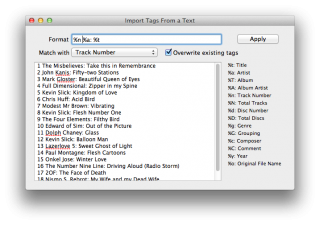 XLD‘s “Import Tags From a Text” is teh nifty for importing new or small-distribution CD (like Glass Flesh) metadata. Just paste in the track listing, define the format, and hit Apply. Done!
I like epost. I’d like it even more if they hurried up and processed my direct payment ability — which required a form and a void cheque mailed to an address in Toronto — but it’s a pretty good service. I get my bills, viewable and payable online, on the day of issue. No paper. This is good.
This is good because every single filing container I buy eventually ends up full of (paid) bills and financial administrivia. Less paper = less messy Stewart = happy Stewart. Some messes, like my electronics table, could be classed as glorious, however, and therefore joyous in their creation and use. Not all tidiness is good.
So I got my first Visa bill by e-post. Yay! Reviewed it, paid it. No hassle. But since this a PDF facsimile of my bill, something mighty odd has happened to my address:
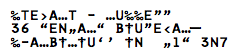 It’s a perfect substitution cypher of my name and address. I’ve been out of the prepress industry for long enough not to immediately recognize it as a font encoding error. I’m confused why it might have A, T, E & N, but no M. Odd indeed.
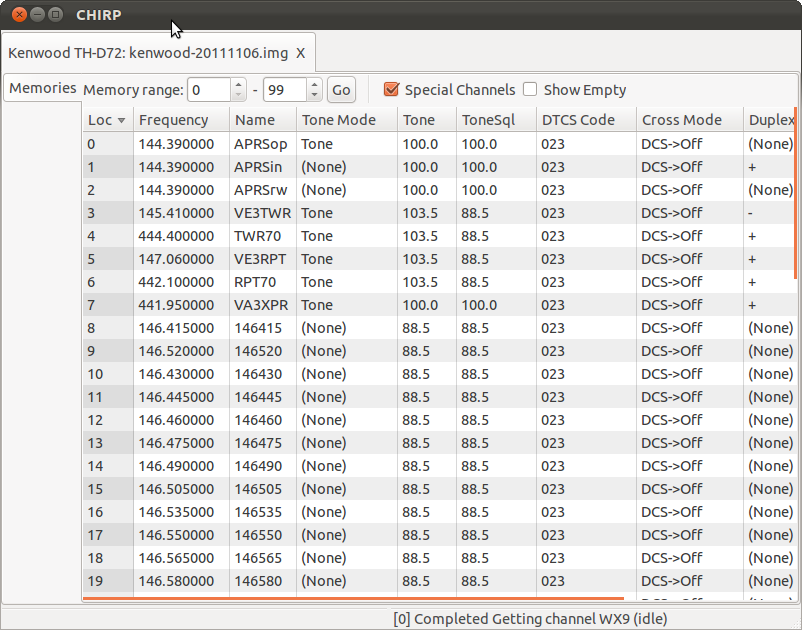 CHIRP is rather good. It replaces all the horrid proprietary HT programming software with one cross-platform, cross-radio solution. It allowed me to program my new Kenwood from data from my Wouxun. It uses transparent file formats, and can import from everything. It’s great!
Update: Whoa! It can now program my FT-857D! I just uploaded all the repeaters within 50km, and there’s a bunch going on on a few of them.
It begins with a shave …
 Yes, I’ve signed up for Movember. Sponsor me, or I’ll grow a Holiday Neckbeard …
 Cleared out a ton of these from the front garden. They smell good when you pick ’em.
(Taken with Catherine‘s nifty new camera.)
 “Hey Henry’s, that’s not how you spell ‘environment’!”
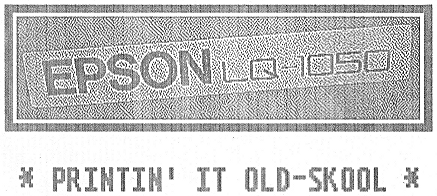
Thanks to Seneca, I now have this noisy, slow behemoth in my basement.
It’s kind of neat that Ubuntu supports this 24 year old printer out of the box.
Of the 286 secure digital QSL cards I sent, 8 were undeliverable. I’ve had 25 responses so far:
Of the positive ones:
Pretty good and quick response, I thought.
For a reason best known to the Unicode consortium, there is now the symbol U+1F4A9 “Pile of Poo”: 💩. If you happen to create a web page with this delightful character in the title, Firefox does something special:
 Yep, that’s a smiley face poo, a bit like Mr Hankey. Oh dear.
Actually, it seems it might be an OS X Emoji thing, because Safari renders it in the title like that, and in the text as (enlarged to show texture):
 iOS has it covered too:
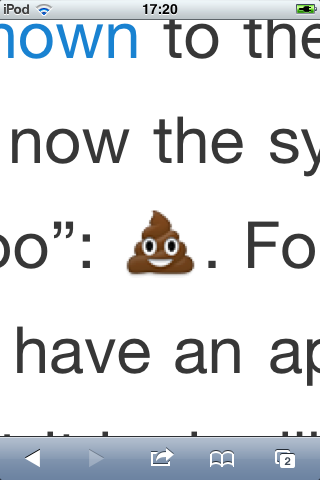 Blackberry’s browser just shows a small black square. Android, rather sensibly, shows an empty square. It must be an Apple thing.
“Thanks†go to tchrist‘s comment in unicode – Why does modern Perl avoid UTF-8 by default? for alerting me to this character, and letting us know about the Symbola font that supports it. Yeah, cheers Tom …
Following on from Creating secure digital QSL cards with your LoTW certificate, here’s a Bash script to generate encrypted signed PDF QSLs. You will need to edit the certificate file name, the QSL blank file name, your call sign, your LoTW password and the PDF encryption password. After doing so, please keep the script safe, as whoever has your LoTW password can pretend to be you.
The only checks that this script doesn’t do (and probably should) are if you have pdftk and PortableSigner executables in your path. PortableSigner is rather weird the way it runs; you need to specify full paths for all files, or it dies.
The script is called like this:
mkdqsl.sh callsign date utc mhz mode report
for example:
mkdqsl.sh VE3KPK 2011-10-02 2341 7.03581 CW 499
Code below the fold.
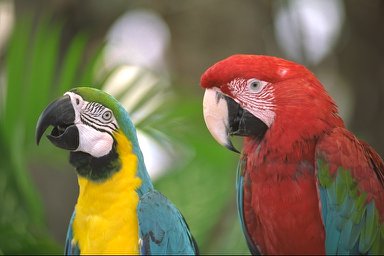 I found the good old Kodak Photo CD sample images on the site linked through from the photo. Test images for MFSK image radio transmission, here we come!
I got this CD with OS/2 Warp back in early 1995. My machine didn’t like Warp at all; it repeatedly fork-bombed in the file manager, so it was essentially a £40 paperweight. So burned was I with commercial software that I bought a Slackware distro so I could run something more fun that Windows 3.11. I’ve been happily running Linux since then.
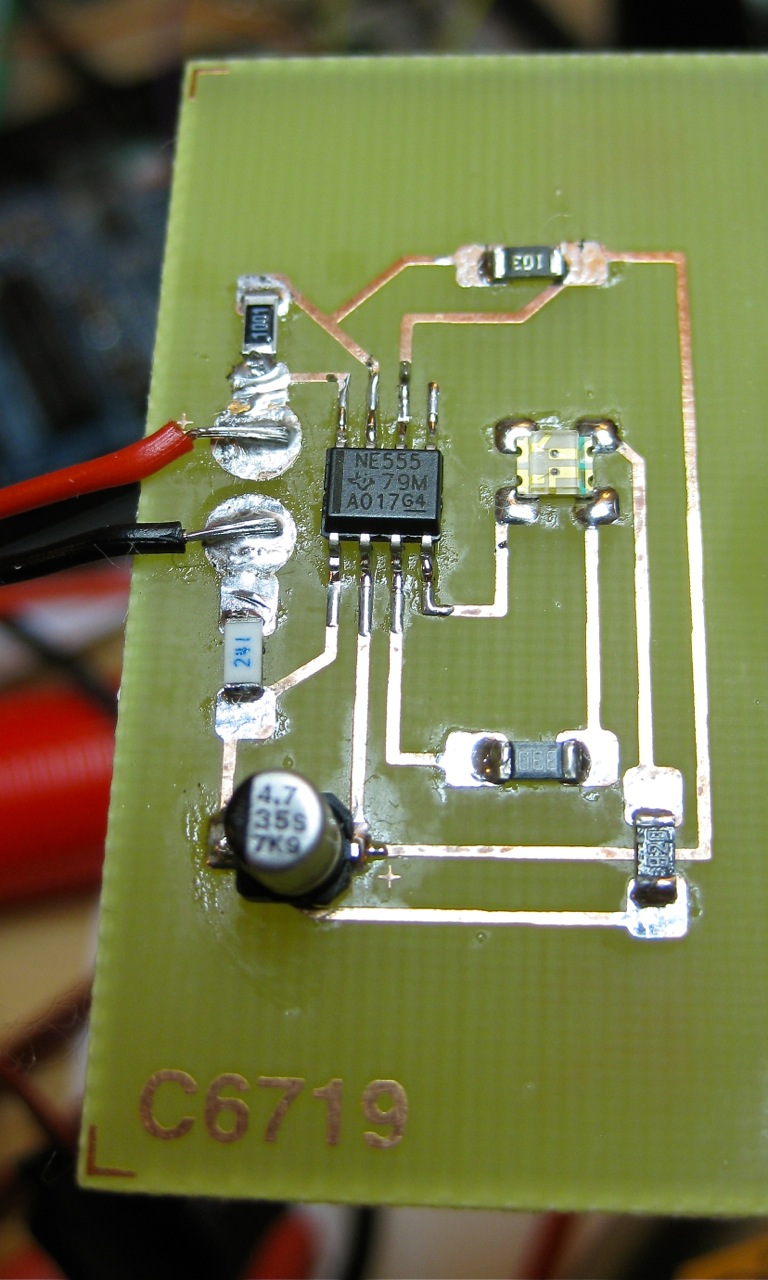 but it is my first working lead-free, SMT soldered circuit. I have two SoftRock Ensemble RXTX radios to build, and I thought it would be better to melt a $10 trainer kit than a $100 radio. It works as expected, though I wouldn’t describe the red/green LED’s insane flickering to be “an attractive and functional SMD dual color LED flasherâ€.
Flux is your friend here. I tried Chaney’s recommended method of supergluing components on the board, but that didn’t work. What ended up best was applying flux to all the pads, supplying the thinnest layer of solder possible, refluxing the pads, then flowing on the components. A steady hand, a magnifier, tiny (½mm) solder, good tweezers and a pointy soldering iron helps. Some kind of fume extraction is good, too, as Pb-free flux is a tad acrid.
I don’t miss eutectic leaded solder. Sure, it’s easy to use, and it’s got a kind of magical quality that it’s below the melting point of either lead or tin. But Sn-Ag solder is toxic enough, and I don’t need to dump more lead in the world.
Hams have sent out QSL cards since the hobby began. It may be less popular than it used to be, because mail seems slow now (especially when QSL bureaux are used), and there are online alternatives like eQSL, QRZ.com, and the ARRL‘s Logbook of the World (LoTW).
LoTW has been criticized for being too complex. It uses an X.509 public key signature to verify your submitted log entries, and a QSL is confirmed when the other party sends in a matching entry. In a way, it’s rather elegant, as the LoTW server does the work of matching the entries, so QSLs “magically” appear in your log. You don’t get a fancy QSL card in the mail or on your screen, and I think a lot of users miss that.
X.509 might be a bit unweildy, but props to ARRL for setting up a industry standard, robust (-ish; X.509 has its flaws), general purpose signing infrastructure. Since other file formats — notably PDF — support X.509 signing, you can use your LoTW certificate to make other data tamper-evident.
Here I document a method of creating a digital QSL card that can be e-mailed, and subsequently verified by the recipient as being legitimate. Any alterations to the file will break the signature, and the file will just appear as a regular PDF (or not display properly). The process can be used to sign any other Acrobat file. There are probably more streamlined ways to do this, but I only came up with it last night as the beginning of a scriptable solution.
You will need:
(Quite a bit of what follows was learnt from the two pages Your first PDF form with Scribus – Scribus Wiki and filling in forms with pdftk, so thanks to the authors of those for the guidance.)
First, make your QSL card. Since you’re not going to print this, it can be any size you want, but postcard size is standard. At the very least, create spaces for the recipient callsign, the date, the time, frequency, mode used, and signal report.
 Under these headings, I’ve made six PDF text form fields. Scribus creates form fields like text frames/boxes. I used plain text fields (which are selected by this icon:
  ), centred text, and with the name of the field set from the PDF Options → Field Properties context menu. Each field needs a different name. I used
 callsign, date, utc, mhz, mode, and report.
Save your QSL card as PDF. It might be an idea to check it to see if the form fields are really there and editable:
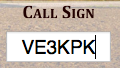 Now it starts to get really nerdy. Adobe specified the Forms Data Format (FDF) to allow PDF form data to be slung around. FDF looks a bit like PostScript or raw PDF:
%FDF-1.2

1 0 obj
<<
/FDF << /Fields 2 0 R>>
>>
endobj
2 0 obj
[<< /T (callsign) /V (VE3KPK) >>
<< /T (date) /V (2011-10-02) >>
<< /T (mhz) /V (7.03581) >>
<< /T (mode) /V (CW) >>
<< /T (report) /V (499) >>
<< /T (utc) /V (2341) >>
]
endobj
trailer
<< /Root 1 0 R >>
%%EOF
If you think of the T & V values above as Tag and Value, you can see that the file defines callsign=VE3KPK, date=2011-10-02, mode=CW, and so on. This step can be easily scripted. If you’re not sure what the fields are called, pdftk has a “dump_data_fields” option that spits out the field names as plain text.
pdftk is also used to put the data from the FDF file into the PDF template. It’s a slightly hairy command line:
pdftk QSL-blank.pdf fill_form VE3KPK.fdf output QSL-VE3KPK.pdf flatten
Here the source file is QSL-blank.pdf, the FDF data is VE3KPK.fdf, and the output is to QSL-VE3KPK.pdf. The flatten option turns the pdf form into regular, uneditable PDF. (These details are from a real QSO, by the way, and by utter coincidence I’m writing this in a hotel in Ken VE3KPK’s home town in Northern Ontario.)
Checking that this worked in Adobe Reader:
 For many people this is probably enough (or perhaps, too much already!) but I really want to have a digital QSL card that will stand up to some scrutiny. This is where your LoTW certificate file comes in.
PortableSigner is a java application for signing PDF files. It seems quite happy signing the files made in this workflow. It can run from the command line, or as a windowed application:
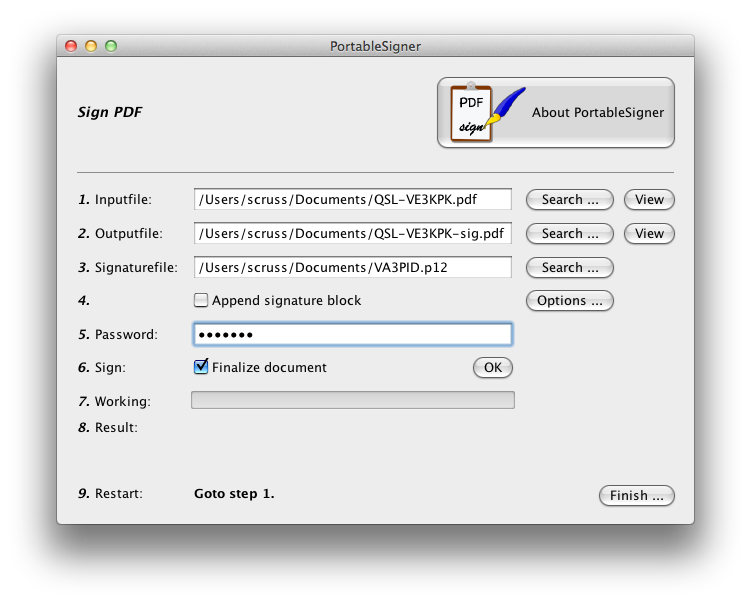 You use your .p12 signature file and its password to sign the PDF. Once the file is signed, you can send it to your contact, and they can prove (and hopefully, any certification/contest agency will agree) that the contact was confirmed.
Viewing the signed document is deeply unimpressive:
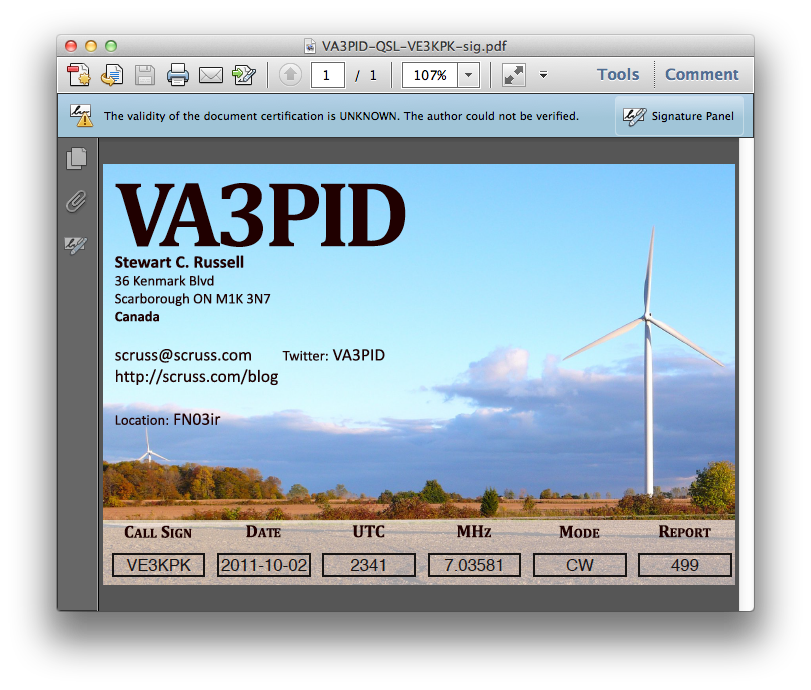 It’s not such a big deal that Reader says that “the validity of the certification is unknown”. It’s just that Adobe doesn’t have the ARRL’s certificate loaded into everyone’s reader (what!? mock outrage!) and so it doesn’t match a certificate it knows about. You have to dig a bit deeper into the signature panel to check out who is responsible for this.
 Well, that’s a start; at least it was signed by someone with my e-mail address. There’s more under Show Signature Properties:
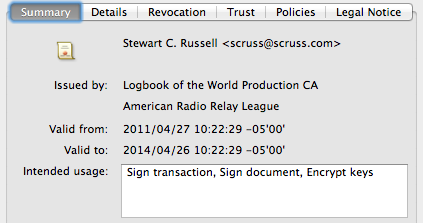 There’s the ARRL signature in there. Buried deep in another properties tree is my callsign; can’t find it today, but I saw it in there last night. Either way, the digital QSL PDF is now signed and certified that it came from me, as an ARRL LoTW user.